Brightness
 9:41192.168.1.107
What it shows
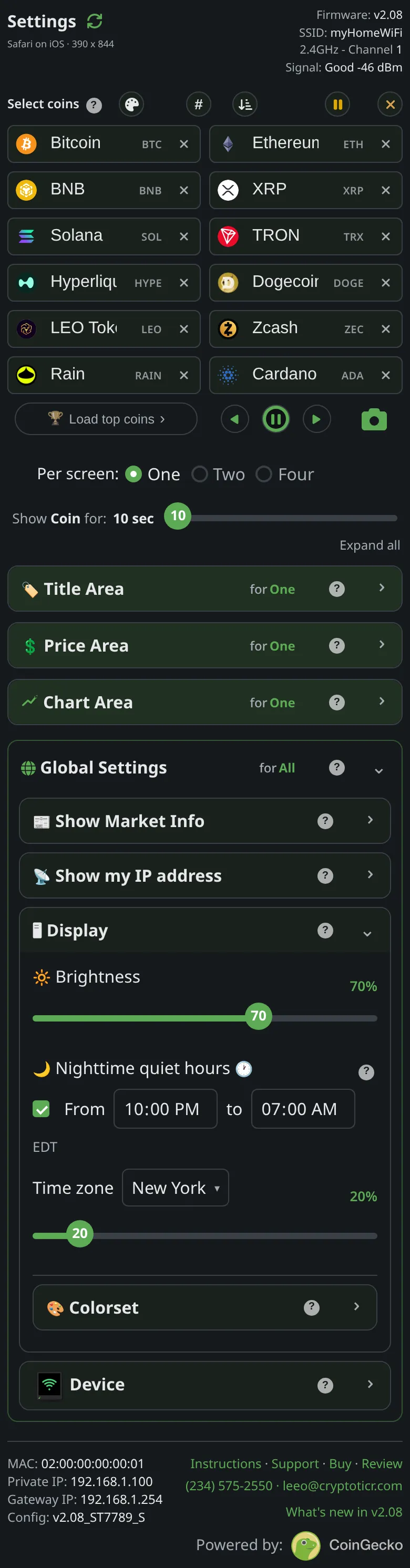
The backlight level of the screen, as a percentage. Moving the slider changes the ticker at once; the page says Brightness takes effect the moment you move the slider, no Save & Apply needed.
The slider runs from ten to a hundred in steps of ten. It does not reach zero: the firmware holds the backlight to a floor of ten percent, so the lowest step is dim, not off. A ticker that appears off is either unpowered or in its quiet hours at a low night level; see The screen is dark or looks off.
The page’s advice: Set it to whatever looks right in your room. A gentle tip: the screen's backlight is my biggest power draw and my main source of warmth, and electronics generally last longest kept cool, so mid-range makes a good everyday choice. Full brightness is there for the spots that need it, like a sunny window.
Options
- The slider is the daytime level. A second slider under
Nighttime quiet hours, which the page’s help calls theNight level, applies during quiet hours; see Nighttime quiet hours.
Where to set it
Display → Brightness on the settings page. Reference: Setting: brightness.