Answers
Frequently asked questions
Every question the manual answers, on one page. Tap a question for the short answer; the full one is a tap away.
On the One coin per screen page
One coin per screen
Title
What can the Title Area show on a one-coin screen?
On this screen the Title Area draws one of five combinations: icon and name, icon and symbol, symbol and name together, name only, or symbol only.
Full answer on the One coin per screen pageHow does the ticker fit a long coin name?
The ticker tries the title in seven type sizes, largest first, and uses the first size that fits the width left beside the icon, or the full width when there is no icon.
Full answer on the One coin per screen pageWhat happens when a coin's name is the same as its symbol?
The ticker shows a name that matches its symbol only once.
Full answer on the One coin per screen pageWhat does the title show for a coin with no icon?
In either icon combination, a coin the ticker has no icon for is titled with its symbol and name side by side, in one type size, starting at the left edge where the icon would have been.
Full answer on the One coin per screen pageWhy can't the title show the icon with both the symbol and the name?
The ticker's screen is 240 pixels wide, and the icon, a gap, the symbol at full size, another gap and a readable name do not fit across it, so the settings page does not let you choose all three.
Full answer on the One coin per screen pageWhat happens to coin names in other alphabets or with accents?
The ticker's type draws unaccented letters, digits and ordinary punctuation, so accented letters and other scripts are removed from a name or symbol before it is drawn.
Full answer on the One coin per screen pageHow do I tell apart two coins that share a symbol?
Two coins that share a symbol are told apart by adding the icon or the name to the title.
Full answer on the One coin per screen page
Price
How does the ticker write a price?
The ticker writes every price in US dollars, with a “$” in front, commas between thousands and a dot before the cents.
Full answer on the One coin per screen pageHow are very small prices shown?
A price under one hundredth of a cent ($0.0001) is written as “$0.0”, then a small number counting the zeros after the decimal point, then the first four significant digits.
Full answer on the One coin per screen pageWhat is the 24h% figure?
The 24h% is the coin's price change over the last 24 hours as CoinGecko reports it, and it is rolling: it compares the latest price with the price 24 hours before it, never with midnight.
Full answer on the One coin per screen pageWhat do 24h Vol, Market Cap and Market Cap Rank mean?
The 24h Vol, Market Cap and Market Cap Rank figures share the left side of the row under the price, each in its own color:
- 24h Vol: the value of the coin traded in the last 24 hours across the exchanges CoinGecko tracks, in US dollars.
- Market Cap: the coin's market value, its price times the coins in circulation.
- Market Cap Rank: the coin's place among all coins by market cap, #1 being the largest, written as “#7”. It comes with each fetch; when a fetch carries none, the ticker falls back to an earlier rank for that coin.
How do several ticked figures take turns?
Several ticked figures share one spot and split the coin's whole stay evenly.
Full answer on the One coin per screen pageWhat does the V/M prefix do?
Show (V/M) prefix puts a small “V” in front of the volume and an “M” in front of the market cap, two sizes smaller than the figure and in its color, so you can tell the two apart without knowing which color means which.
Full answer on the One coin per screen pageCan I recolor volume, market cap and rank?
Yes: volume, market cap and rank each have their own color swatch beside their checkbox.
Full answer on the One coin per screen pageHow often do the price and figures refresh?
The ticker refreshes a coin's price and figures every time the coin comes up.
Full answer on the One coin per screen pageWhat does the screen show when data is missing or old?
When one coin's fetch fails, the ticker does not leave an old price standing: the price becomes a large dim “-.--” with a one-line reason under it in small type, such as “No reply”, or “Reply cut off” when the link dropped partway through the answer, and the row of figures is cleared.
Full answer on the One coin per screen page
Chart
Which chart periods can the ticker show?
The ticker can show seven chart periods, all counting back from the moment the coin was fetched: 24 hours, 48 hours, 7 days, 14 days, 30 days, 60 days and 90 days.
Full answer on the One coin per screen pageWhat is a chart drawn from, and how often is it refreshed?
Each chart is CoinGecko's price history for its period, and it arrives with the price each time the coin's turn begins, so moving from one chart to the next during a stay fetches nothing.
Full answer on the One coin per screen pageHow is the line scaled to fit the chart?
The chart spaces time evenly from left to right: the oldest price of the period at the left edge, the latest at the right.
Full answer on the One coin per screen pageHow far apart are the time dividers?
Time divider lines are eleven faint vertical lines, one at each edge and nine between, that cut every chart into ten equal slices of time, oldest on the left.
Full answer on the One coin per screen pageWhat do the two dashed lines mean?
First/last price lines are two dashed lines across the whole chart: one at the level where the line starts, the period's first price, and one at the level where it ends, the latest price.
Full answer on the One coin per screen pageWhere does the period label go?
The period label (“24h”, “7d” and so on) is set in the largest text size, in the colorset's label color (mid gray in Default), with each character centered in its own time slice, so no letter ever sits on a divider.
Full answer on the One coin per screen pageWhat happens when several periods are selected?
With several periods selected, the coin plays their charts one after another, shortest first: 24h, 48h, 7d, 14d, 30d, 60d, 90d, in that order whatever order you selected them in.
Full answer on the One coin per screen pageWhat shows in the chart area with no period selected?
With every period unticked, the chart area becomes a small table of changes: one row each for 7d, 30d and 90d, with the label on the left and the change on the right, measured from the first price of that period to the latest price, with two decimals and a sign.
Full answer on the One coin per screen pageWhat does the chart show when a period has no data?
A chart with no data for its period keeps its frame and says so in the middle: “(No 24h Data)”, naming the period that is missing.
Full answer on the One coin per screen page
Up and down
What do green and red mean on the ticker?
In the Default colorset green means up and red means down, but the question each color answers depends on where it is.
Full answer on the One coin per screen pageWhy is the chart line a different color from the price?
The price and the chart line cover different stretches of time, so they can disagree.
Full answer on the One coin per screen pageWhen does a change show gray instead?
A change that rounds to zero at the precision the screen prints is neither up nor down, so it is drawn in a neutral light gray.
Full answer on the One coin per screen pageWhy is the gray the same in every colorset?
Up and down are signals and flat is the absence of one, so flat has to mean the same thing in all ten colorsets.
Full answer on the One coin per screen pageWhich parts of the screen take the up and down colors?
Four parts of the screen follow a direction: the big price and the 24h% (the last 24 hours), the chart line (its own period), and the change rows that replace the chart when no period is selected (each row its own period).
Full answer on the One coin per screen pageCan I change the up and down colors?
The up and down colors change only when you choose another colorset.
Full answer on the One coin per screen page
Full or minimal
What does the one-coin screen show with the factory settings?
From the factory, One per screen shows as much as fits on the screen:
- Title Area: the coin's icon and its name.
- Price Area: the price, colored by its 24-hour direction, with the 24h% at the right end of the row beneath it and 24h Vol and Market Cap taking turns on the left, each for half the stay. Market Cap Rank is off, and so is the V/M prefix in the Default colorset.
- Chart Area: a 24h chart, then a 90d chart, each for half the stay, with the time dividers and the first and latest price lines drawn, and the period label on the bottom row in whichever spot is clear.
- Show Coin for: 10 seconds per coin.
- Colorset: Default, green for up and red for down.
What happens during one stay of the factory screen?
With the factory settings, each coin appears with its icon, name, price, 24h Vol and 24h% over its 24h chart.
Full answer on the One coin per screen pageWhat does the “Bare essentials” screen turn off?
The “Bare essentials” screen, the second picture, is the sparest the settings allow, and it takes four changes: Symbol only in the Title Area, all four boxes in the Price Area unticked, a single period under Select period(s) (the tile uses 24h), and both boxes under Include within chart unticked.
Full answer on the One coin per screen pageWhy choose the factory settings?
The factory settings give the most information per glance.
Full answer on the One coin per screen pageWhy choose the minimal screen?
The minimal screen suits a ticker you read from across a room.
Full answer on the One coin per screen pageCan I mix the two, or go back to the factory settings?
Every choice is independent, so any point between the two works: keep the icon and drop the figures, keep one figure beside a single long chart, or turn the lines back on.
Full answer on the One coin per screen page
On the Two coins per screen page
Two coins per screen
Title
How does Two per screen divide the screen?
The ticker splits its coin area into two equal bands stacked one above the other, one coin in each: the first coin of the pair on top, the second below.
Full answer on the Two coins per screen pageWhich two coins share a screen?
The ticker pairs your coins in the order of your list: coins 1 and 2 share the first screen, coins 3 and 4 the second, and so on.
Full answer on the Two coins per screen pageWhat happens with an odd number of coins?
With an odd number of coins, the last screen shows the leftover coin in the top band and leaves the bottom band dark.
Full answer on the Two coins per screen pageWhat can the title line show in Two per screen?
The title line can show the coin's icon (its logo), its symbol (BTC), its name (Bitcoin), or a mix.
Full answer on the Two coins per screen pageHow does Both lay out the symbol and the name?
The Both choice draws the symbol in the largest title type, 36 pixels tall, and puts the name beside it after a 15-pixel gap, aligned to the bottom of the symbol so the two share a baseline.
Full answer on the Two coins per screen pageWhy is Icon with Both not offered here?
The icon, the symbol and the name together do not fit across this ticker's 240-pixel screen, so the settings page will not hold all three.
Full answer on the Two coins per screen pageHow does a long name fit on the title line?
The ticker tries the name in the largest title type and steps down through smaller sizes until it fits the width left of the icon; only when even the smallest size overflows does it trim letters from the end.
Full answer on the Two coins per screen pageWhat if a coin has no icon yet, or a name the ticker cannot draw?
In a title style with the icon, a coin whose logo is not on the ticker yet, such as a new listing, shows its symbol and name in place of the icon and text.
Full answer on the Two coins per screen pageWhat if two of my coins share a symbol?
Two different coins can share a symbol, and with the title set to Symbol alone they would look identical.
Full answer on the Two coins per screen page
Price
How big is each price in Two per screen?
Each price in Two per screen takes the largest type that fits its band, and the row of figures decides how tall that can be.
Full answer on the Two coins per screen pageWhat can show under each price?
Under each price in Two per screen sits one row of figures, the same four the Price Area offers in One per screen, drawn a size smaller.
Full answer on the Two coins per screen pageHow do several figures take turns in Two per screen?
The left-hand figures you switch on share the screen's time equally, in a fixed order: 24h Vol, then Market Cap, then Market Cap Rank.
Full answer on the Two coins per screen pageWhat happens when the 24h% is off, or it is the only figure on?
With the 24h% off and a left-hand figure on, that figure moves to the right edge, where the percentage stood, and starts at the percentage's own size.
Full answer on the Two coins per screen pageHow fresh are the prices in Two per screen?
The ticker fetches the latest figures for both coins together as a screen comes up, and draws the screen from them.
Full answer on the Two coins per screen pageHow long does each screen stay in Two per screen?
Each screen stays for the time on the Show Two for: slider under the coin boxes: 10, 15, 20, 25 or 30 seconds, 10 seconds from the factory.
Full answer on the Two coins per screen pageWhat if a coin's price has not arrived?
A coin with no price shows "-.--" where the price goes, with a short note under it that says why, and its row of figures is cleared so nothing from the screen before survives under the new name.
Full answer on the Two coins per screen pageWhat comes between screens of two?
When a card from Show Market Info is due, it takes a turn of its own between two screens, and the rotation then carries on with the screen that was next, so no pair loses its turn.
Full answer on the Two coins per screen page
Up and down
What decides the color of each price in Two per screen?
Each price in Two per screen is colored by its own coin's change over the last 24 hours: the colorset's up color if the coin rose, its down color if it fell, and a neutral gray if the change rounds to 0.00%.
Full answer on the Two coins per screen pageWhy are the two coins on one screen different colors?
Two coins on one screen can show different colors because each is judged on its own 24 hours, so one can be up while the other is down.
Full answer on the Two coins per screen pageDo the price and its 24h% always agree?
The price and the 24h% under it always wear the same color, because both take it from the same test on the same number, rounded the way the percentage is printed, to two decimals.
Full answer on the Two coins per screen pageWhen is a price gray in Two per screen?
A price is gray when its 24-hour change rounds to 0.00%, which means a move of less than 0.005% either way.
Full answer on the Two coins per screen pageWhich colors can I change in Two per screen?
The up and down pair comes with the colorset, which is chosen on the Global settings page and applies to every layout; there are ten.
Full answer on the Two coins per screen pageHow do the colorsets show up and down?
Default uses green for up and red for down, and Colorblind uses blue for up and yellow for down.
Full answer on the Two coins per screen pageDoes a price change color while the screen is up?
A price does not change color while its screen is up.
Full answer on the Two coins per screen page
Full or minimal
What does Two per screen show at the factory settings?
At the factory settings, Two per screen shows each coin's icon and name on its title line and the full row of figures under each price: the 24h% at the right, and on the left 24h Vol, Market Cap and Market Cap Rank taking turns, each for a third of the screen's time.
Full answer on the Two coins per screen pageWhat does the “Bare essentials” screen turn off?
The “Bare essentials” picture is the sparest screen Two per screen allows: the Title Area set to Symbol with the Icon switch off, and all four switches in the Price Area off.
Full answer on the Two coins per screen pageWhat changes on the glass when the figures go?
When the figures go, the freed height goes to the prices.
Full answer on the Two coins per screen pageWhat can't be turned off in Two per screen?
Every combination keeps the price, its color, and a text title.
Full answer on the Two coins per screen pageHow many looks lie between the two?
Five title choices and the sixteen on-off combinations of the four figures make 80 combinations for this screen, before the colorset, the figure colors and the V/M prefix are counted.
Full answer on the Two coins per screen pageWhich settings on the page belong to Two per screen?
The Title Area, the four figure switches of the Price Area and the Show Two for: time belong to this layout alone.
Full answer on the Two coins per screen pageWhy is there no chart in Two per screen?
Two per screen has no chart because a chart needs a band of its own and a coin's price history, and this layout has neither.
Full answer on the Two coins per screen page
On the Four coins per screen page
Four coins per screen
Title
How does Four per screen lay out the screen?
The ticker splits its coin area into four equal rows, one coin per row, filled from the top in the order of your list.
Full answer on the Four coins per screen pageWhich four coins share a screen?
The ticker groups your coins four at a time in the order of your list: coins 1 to 4 on the first screen, 5 to 8 on the second, 9 to 12 on the third.
Full answer on the Four coins per screen pageWhy can Four per screen only show the symbol or the icon?
Four per screen shows only the symbol or the icon because a 59-pixel row has room for one name tag beside its price, and the price comes first.
Full answer on the Four coins per screen pageHow big is the symbol in each row?
The ticker books a readable size for the symbol before it sizes the price: about 55% of the row's usable height, which on this screen is type 31 pixels tall.
Full answer on the Four coins per screen pageWhat does Icon show, and what if a coin has no icon yet?
The Icon choice shows the coin's logo, 47 pixels square, at the left edge of its row and centered on it.
Full answer on the Four coins per screen pageWhy are there no figures and no chart in Four per screen?
Four per screen has no figures and no chart because a 59-pixel row holds a name tag and a price and nothing more.
Full answer on the Four coins per screen pageWhich settings on the page apply to Four per screen?
Four per screen has two settings of its own: the Title Area, whose heading reads "for Four per screen" while this layout is selected, and the time each screen stays, Show Four for:.
Full answer on the Four coins per screen pageWhat if two of my coins share a symbol?
Two different coins can share a symbol, and in rows titled by Symbol they would look identical.
Full answer on the Four coins per screen pageHow does the ticker size each price in Four per screen?
In Four per screen, each price takes the largest type that fits two limits: the height of its row, and the width left beside the symbol or icon.
Full answer on the Four coins per screen pageWhy do the four prices come out so close in size?
The four prices come out close in size because the ticker allows no more than one size step between the smallest and the largest in the column.
Full answer on the Four coins per screen pageWhy is there no dollar sign in Four per screen?
Four per screen leaves out the dollar sign because every price on the ticker is in US dollars: on a screen of four rows the "$" would say the same thing four times, and it takes as much width as a digit, twice that of a comma or a point.
Full answer on the Four coins per screen pageWhy does a price under a dollar start with a decimal point?
In Four per screen the leading zero of a price under a dollar is always dropped, so 0.3263 shows as .3263.
Full answer on the Four coins per screen pageHow does a very small price appear in Four per screen?
A price below $0.0001 is shortened: instead of a run of zeros it shows ".0", then a small number counting the zeros after the decimal point, then up to four significant digits.
Full answer on the Four coins per screen pageHow fresh are the prices on a four-coin screen?
The ticker fetches the latest figures for all four coins together as a screen comes up, and draws the screen from them; nothing on it is fetched again while it stays up.
Full answer on the Four coins per screen pageHow long does each screen stay in Four per screen?
Each screen stays for the time on the Show Four for: slider under the coin boxes: 10, 15, 20, 25 or 30 seconds, 10 seconds from the factory.
Full answer on the Four coins per screen pageWhat happens when a price has not arrived?
A coin whose price has not arrived keeps its row: its symbol or icon shows at the left and a dim “-.--” stands where the price goes, sized like the prices beside it, while the other rows show their prices.
Full answer on the Four coins per screen pageWhat comes between screens of four?
When a card from Show Market Info is due, it takes a turn of its own between two screens, and the rotation then carries on with the screen that was next, so no group of four loses its turn.
Full answer on the Four coins per screen page
Up and down
What does the color of each price mean in Four per screen?
Each row's price is colored by that coin's own change over the last 24 hours: the colorset's up color if it rose, its down color if it fell, and a neutral gray if the change rounds to 0.00%.
Full answer on the Four coins per screen pageHow can one screen show both up and down coins?
The ticker judges each row on its own, from that coin's own 24 hours, so any mix can share a screen: four up, four down, or anything between.
Full answer on the Four coins per screen pageWhy is there no percentage beside the price?
Four per screen does not print the 24h% at all, because a 59-pixel row holds a name tag and a price and nothing more.
Full answer on the Four coins per screen pageWhen is a row gray if the percentage is not shown?
A row is gray when its coin's 24-hour change rounds to 0.00% at two decimals, which is a move of less than 0.005% either way.
Full answer on the Four coins per screen pageHow do the colorsets show up and down across four rows?
With color as the only cue, the colorset's pair does all the work in this layout.
Full answer on the Four coins per screen pageCan I change the colors in Four per screen?
Four per screen has no color settings of its own.
Full answer on the Four coins per screen pageDoes a row change color while the screen is up?
A row does not change color while its screen is up.
Full answer on the Four coins per screen page
On the Global settings page
Global settings
Market Info
What does the Market overview card show?
The Market overview card shows four numbers about the crypto market as a whole.
Full answer on the Global settings pageWhat is a crypto sector, and how does the ticker pick the hottest one?
A sector is a family of coins with the same purpose, such as gaming, AI, DeFi or meme coins; the ticker uses the categories CoinGecko sorts coins into.
Full answer on the Global settings pageHow often do the Market Info cards appear, and for how long?
The Market Info cards share one schedule, set on a single line of the settings page: Show every, 2 to 30 minutes between rounds, and for, 4 to 15 seconds per card.
Full answer on the Global settings pageDo the market cards interrupt my coins?
A Market Info card takes its turn at the moment the screen would change anyway, and the coins carry on where they left off.
Full answer on the Global settings pageWhat happens to the market cards at start-up?
At every start-up the cards you have turned on lead: they show before the first coin, back to back, each for a fixed 7 seconds whatever your "for" setting says, and then settle into the normal schedule.
Full answer on the Global settings pageHow fresh are the market figures?
The ticker fetches new market figures when a card comes due, but no more often than once every ten minutes, because whole-market numbers move slowly.
Full answer on the Global settings pageWhat happens when the market data is not available?
When a refresh fails, the ticker keeps the last figures it received and the card shows those rather than a blank.
Full answer on the Global settings pageHow do I turn a market card on or off?
Each card has a checkbox, Market overview and Sector heat, under Show Market Info in the Global Settings of the settings page.
Full answer on the Global settings page
IP address
Why does the ticker show its IP address?
The ticker shows its address because the settings page lives on the ticker itself, at that address on your home network.
Full answer on the Global settings pageWhat is the difference between the Text and QR code forms?
The Text form is a box in the middle of the screen: "My settings are here:", the address in large type, the name of your Wi-Fi network under it, and a bar that runs down while the box is up.
Full answer on the Global settings pageHow do Show Every, For how long and Number of times work?
Each row sets its own schedule, and the two rows share nothing but the screen.
Full answer on the Global settings pageWhat does Number of times mean over a day or after a restart?
Number of times counts showings since the ticker last started, not per day.
Full answer on the Global settings pageDoes the ticker show its address at start-up?
The start screen always shows the address: under the logo, "My settings are here:" and the address with http:// in front, which briefly cycles through colors.
Full answer on the Global settings pageWhat happens when my router gives the ticker a new IP address?
When its address changes, the ticker shows both forms, the QR code and then the written address, even if you have switched both rows off or used up their counts.
Full answer on the Global settings pageWhy does the ticker's IP address change?
The ticker's address changes because your router lends each device an address for a while, a system called DHCP.
Full answer on the Global settings pageHow do I keep the ticker's address from changing?
Reserve the address on your router, and leave the ticker's own network settings alone.
Full answer on the Global settings pageHow do I preview the address, or turn it off?
Switching a row on puts that form on the ticker at once, for that row's own seconds, so you can check how it looks.
Full answer on the Global settings page
Brightness
How bright can the ticker be, and how fast does a change apply?
The ticker's Brightness runs from 10% to 100% in steps of 10, and the screen follows the slider as you drag it: each step goes to the ticker as the slider reaches it, with no Save & Apply.
Full answer on the Global settings pageWhat are quiet hours?
Quiet hours dim the ticker to a night level between two times you choose, then bring it back to your Brightness.
Full answer on the Global settings pageCan quiet hours run past midnight?
Quiet hours can cross midnight, and overnight is the usual case.
Full answer on the Global settings pageWhat happens when quiet hours start and end?
At the From time the ticker drops to the night level, and at the to time it returns to your Brightness, each in a single step rather than a fade.
Full answer on the Global settings pageWhy does the Brightness slider seem to do nothing at night?
During quiet hours the screen follows the night level, so moving the Brightness slider changes the daytime level for later and leaves the screen as it is.
Full answer on the Global settings pageHow does the ticker know the local time?
The ticker has no clock or battery of its own; it takes the time from its server whenever it fetches prices, and counts forward in between.
Full answer on the Global settings pageWhat does the ticker do before it knows the time?
Until it knows the time, the ticker stays at your daytime Brightness.
Full answer on the Global settings page
Colorset
What are the ten colorsets?
A colorset is the ticker's whole color scheme, and there are ten, picked from the swatches in the Colorset section, inside Display in the Global Settings of the settings page.
Full answer on the Global settings pageWhich colorset should I pick if red and green look alike?
Colorblind is the set for anyone who finds red and green hard to tell apart: it shows a rise in blue and a fall in yellow, a pair that stays distinct for most people with red-green color blindness.
Full answer on the Global settings pageWhat makes Amber and Green different?
Amber and Green are single-hue sets that imitate an old monochrome monitor.
Full answer on the Global settings pageWhich parts of the screen does a colorset recolor?
A colorset recolors nearly everything on the coin screens and the Market Info cards:
- the up and down pair: the price, the 24h%, the chart line, the 7-, 30- and 90-day changes, and the moves on the Market Info cards;
- the coin's name and symbol, and the words and figures on the Market Info cards;
- the figures that take turns under the price: volume, market cap and rank;
- the chart's helpers: its period label, the time divider lines, and the dotted lines at the first and last price;
- the message boxes over the coins, the written address included, which take a deep tint of the set's main accent color;
- the countdown ring when you pause the ticker from the settings page.
Can I change the colors of volume, market cap and rank?
Volume, market cap and rank can each take a color of your own, kept separately for each colorset.
Full answer on the Global settings pageWhat is the colorset card at start-up?
The colorset card is the ticker's own sample of the set in use, and every ticker shows it at every start-up, for 2.5 seconds before the first coin or card.
Full answer on the Global settings pageHow fast does a new colorset show on the ticker?
A new colorset shows on the ticker at once: tapping a swatch applies it, with no Save & Apply, and the ticker answers with the colorset card.
Full answer on the Global settings pageIs the colorset the same as the settings page theme?
The colorset colors the ticker's screen, while the settings page theme, chosen with the button at the top of the page, colors only the page on your phone or computer and is remembered by that browser alone.
Full answer on the Global settings page
On the Device page
Device
Restart
What does Restart on the settings page actually do?
Restart makes the ticker go through the same start-up it runs when you switch it on, reading everything back from its saved settings.
Full answer on the Device pageWhat does the ticker show while it restarts?
The ticker narrates the whole start on its screen.
Full answer on the Device pageHow long until the coins are back?
The pauses built into that story add up to about 25 seconds.
Full answer on the Device pageDoes restarting count toward the five-restart factory reset?
A Restart from the settings page never counts toward the five quick restarts that factory reset the ticker.
Full answer on the Device pageWhat if my Wi-Fi is not there when it restarts?
The ticker tries its saved network twice, ten seconds each, and then waits for it instead of going into setup.
Full answer on the Device pageWhy does the start screen sometimes say “Restarted to reconnect”?
The ticker restarts itself in a few situations, and the first screen says which.
Full answer on the Device pageWhat if the settings page does not come back?
The page keeps checking the address it was opened from, so it cannot follow the ticker if your router hands it a different address this time.
Full answer on the Device page
Change Wi-Fi
How does the ticker test a new network before it switches?
The ticker proves a new network works before it saves anything.
Full answer on the Device pageDoes the ticker keep my current Wi-Fi if the new one fails?
A failed change leaves the ticker on the network it had.
Full answer on the Device pageWhat do I see on the phone and on the ticker while it switches?
The ticker pauses its coins and shows “Change Wi-Fi to”, the new network's name and “from” the old one, above the current step and a green bar.
Full answer on the Device pageWhy does my phone have to join the new network too?
The settings page is served by the ticker itself, at its address on whichever network it is on, so after a switch your phone or computer has to be on the new network to reach it.
Full answer on the Device pageWhy does the ticker show a list of networks on its own screen?
The Change Wi-Fi page gets its list from a fresh scan, and the ticker shows the result on its glass as well.
Full answer on the Device pageDoes the ticker remember more than one network?
The ticker holds one network at a time.
Full answer on the Device pageHow do I change only the ticker's address?
Pick the network the ticker is on now.
Full answer on the Device pageWhat is “Save it anyway” for?
“Save it anyway” stores a network the ticker cannot reach from where it is, for a ticker you are about to move.
Full answer on the Device pageWhat if I only change my router's password?
A new password for the network the ticker is on is set at the router, not on this page, because it does not exist until you set it.
Full answer on the Device page
Erase Wi-Fi
What exactly does Erase Wi-Fi forget?
Erase Wi-Fi forgets the saved network's name, its password and any fixed address you gave the ticker, and nothing else.
Full answer on the Device pageWhat does the ticker do right after the erase?
The ticker restarts at once and comes up in first-time setup.
Full answer on the Device pageHow long does it wait in setup?
The ticker waits in setup for as long as it takes.
Full answer on the Device pageWhen should I erase the Wi-Fi instead of changing it?
Erase the Wi-Fi when the ticker is about to leave the only network it knows: a move, or a new router with a new name that you will set up later.
Full answer on the Device pageWhat if the old network is already gone?
Erase the Wi-Fi before the old network disappears, because afterwards this button is out of reach.
Full answer on the Device pageWhat is different after setting it up again?
Nothing else you chose changes.
Full answer on the Device page
Set up Wi-Fi
What is the ticker's setup network?
The setup network is a small Wi-Fi network the ticker makes itself, so a phone can hand it your home Wi-Fi details.
Full answer on the Device pageHow does the setup page open on my phone?
The setup page opens by itself on most phones because the ticker answers the check a device makes when it joins a network.
Full answer on the Device pageWhat does the ticker need from my Wi-Fi?
- 2.4 GHz: its radio cannot see 5 GHz. A router with one name for both bands works; on a split router, pick the 2.4 GHz name.
- Open, WEP, WPA or WPA2 security; not WPA3 only, and no username.
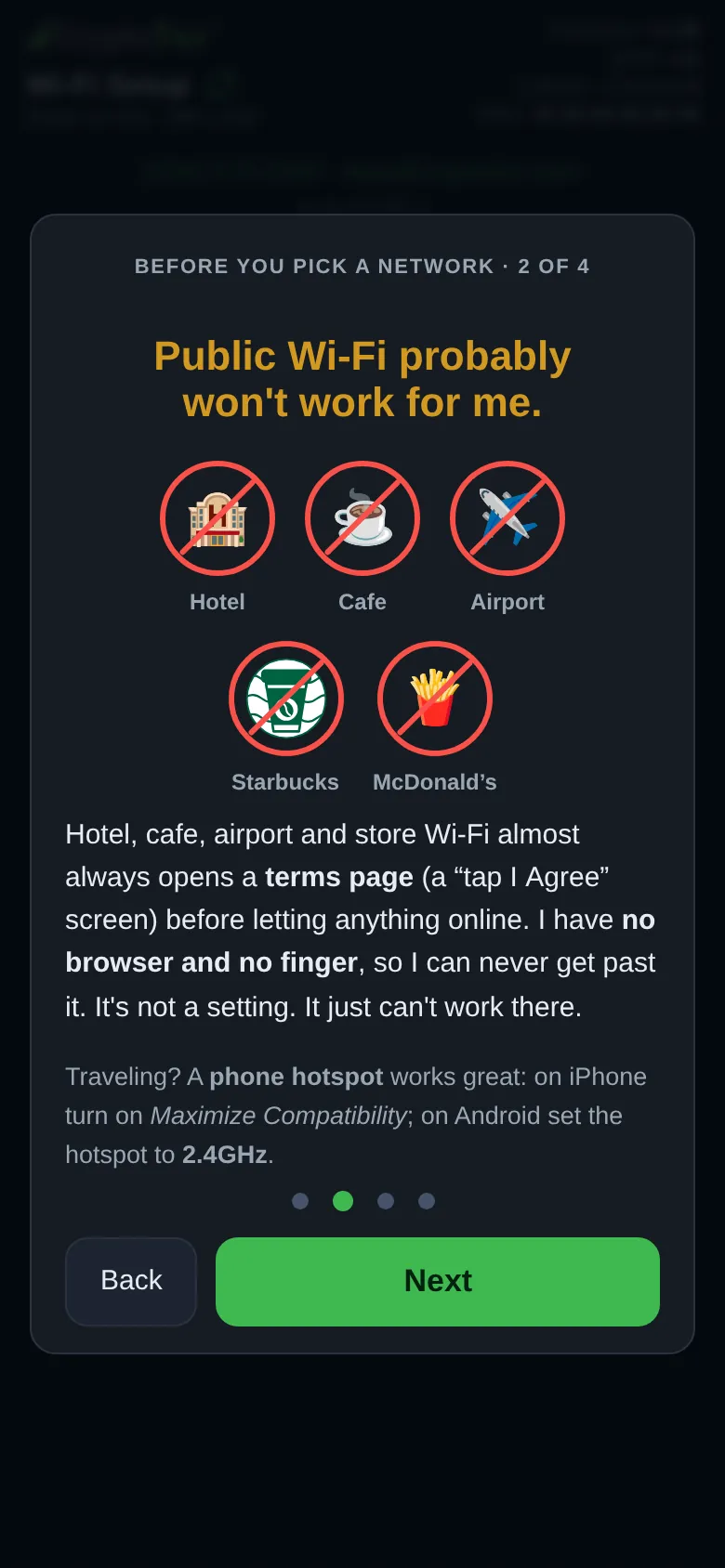
- No sign-in page: hotel, cafe and store networks that want you to tap “I agree” cannot work, because the ticker has no browser.
- Your main network: a guest one usually gives it prices but walls your phone off from its settings page.
- A name of up to 32 bytes (an accent or emoji counts as several) and a password of up to 64 characters, typed exactly. A name its fonts cannot draw still joins but looks different on the glass; for example \ shows as /, ^ as ', and { } as ( ).
- An address from your router, or a fixed one under “Static IP (advanced, most won't need)”.
How does the network list work, and what about a hidden network?
The ticker builds the list when the setup page asks for it, not before, because a scan takes its one radio off the setup network for a few seconds.
Full answer on the Device pageWhat happens when I tap Connect?
The page checks what you typed, hands it over, and holds the button for up to a minute (“Working on it… 60s”), because every extra press would make the ticker start over.
Full answer on the Device pageWhat do the failure messages mean?
The phone leads with a verdict built from what the ticker observed, then says what to try:
- “The router rejected this password outright”: the router proved it wrong.
- “I've tried this password 3 times now and never got in.”: refused without that proof; it suggests a typo, then distance, then a router that holds new devices for approval.
- “I can't find that network right now.”: check it is on, in range and on 2.4 GHz.
- “Your router says it can't accept any more devices right now.”
- The router let the ticker on but never sent it an address.
- “I can barely hear your router from here”, or “I lost sight of your router partway through connecting.”
- “I can see your network, but nothing came back when I asked to join.”
- A network that wants “a business style sign in with a username”.
- “Something stopped me joining your home Wi-Fi, and I can't tell exactly why.”
What if it joins but cannot reach the internet?
The ticker asks before it uses a network with no internet.
Full answer on the Device pageHow long will it wait, and what if my phone drops off?
A new ticker, or one whose Wi-Fi was erased, waits in setup with no time limit: with no working network saved there is nothing to go back and retry.
Full answer on the Device pageWhy did the setup network open by itself?
A ticker that cannot get back on the Wi-Fi it had can open its setup network on its own, and it keeps every coin and setting.
Full answer on the Device pageWhat happens if the power goes off during setup?
What the ticker does depends on how far setup got.
Full answer on the Device pageHow do I find the settings page afterwards?
The setup page finds it for you.
Full answer on the Device page
Erase
Which erase options does the settings page have?
The settings page has four ways to put the ticker back, gentlest first, and each one asks you to confirm before it does anything.
Full answer on the Device pageWhat does Start over (keep Wi-Fi) erase?
Start over (keep Wi-Fi) wipes the ticker's whole settings store and then restarts.
Full answer on the Device pageWhat does Start over keep, and why?
Start over keeps the Wi-Fi network and its password because the ticker stores them apart from its settings, so wiping the settings never reaches them.
Full answer on the Device pageWhat does the ticker do after Start over?
The ticker restarts, rejoins your Wi-Fi by itself and runs the shipped coins straight away, with nothing to save first.
Full answer on the Device pageWhat does a factory reset erase and keep?
A factory reset erases everything Start over erases, plus the saved Wi-Fi network, its password and a fixed address, because an address only means something on the network it was set for.
Full answer on the Device pageWhat happens after a factory reset?
The ticker shows “Factory Reset Done”, “Wi-Fi and settings erased” and “Restarting for setup...” for five seconds, then restarts into first-time setup with its own CT network, exactly as a new ticker does.
Full answer on the Device pageCan an erase be undone?
No erase can be undone, because the ticker keeps no copy of what it erased: its settings and its own internal backup copy are wiped together.
Full answer on the Device pageDoes the Lock stop an erase?
On a locked ticker every erase from the settings page needs the password, the same as any other change.
Full answer on the Device page
Five restarts
How does the five-restart factory reset work?
The ticker counts power-ons that follow each other quickly, and the fifth in a row triggers a full factory reset.
Full answer on the Device pageHow much time do I have for each restart?
Each power cut has to come within the first five seconds that the ticker is switched on.
Full answer on the Device pageWhat does the countdown on the screen mean?
The countdown shows how many quick power-ons the ticker has counted and how many are left.
Full answer on the Device pageWhat counts as a restart?
Only a real power-on counts: unplugging the USB cable and plugging it back in, or anything else that cuts the power.
Full answer on the Device pageWhy does the ticker need this gesture?
The ticker has no buttons and no touch screen, so its power cable is the only thing you can work by hand.
Full answer on the Device pageDoes it work when the ticker can't get online?
The five restarts work whether or not the ticker can reach your Wi-Fi, because it counts each power-on before it even tries to connect.
Full answer on the Device pageWhen does the gesture not work?
The five restarts do nothing in three cases:
- The ticker has no saved Wi-Fi network, as on a brand-new ticker or after Erase Wi-Fi. It then sets the count back to zero at every start, since it is already in first-time setup.
- A power-on lasted five seconds or more. The count starts over, and the next power-on shows no circles.
- The restarts weren't power cuts, as described above.
What do five quick restarts erase?
Five quick restarts do exactly what Everything, (FACTORY RESET) does on the settings page: the Wi-Fi network and its password, a fixed address, the coin list, every setting and the Lock password are erased, and the coin pictures stay.
Full answer on the Device page
Lock
What does the Lock protect?
The Lock puts a password on every change made from the settings page.
Full answer on the Device pageHow do I set a password on the settings page?
Setting the Lock takes a few taps on the page and one look at the ticker's screen:
- In the Device card, tap Lock. A dialog titled “Add a password” opens.
- Type a password of 3 to 10 characters: letters, digits and ordinary symbols, with no spaces. Capitals matter. The box shows the characters as you type and never capitalizes on its own, and anything it can't accept, such as a space, an accented letter or an emoji, is left out as you type. Tap Continue.
- Read “One important thing” and tap “I understand, continue”. The ticker now shows a code.
- Type the four digits from the ticker's screen into “Code from the screen”. The page sends them as soon as the fourth digit goes in.
- The page shows the password exactly as it was set and says “Settings is now locked.” It also signs this browser out, so your first step is to type the password into the bar at the top, which proves it works. Tap “I've written it down”.
Why does the ticker show a code on its screen?
The ticker shows a code so that only someone who can see its screen can turn the Lock on.
Full answer on the Device pageHow does a phone stay unlocked?
Each browser asks for the password once and then remembers it for that ticker, so the phone you use every day opens the page ready to make changes.
Full answer on the Device pageHow do I change or remove the password?
The password is removed from a browser that is already unlocked: tap Unlock in the Device card, then Remove password, and anyone on the network can change settings again.
Full answer on the Device pageWhat happens after wrong password attempts?
After several wrong passwords in a row, the ticker makes you wait before the next try, and the wait grows while the wrong tries continue.
Full answer on the Device pageWhat if I forget the password?
A forgotten password can't be looked up, and the way back is a factory reset, which erases the password together with the Wi-Fi and every setting.
Full answer on the Device pageWhich resets remove the password?
Start over (keep Wi-Fi) and a factory reset both remove the password along with the settings.
Full answer on the Device page
Notices
When does the weak Wi-Fi card appear?
The ticker shows its Wi-Fi card at start-up only when the signal is weak, and after that only when the connection is actually failing.
Full answer on the Device pageWhy does the ticker count dropped connections instead of signal strength?
The ticker waits for dropped connections because a signal reading is a poor guide to whether a link works.
Full answer on the Device pageHow does the ticker judge its Wi-Fi signal?
The ticker takes a signal reading once a second and keeps a running average in which each new reading counts for a quarter, because a single reading is noisy even when nothing moves.
Full answer on the Device pageWhat does the Wi-Fi card show?
The Wi-Fi card has five rows:
- A title: “Weak Wi-Fi signal”; “Wi-Fi drops out” when dropped connections brought the card on; or “Wi-Fi signal” when you asked to see it and the signal isn't weak.
- A router, the Wi-Fi symbol and a thumb: red and down when the signal is weak, up when it is good, and no thumb in between, where there is no verdict to give.
- Your network's name.
- “Strength:” with a word and the reading, for example “Strength: Very Weak -85 dBm”. Above the weak line the words run from “Excellent” and “Strong” through “Good” to “Fair”; below it they are “Weak”, “Very Weak”, “Useless” and “Dead!”.
- The band and channel, for example “2.4GHz - Channel 6”.
How do I turn the repeats off?
The ticker's repeats are switched by the Wi-Fi signal and Power boxes under Notify me of weak, in the Device card.
Full answer on the Device pageWhat does the power check measure?
The power check measures the ticker's own 3.3-volt supply, the voltage its processor runs on, so a healthy reading sits between 3.00 and 3.60 volts rather than at the 5 volts of a USB charger.
Full answer on the Device pageWhen does the power card appear, and what does it say?
The power card has four warning faces, one for each way the supply can be off:
Full answer on the Device pageCard title Measured Advice on the card “Power a bit low” Dipped below 3.00 V “Try a different USB power source.” “Power very low!” Dipped below 2.90 V “Switch to a different USB power source.” “Power a bit high” Averaged above 3.60 V “Switch to a different USB power source.” “Power very high!” Averaged above 3.70 V “Unplug. Use a different power source.” Why does the power card suggest a different power source?
The ticker can measure its supply but can't see where a problem starts, so the card names the part you can change.
Full answer on the Device pageDo the cards ever pile up?
The ticker keeps its scheduled cards at least 30 seconds apart, so the Wi-Fi and power cards, both on a 15-minute rhythm, never run back to back with each other or land on top of the address card.
Full answer on the Device page
More
What does Export save?
Export saves every setting on the settings page to a small file on the phone or computer you are using, named after the ticker and the moment you saved it, for example CT123_2609191430.json for 2:30 p.m. on September 19, 2026.
Full answer on the Device pageWhat does Import change?
Import applies a file to the ticker and saves it in one step, with no separate Save to press.
Full answer on the Device pageCan I copy my settings to a second ticker?
Copying a setup to a second ticker takes an Export on the first ticker's settings page and an Import on the second's.
Full answer on the Device pageWhat does Factory defaults do?
Factory defaults puts every setting on the page back to how the ticker shipped while the ticker keeps running: no restart, no welcome, nothing to save.
Full answer on the Device pageDoes the ticker keep its own backup of my settings?
The ticker keeps two copies of its settings and checks both every time it starts.
Full answer on the Device pageWhat do System Info and Files Info show?
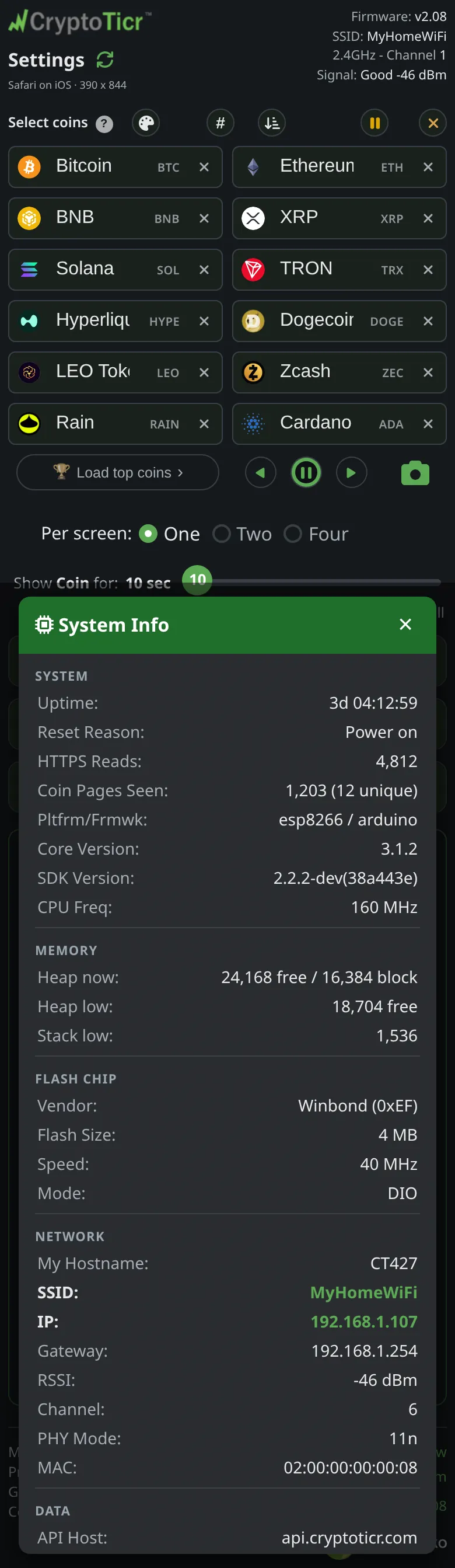
System Info is one list of the ticker's vital signs, for the curious and for troubleshooting with support; the two buttons under Info in the Device card open it and Files Info.
Full answer on the Device pageWhere does the settings page show the signal and the power?
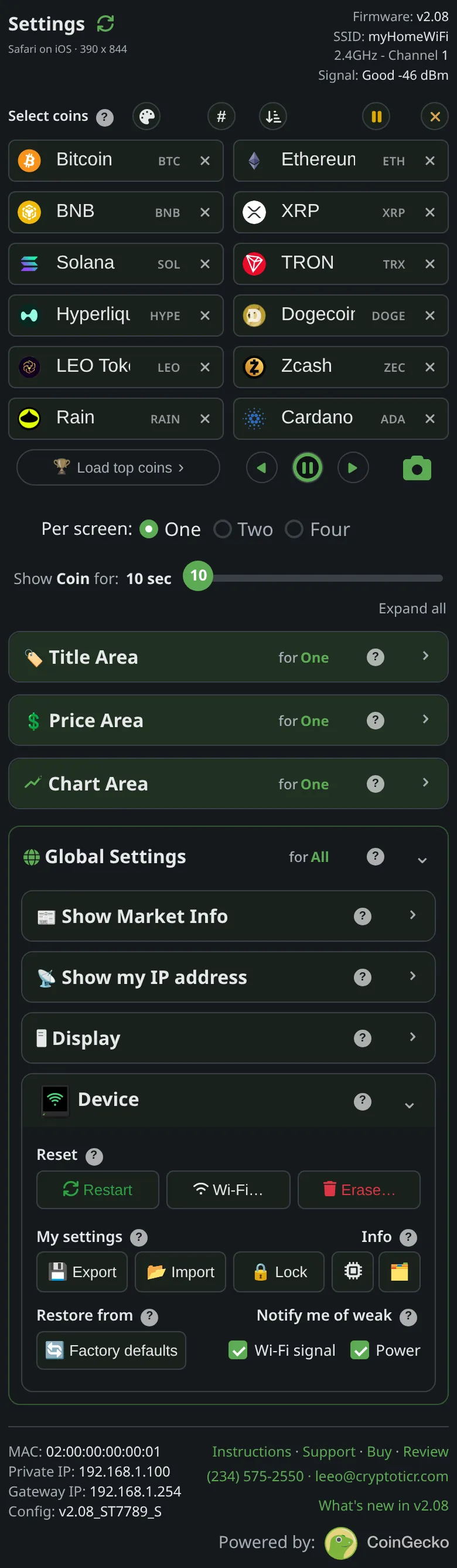
The settings page header always carries a Signal line with the ticker's signal word and reading, for example “Signal: Good -46 dBm”, and that line is highlighted below -79 dBm, the line at which the ticker calls its signal weak.
Full answer on the Device page
More questions
The product
Is there a subscription or account?
 9:41192.168.1.107
No. There is nothing to sign up for and nothing to pay after the purchase. The settings page is served by the ticker itself on your Wi-Fi (
Everything here is saved on the ticker itself, nothing leaves your home network.), and the prices come from CryptoTicr’s server at no charge. The old site’s FAQ:There are no fees, subscriptions, or accounts of any nature necessary to use this device.Is there an app for the ticker?
The settings page in an ordinary browser, nothing to install
 9:41192.168.1.107 No. The ticker has a small web server inside it and serves its own settings page to your Wi-Fi. Type its address into any browser, on a phone, tablet or computer, and the page is there: coins, colors, timings, everything, applied as you change it. The ticker’s own screen tells you the address (
Open a browser./Enter into its/ADDRESS BAR:). See Opening the settings page.Does the ticker have a camera or microphone?
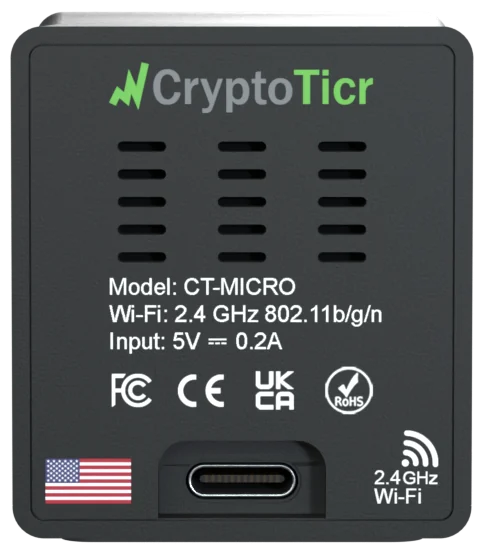
No. There is no microphone and no camera inside, so the ticker cannot record sound or pictures of any kind.
It also has nothing to sign in to and knows nothing about you. The only thing it sends over the internet is its request for prices, with a few readings about its own health attached. The policy is on Privacy., and the policy is on Privacy.
Does the ticker have a battery?
No. The ticker is built to run all day and all night, with its screen on and its prices fresh, and that is not a job for a battery. It draws about one watt from any USB port or the adapter in the box.
Unplugging it loses nothing. When the power comes back it starts up, rejoins your Wi-Fi and carries on with the same coins and settings. See After a power cut.
Where there is Wi-Fi but no outlet, a USB power bank runs it. Some power banks switch themselves off when the device on them draws very little, and the ticker draws very little, so a bank that stays on for small devices works best. See Power and the USB cable.
Can the ticker stay on all the time?
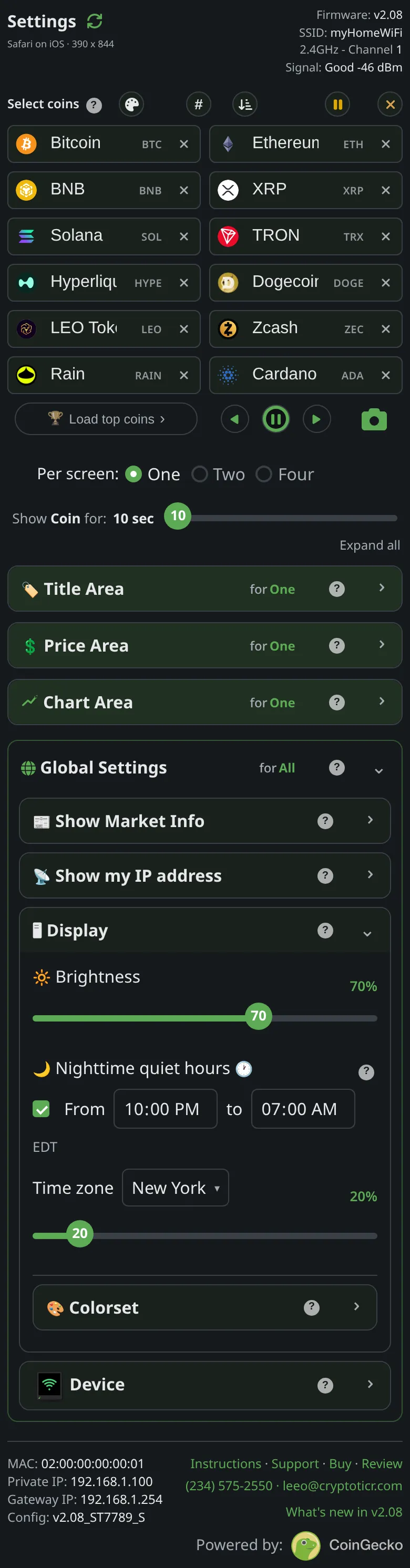 9:41192.168.1.107
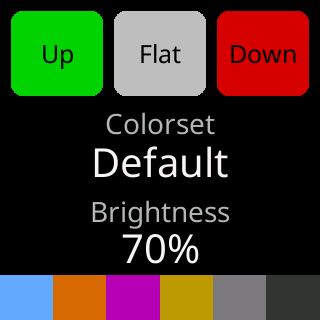
Yes. The old site’s FAQ:
Yes. Day and night. You can turn it off if you want to, but there is no need. Its designed to run 24/7 x 365 on a a single watt of power.Two settings make always-on comfortable:Nighttime quiet hoursdim it between two times, and a mid-rangeBrightnesskeeps the panel cool, as the settings page advises. See Nighttime quiet hours and Brightness.Can I have more than one ticker on my network?
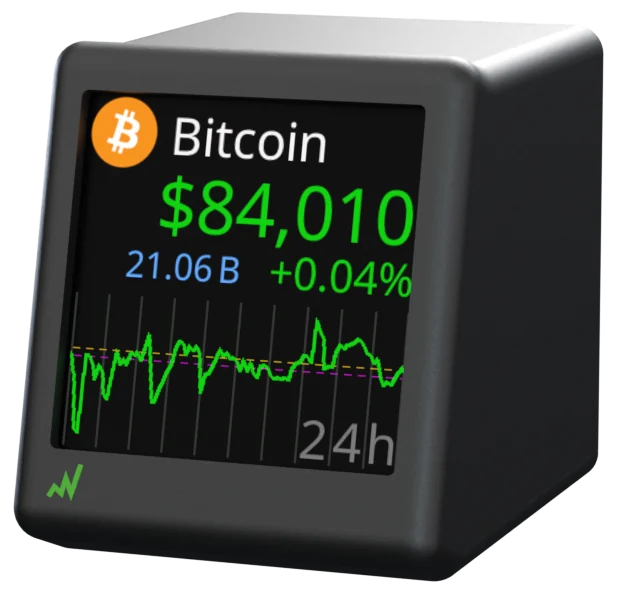
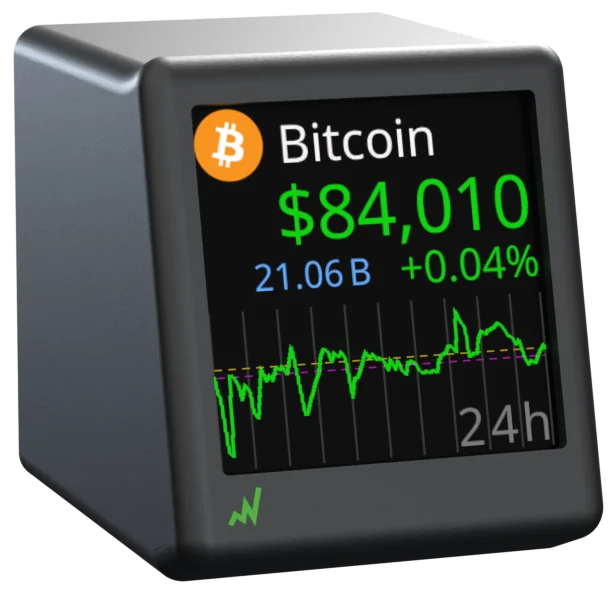
Yes, as many as you like. Each ticker makes its own
CTsetup network with its own three digits, takes its own address from your router, and serves its own settings page. Set them up one at a time so the names are not confused, then copy a setup between them withExportandImport, or give each its own coins. See Running several tickers.Does the ticker show stocks or gold?
No. The ticker’s server takes its list from CoinGecko, a cryptocurrency source, and the list holds coins and tokens only. A stock, a metal or a national currency will not appear as you type into a coin box. See Which coins are available.
Can the ticker alert me when a price moves?
No. The settings hold a coin list and display choices and nothing about thresholds or alerts, and the ticker has no way to notify a phone; it does not know one exists. What it offers instead is a glance: the 24-hour change in the up or down color under every price, and a chart of the range you choose. See Price area.
Can I rotate the ticker's screen?
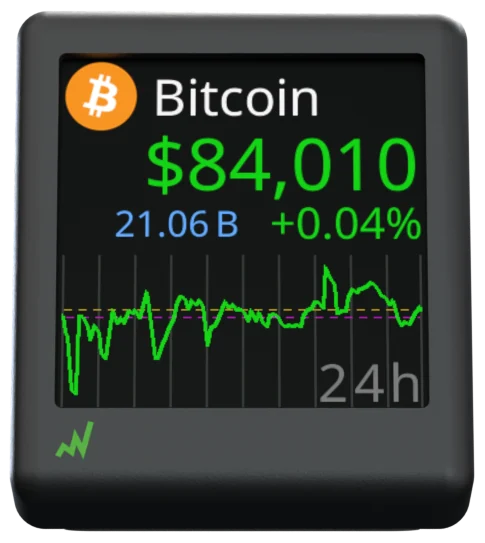
Not on this model. The screen is square, the enclosure has one orientation, and the firmware for this model is built with rotation switched off, so no rotate button appears on the settings page. See What it does not do.
Does the ticker have a touch screen?
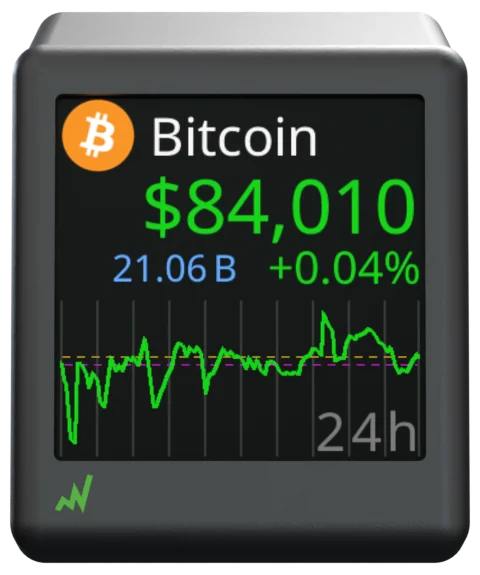
Not on this model; the glass is a plain display. What a tap would do is on the settings page instead: the
◀ ⏸ ▶remote under the coin boxes steps and pauses the ticker, and a tap on a coin’s badge jumps to it. See Jump to a coin and the remote buttons.
More questions
Getting started
Can I set it up from a computer instead of a phone?
Yes. Setup needs a device that can join a Wi-Fi network and open a web page, and a computer does both. Join the ticker’s
CTnetwork from the computer’s Wi-Fi list, and if the setup page does not open by itself, type192.168.4.1into the browser’s address bar withhttp://in front. The ticker’s card saysJoin my Wi-Fi/from any of these:and shows a phone, a tablet and a laptop.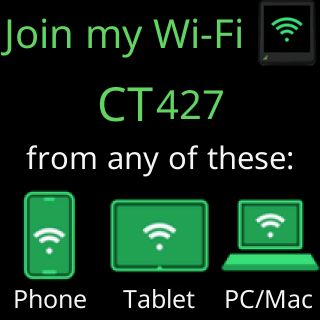
Step by step: Setting up from a Windows PC and Setting up from a Mac.
Do I need a phone to use the ticker?
9:41192.168.1.107No. The ticker needs some device with Wi-Fi and a browser twice: once to join its setup network and choose your Wi-Fi, and later to open its settings page and pick coins. A phone, a tablet or a computer will do. The one thing a phone does better is scan the QR code the ticker shows for its address; on a computer you type the address instead, as the ticker’s own screen explains (
Open a browser./Enter into its/ADDRESS BAR:).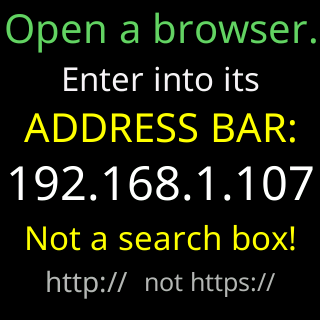
After setup the ticker runs on its own; no device needs to stay connected.
How long does setup take?
A few minutes, most of it reading. Plug the ticker in and the setup cards start within seconds. Joining its
CTnetwork and choosing your Wi-Fi on the page that opens takes as long as typing a password. The join itself is given ten seconds a try, and the ticker then shows a status report, restarts, and joins your network for real. Its first coins appear after a short first-run show. From there, opening the settings page and picking coins is up to you; the starter coins run until you do.
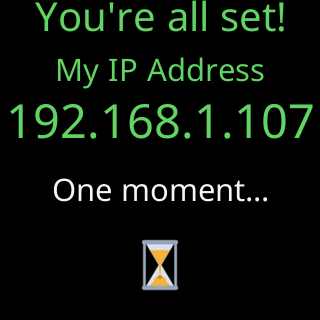
See Quick start.
More questions
Wi-Fi
Does the ticker work on 5 GHz Wi-Fi?
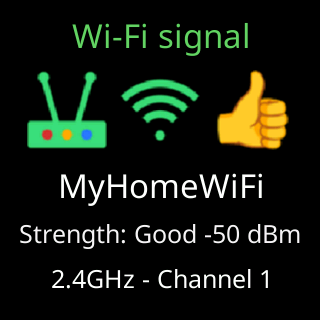
No. The radio in the ticker is 2.4 GHz only, which is why its signal card reads
2.4GHz - Channeland, when you change its Wi-Fi from the settings page, its scan screen saysLooking for 2.4GHz/networks nearby.... Most routers run both bands, and a network offered on both under one name works: the ticker joins the 2.4 GHz side. A network that exists only on 5 GHz will not appear in the ticker’s list; turn on the router’s 2.4 GHz band or give it its own name. See Wi-Fi requirements.Does the ticker work with mesh routers?
Yes. A mesh system is several access points under one network name, and the ticker joins whichever offers the best 2.4 GHz signal; during a long outage it even drops and rejoins on purpose so its radio can pick the strongest one again. The catch is band steering: some systems try to push every device onto 5 GHz, which the ticker does not have. If the ticker cannot see or keep the network, give the 2.4 GHz band its own name in the mesh app, or turn steering off. See Mesh and band-steering routers.
Does the ticker work on hotel or café Wi-Fi?
 9:41192.168.4.1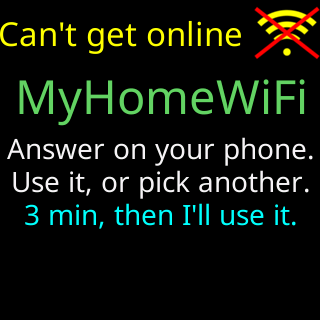
Usually not. Hotel and café networks put a sign-in page between a new device and the internet, and the ticker has no way to tick a box or enter a room number. It notices: during setup it asks on its screen (
Can't get online) and on the setup page whether to use the network anyway or pick another, and on a network used anyway the start screen saysSomething here blocks me./I can't get past this network./Use home Wi-Fi or a hotspot.The setup card also warnsPlacing me on a Public or Guest probably won't work.A phone’s personal hotspot works the same as home Wi-Fi. See Hotel, cafe and public Wi-Fi and Using a phone hotspot.Can the ticker use my phone's hotspot?
 9:41192.168.4.1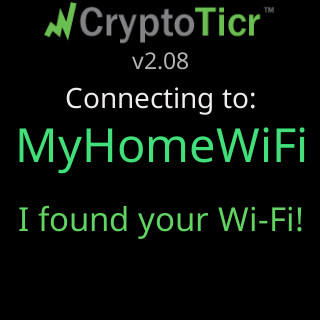
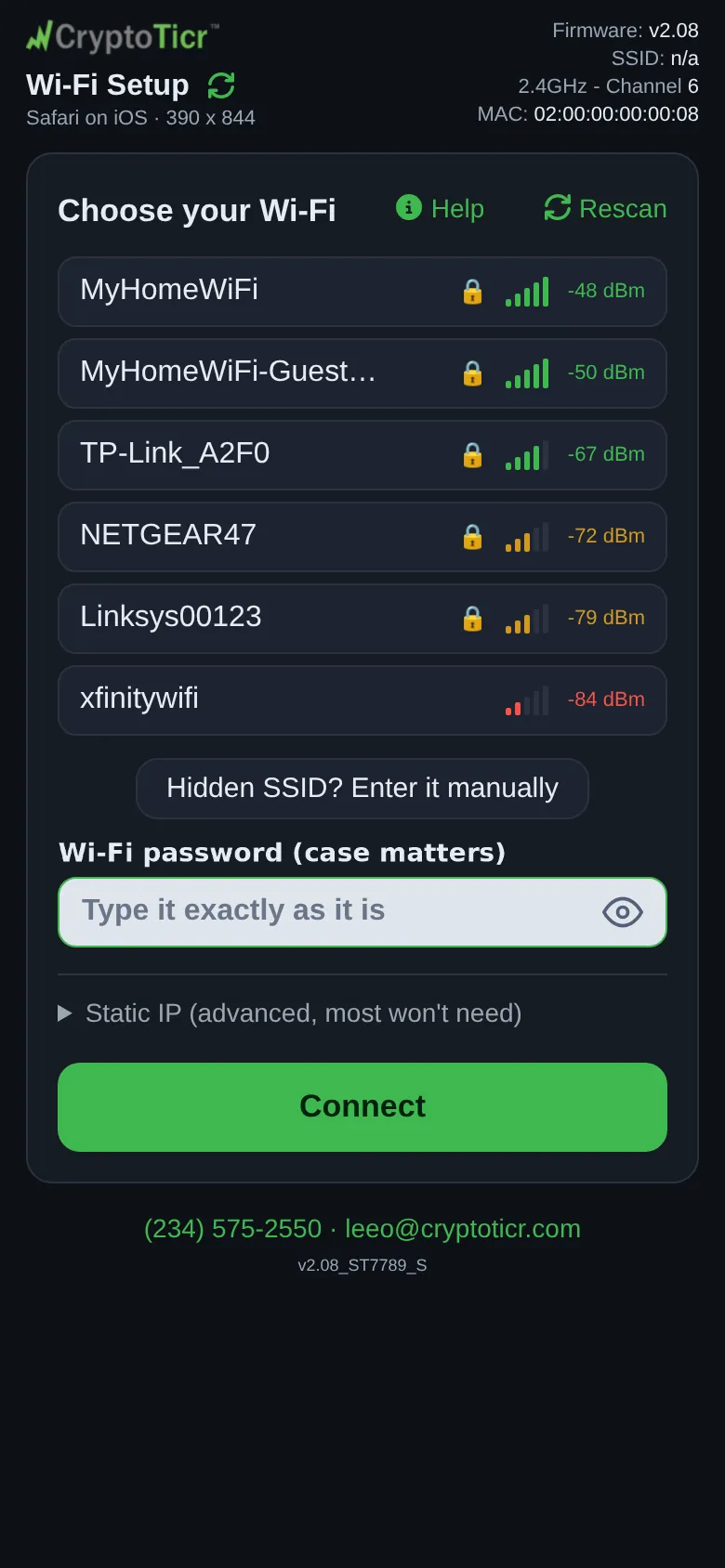
Yes. To the ticker a hotspot is a normal Wi-Fi network with a password. Two things to know: the hotspot must offer 2.4 GHz, which on an iPhone means turning on
Maximize Compatibility(the ticker’s own screen saysiOS: Maximize Compatibility.), and the phone must keep the hotspot on, since the ticker fetches prices every few seconds. The data used is small. Step by step: Using a phone hotspot.Can I put the ticker on my guest network?
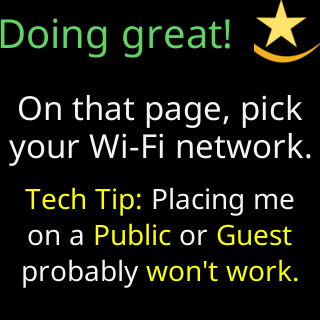
Sometimes. A guest network that only has its own password works like any other. Many, though, add “client isolation”, which keeps devices on it from seeing each other, so your phone on the main network cannot open the ticker’s settings page, or a sign-in page that the ticker cannot pass. The setup card’s tip is blunt:
Placing me on a Public or Guest probably won't work.Use the main network unless you know the guest one passes traffic. See Guest networks.Can I give the ticker a fixed address?
9:41192.168.1.107Yes. The easier way is in your router: reserve an address for the ticker’s
MAC, shown in the settings page’s footer, and the router hands it the same address every time. The other way is on the ticker: the Wi-Fi page during setup orDevice→Wi-Fi…later lets you type an address, gateway and mask. The ticker tests a fixed address at every start and, if it reaches nothing, asks the router for one for that session and says so on the screen:That fixed address/isn't working.See Give the ticker a fixed address.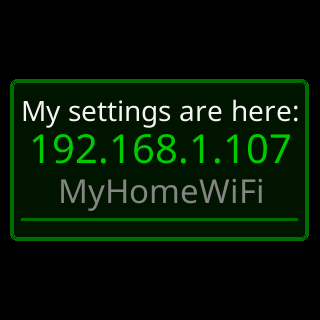
Does the ticker store my Wi-Fi password?
 9:41192.168.1.107
Yes. The ticker keeps the network name and password in its own storage, which is how it rejoins by itself after a power cut. The password goes nowhere else: the price requests carry no such field, and the settings page never shows it. During setup the ticker paints the password on its own screen as asterisks unless you left the page’s eye button open.
Device→Wi-Fi…→Erase Wi-Fi, or a factory reset, removes it. See Privacy.How do I move the ticker to another house?
9:41192.168.1.107 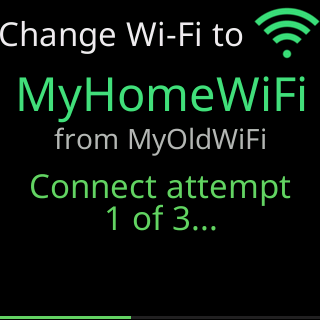
Pick one of two ways before you unplug the ticker, while it is still on your current Wi-Fi; both keep your coins and settings. To have it join the new network by itself, open
Device→Wi-Fi…→Change Wi-Fi, type the new network’s name and password, and chooseSave it anyway: at the new house it joins on its own. With a settings password, unlock on the settings page first, in the same browser. If the name or password was wrong, or that network was not on yet when the ticker started, it opens its setup network after a couple of failed rounds instead. If it was only that the network was not on yet, unplug the ticker and plug it back in once it is: it joins. See Save a network for another place.Or open
Device→Wi-Fi…→Erase Wi-Fibefore you go. The ticker forgets the network and restarts into first-time setup. Unplug it, and at the new house it opens its setup network so you can pick the new one, as on day one. See Erase the Wi-Fi and set up again.If you move it without doing either, it does not open setup at the new house. It cannot tell a move from a power cut, so it waits for the old network to come back, with no time limit: the glass shows
Waiting for Wi-FiorTrying to connectwith the old network’s name, andI retry every 15 seconds,/restart every 2 minutes.If you brought your router and kept its network name and password, it joins as if nothing changed.Otherwise
Erase Wi-Fiis out of reach, because the settings page only opens once the ticker is on your network. The way out is the one its screen names,New Wi-Fi? Restart me/5 times fast. Wipes me.: a factory reset (power it off and on five times, quickly), which erases your coins and settings along with the network. See Moving to a new home or a new router.Will the ticker slow down my Wi-Fi?
No. The ticker asks its server for one coin’s price and chart as each coin’s turn comes round, never more than a few times a minute, and each answer is a small fraction of what a single web page costs. It holds itself to a budget of fetches per minute even when you step through coins by hand. The only sizeable transfers are a firmware update, about a megabyte, a few times a year, and the coin-logo pack, under two megabytes, when it changes. Nothing streams. See How often prices refresh.
More questions
Coins
How many coins can the ticker show?
Twelve. The settings page has twelve boxes, and the ticker cycles through them in order: one at a time with a chart, or in pages of two or four without one. See One, two or four coins per screen.
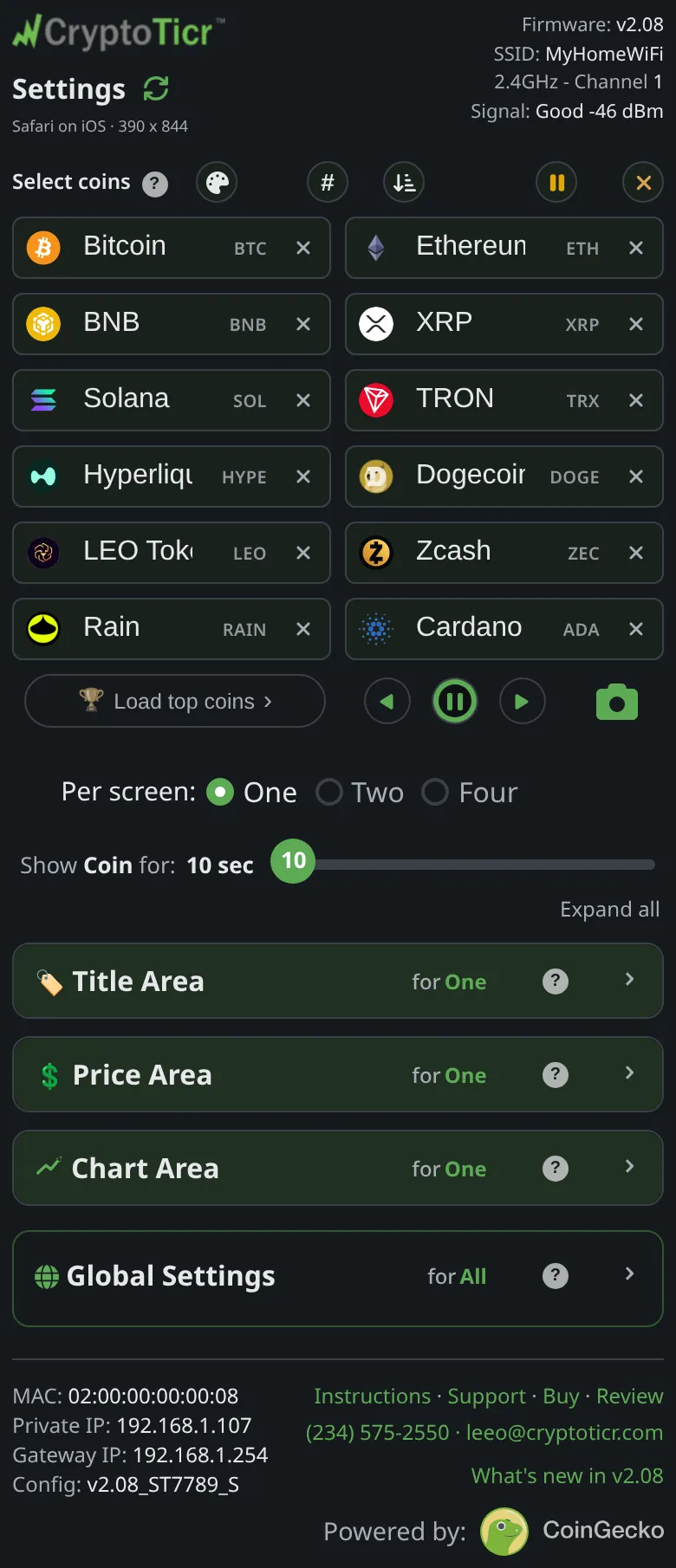 9:41192.168.1.107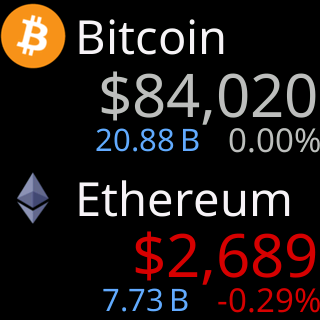
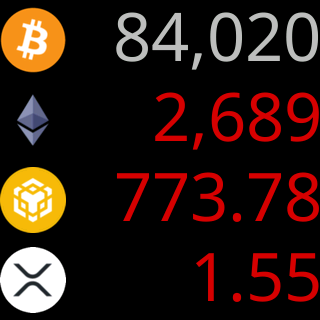
You do not have to fill all twelve, and you can keep coins in the list without showing them by pausing them. See Pausing coins.
How many coins are available to choose from?
9:41192.168.1.107The 1,000 largest coins by market value, each with a logo. The ticker’s server keeps the list and refreshes it daily; new coins appear as they earn a ranking, and a coin near the end can drop out and come back as rankings move. The settings page fetches the current list each time it opens, and the list is on Supported coins.
If a coin you want does not appear as you type, the server does not carry it. See Where the prices come from for what the source includes and leaves out.
Can I show the same coin twice?
9:41192.168.1.107Yes. Put the same coin in two or more boxes and it takes those turns in the rotation, so it is on the glass more often than the others. The page points it out under the boxes rather than stopping you:
Bitcoin appears more than once, that's fine, it simply comes round more often.Two different coins that happen to share a symbol are another matter, with their own warning; see Coins that share a symbol.
Is there a chart in two or four coins per screen?
9:41192.168.1.107No. The chart controls on the settings page say
Applies to One coin mode only. Two and Four per screen modes have no chart.A page of two shows each coin’s title, price and stats; a page of four shows a logo or symbol and a price per row. Switch toOneper screen for the chart. See One, two or four coins per screen.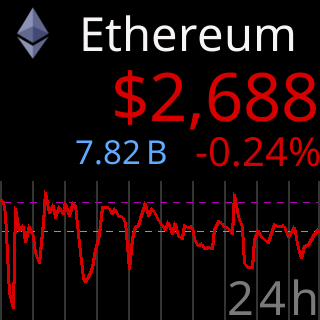
Can I pause the ticker's screen to read a chart?
Yes. On the settings page, tap
⏸under the coin boxes. The ticker holds whatever is on its screen for thirty seconds, a ring on the button and a small ring in the corner of the glass count down, and the rotation resumes by itself. Tap again to resume early. Tapping a coin’s badge first puts that coin on the screen; then pause it. See Jump to a coin and the remote buttons.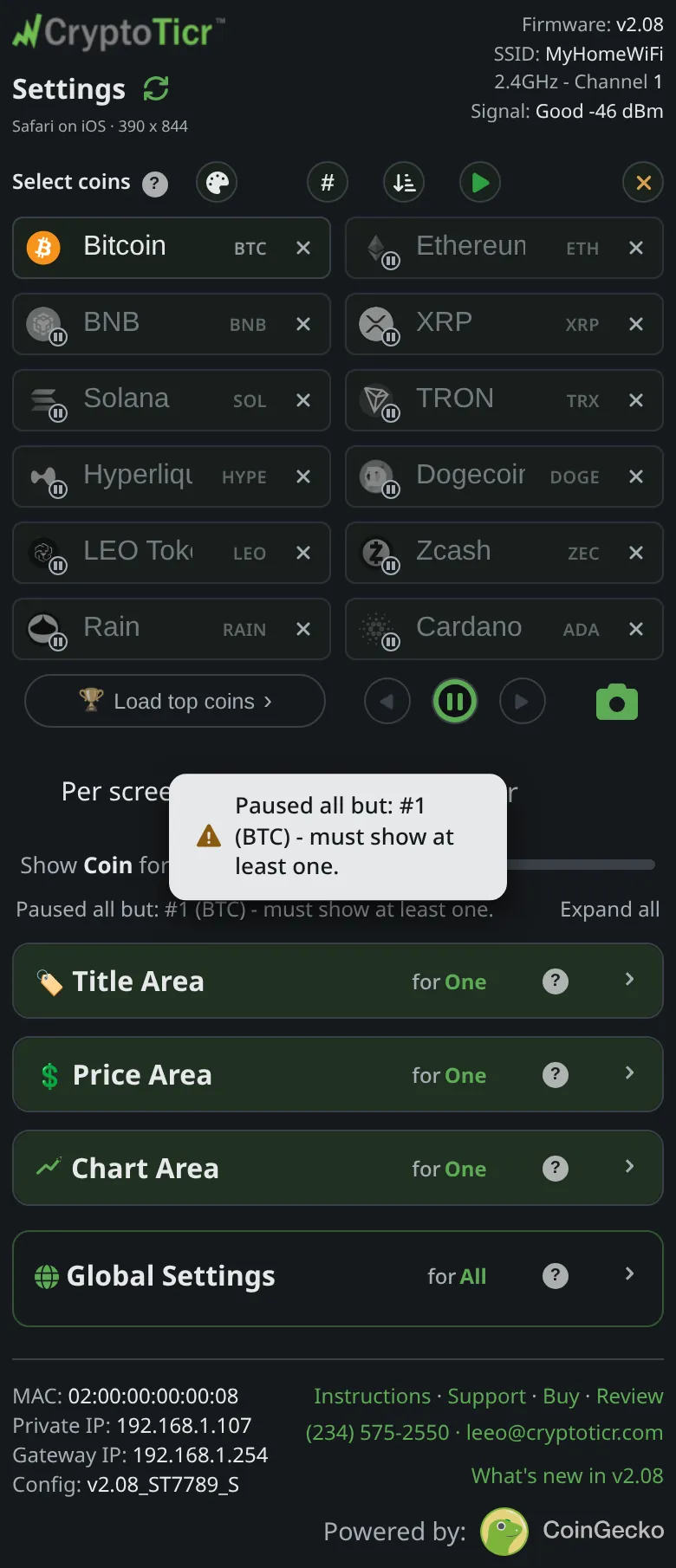 9:41192.168.1.107
What a pause holds still
For a longer look, give every screen more time with the
Show Coin for:slider; see How long each screen stays.
More questions
The screen
Can I change the colors?
Yes. The
Colorsetsection of the settings page holds ten schemes, from the classic green-and-redDefaulttoColorblind(blue and yellow), single-hueAmberandGreen, and brighter sets such asNeonandToxic. Tapping a swatch changes the ticker at once. See Colorsets.9:41192.168.1.107 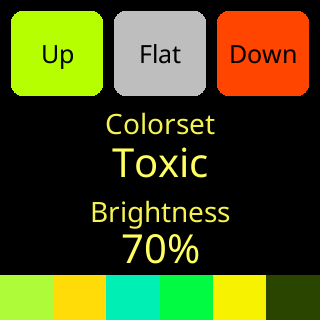
Within any set you can recolor the volume, market cap and rank figures with a picker, kept per set. The price’s up and down colors and the 24h percentage always come from the set itself, because their color carries the direction. A price that has not moved shows in a neutral gray that no set changes. See Custom colors.
Does the screen dim at night?
9:41192.168.1.107It can. Turn on
Nighttime quiet hoursin theDisplaysection of the settings page, set theFromandtotimes and the night level with the slider under them, and the ticker drops to that level during the window and returns to the daytimeBrightnessafter it. Crossing midnight is fine. The ticker takes the time from its server and the zone from your phone the first time you open the page. See Nighttime quiet hours.Why does the settings page say Icon+Both won't fit?
 9:41192.168.1.107
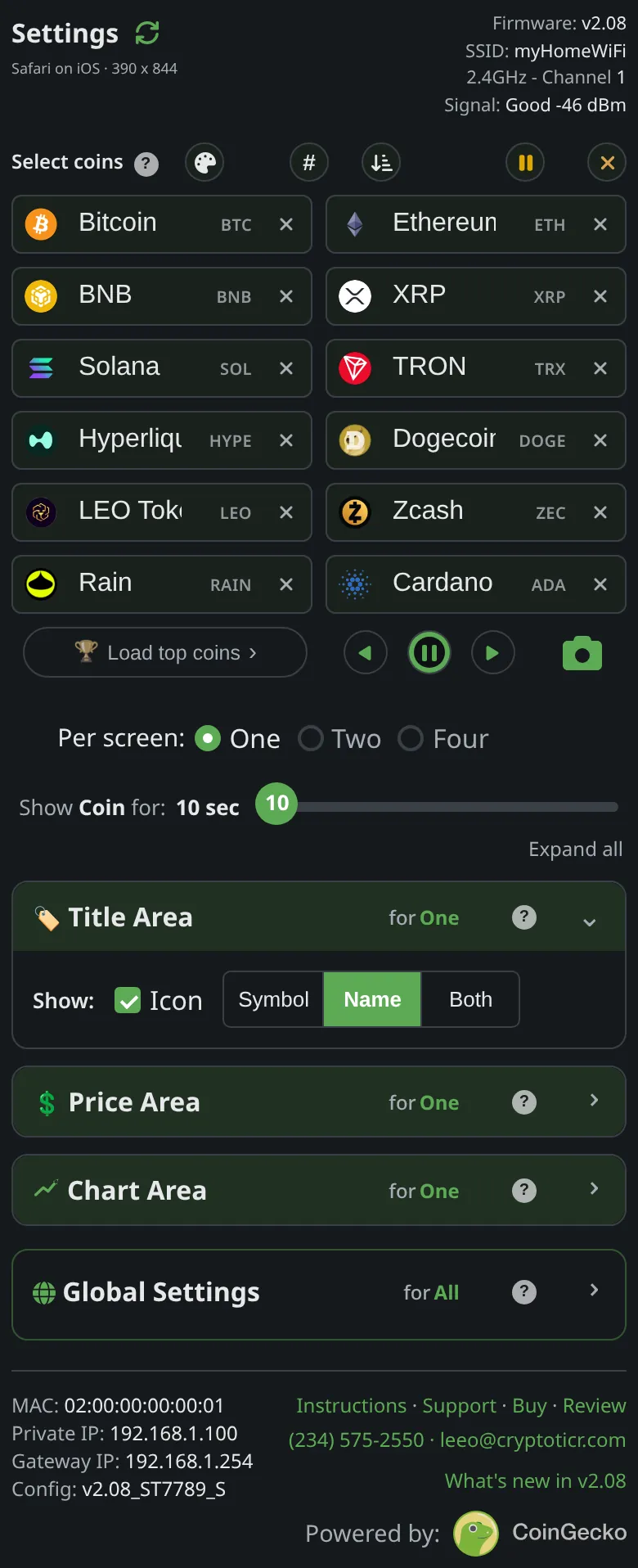
Because three things will not fit in the title band on this screen. The
Title Arealets you combine the icon with the symbol, the name, or both, but the icon plus both texts is only offered on larger screens. Ask for it here and the page keeps whichever you picked last and drops the other, with a note:Icon+Both won't fit, deselecting IconorIcon+Both won't fit, selecting Name. The control blinks so you can see what moved.Choose
IconwithNameorSymbol, orBothwithout the icon. See Title area. 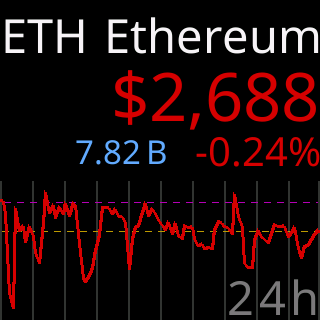
More questions
Prices and data
Where does the ticker's data come from?
9:41192.168.1.107From CoinGecko. CryptoTicr’s own server fetches prices, charts, coin lists and market figures from CoinGecko, keeps them in a cache, and answers every ticker from that cache, so a thousand tickers cost one fetch and a hiccup upstream leaves the last good figures standing. The settings page’s footer carries the
Powered by: CoinGeckomark. See Where the prices come from.Can the ticker show prices in another currency?
No. The ticker shows US dollars only: every price, market cap and volume carries a
$, the server fetches its figures in dollars, and the settings page has no currency control.How often do prices update?
A coin’s price is fetched every time its turn comes round in the rotation, and never more often than every nine seconds. With a few coins and short screen times that is a fresh price every visit; with twelve coins at thirty seconds each, every six minutes. The server behind the ticker renews its price cache every few tens of seconds, so what arrives is at most that old. Twenty-four-hour figures are rolling, counting back from now. See How often prices refresh.
Why is the change measured over 24h and not since midnight?
Because crypto never closes. There is no opening bell to count from, so the ticker’s data source, and every figure on the glass, uses a rolling window:
always the last 24 hours counting back from this moment, not "since midnight".The same holds for the charts: every range counts back from right now. See Price area.
Does the ticker work without internet?
No: the prices come from the internet, so without it there is nothing new to show. For the first half hour the ticker stays on the screen it was showing, with the last prices it had, and retries about every ten seconds. Every few tries it says what is wrong: a box headed
I can't see my server, then its Wi-Fi signal card with a line naming what failed, for exampleYour internet looks down.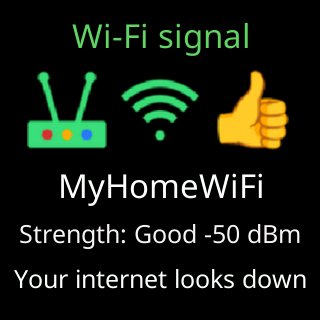
If the internet is still down after half an hour, the ticker restarts itself once, in case the fault is its own, and shows
Restarted to refresh/my server linkas it starts. Prices are not kept through a restart, so from then until the internet is back it waits on its start screen, with its address and a line about what it is waiting for, and shows no prices. Nothing needs resetting: when its server answers again, the coins come back by themselves. See Glass says I can't see my server.The settings page needs the internet too. The ticker serves the page, but its controls load from the CryptoTicr server, so during an outage your browser shows
Can't load the settings page,Your ticker is fine and still running.andI'll keep trying.; once it has checked that your internet is down it addsThis settings page just needs an internet connection to open.andCheck your Wi-Fi or internet, then try again., and it keeps trying by itself.Can the ticker connect to my wallet or exchange?
No. The ticker shows public prices and market figures for the coins you choose; it holds no wallet, connects to no exchange, and has no account to sign into. Its settings are a coin list and display choices, and the only thing it sends to the internet is a request for prices with a few health readings attached. See Privacy.
More questions
The device
How do I reset the ticker?
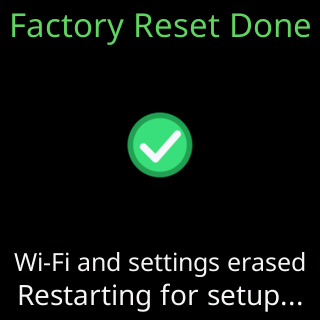
It depends what you want back. If the ticker is misbehaving, restart it: unplug and replug, or
Device→Restarton the settings page. Nothing is lost. See Restart the ticker.9:41192.168.1.107If you want your coins, colors and timings back to how it shipped, use
Device→Factory defaults; it keeps running on your Wi-Fi.Erase…→Start over (keep Wi-Fi)goes further and replays the welcome screens.Wi-Fi…→Erase Wi-Fiforgets the network and keeps your settings.A full factory reset erases everything, Wi-Fi included. From the page it is
Erase…→Everything, (FACTORY RESET). Without the page, unplug and replug the ticker five times in a row, each within five seconds of the screen lighting; red circles count you down. See Factory reset by switching it off and on five times. The full comparison is on What each reset erases and keeps.Will a factory reset delete my coins?
Yes. A factory reset, from the settings page or by powering it off and on five times quickly, erases the coin list, every display setting and the saved Wi-Fi. The coin logos stay on the ticker so it does not need to download them again, but your choice of coins is gone.
Two resets keep the coins: a plain
Restart, which changes nothing, andWi-Fi…→Erase Wi-Fi, which forgets the network and keeps every setting. See What each reset erases and keeps.Before any erasure, tap
Exportin theDevicesection. It downloads your whole setup as a small file, andImportputs it back on this ticker or another one. See Export and import settings.9:41192.168.1.107Can I turn off the address popup?
Yes. In the
Show my IP addresssection of the settings page there are two rows,QR codeandText, each with its own schedule. Turn both off and the popup stops; the page saysTurning both off turns the whole thing off.If you would rather keep a way in, setNumber of timesto a small number: most people scan the code once, at setup, and never again.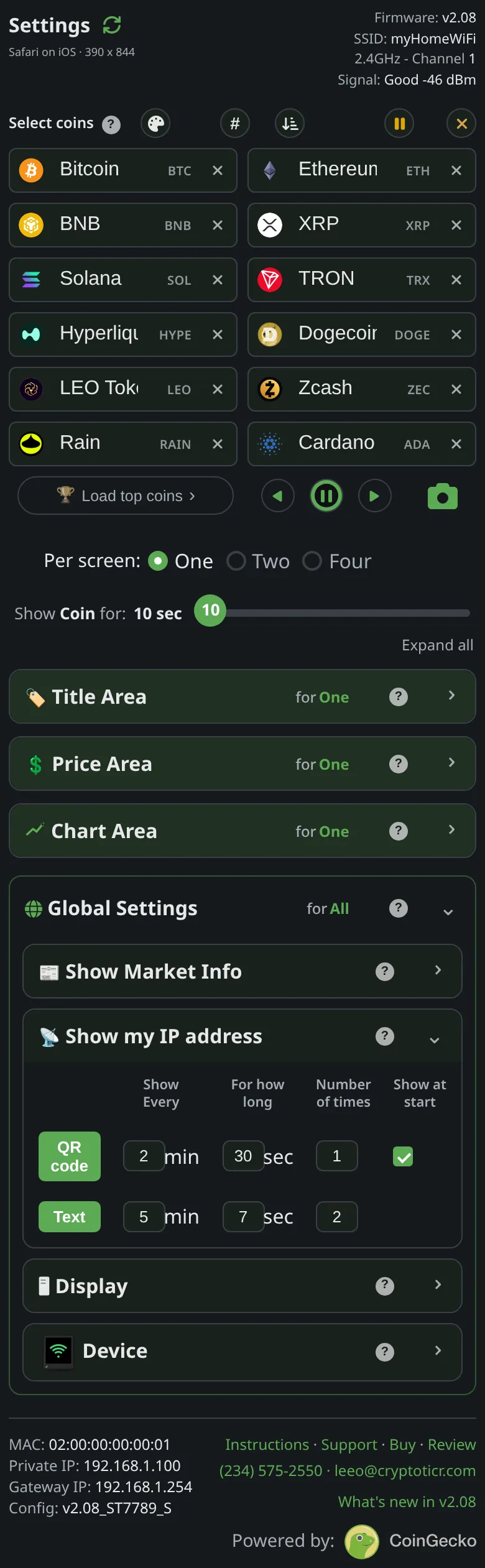 9:41192.168.1.107
One showing cannot be switched off: when the router gives the ticker a new address, it shows both forms once, and once more at the next start, so the address you wrote down is never silently wrong. If that bothers you, give the ticker a fixed address: Give the ticker a fixed address.
Why does the ticker show its address when I didn't ask?
9:41192.168.1.107Three reasons. The commonest is that your router gave the ticker a different address than it had, while it was unplugged or quietly during the day. The ticker then shows the address as text and as a QR code once straight away and once more at its next start, because whatever you wrote down has stopped working. A small
IP >note with the new address comes first.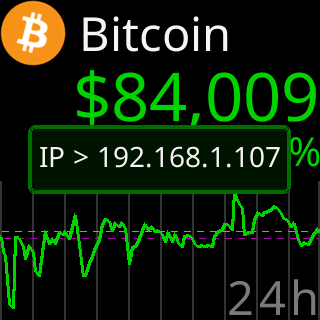
The second is
Show at starton theQR coderow: with it on, the code’s first showing lands a few seconds after the first coin, so there is a way in the moment the ticker is running. The third is a save that changed theShow my IP addressrows, which shows one preview so you can see what you set.Everything else follows the schedule in those two rows. See The address popup and QR code.
What does the ticker send to the internet?
9:41192.168.1.107The ticker talks to its own server over an encrypted connection to fetch the prices, charts and firmware updates it shows. Each request carries a few readings about the ticker’s own health, so a struggling ticker can be recognized and the cause fixed in a firmware update. Once an hour it also sends the time zone you chose, so quiet hours keep local time.
It never sends your Wi-Fi password or anything about you. There is no account, no camera and no microphone, and it never connects to a wallet or an exchange. The policy is on Privacy.
More questions
The settings page
Can I lock the settings so nobody else changes them?
Yes.
Device→Lockon the settings page adds a password. The page describes it:Asks for a password before any change is saved: your display and Wi-Fi settings, and Clear/Reset. Viewing always stays open.Setting it requires typing a four-digit code the ticker shows on its own screen, so nobody who only found the page over the network can lock you out.9:41192.168.1.107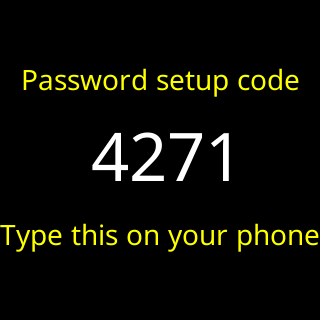
It is one password for the ticker; each browser asks once and remembers. See Lock the settings with a password.
I forgot the settings password, what now?
9:41192.168.1.107Nobody can look it up or reset it, by design; the ticker keeps only a hash. First check every phone and computer that has used the page: a browser that unlocked once stays unlocked, and from it
Unlock→Remove passwordclears the lock. Export your settings from there too. If no such browser exists, the only way back is a factory reset: power it off and on five times, quickly. That erases the Wi-Fi and every setting with the password. See I forgot the settings password.Can I copy my settings to a second ticker?
9:41192.168.1.107Yes. On the first ticker’s settings page,
Device→Exportsaves a small file with the coins, colors and timings; the page calls itthe easy way to copy your setup to a second ticker. Open the second ticker’s page andImportthat file: it applies at once, no Save step. The Wi-Fi network is not in the file; set each ticker up on the network in the usual way first. See Export and import settings.
More questions
Updates
How do I update the firmware?
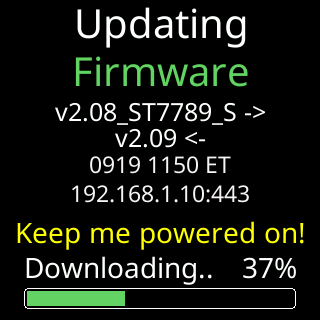
You do not have to. The ticker asks its server for new firmware five minutes after every power-up and once an hour after that, and when there is a newer version it downloads it over Wi-Fi, checks it, installs it and restarts. The whole thing takes a minute or two and shows
Updating/FirmwarewithKeep me powered on!while it runs. When a release comes with new coin artwork, the ticker fetches it about half an hour later, showsNew artwork, and restarts once more.The only part that is yours: leave it plugged in whenever the screen says so. Everything you set is kept across an update. See Automatic firmware updates.
Can I check for updates myself?
9:41192.168.1.107Not from the settings page; there is no button for it, on purpose. The ticker checks by itself five minutes after every power-up and every hour after that, so a new release reaches every ticker within an hour of being published.
If you want the check sooner, restart the ticker (
Device→Restart, or unplug and replug): the first check after a start comes at five minutes. The version you are running is on theFirmware:line at the top of the page. See Which firmware do I have?.Can I turn off automatic updates?
No. There is no setting for it on the settings page, on purpose: every ticker runs the current firmware, so every owner has the same fixes.
Updates keep every setting, the Wi-Fi and any password, and they are how the ticker receives fixes and stays in step with its price server.
A ticker that could not update would eventually stop showing prices. If an update is causing you a problem, tell Lee: Report a bug or suggest a feature.
What if the power goes out during an update?
While the progress bar is moving, the arriving firmware is only being downloaded and checked; the firmware you are running is untouched. A power cut then means the ticker starts up on its old firmware, the half-downloaded file is discarded, and the update is tried again at the first check after power returns, five minutes in. Nothing you set is affected.
The delicate moment is short: after
Almost done!and the line naming the new version, the screen goes dark for about seven seconds while the checked image is written into place. A cut in those seconds can leave the image partly written. The ticker then reportsUpdate was interruptedon its start screen and tells the server, and it takes the next published version on its own if it can. If it cannot, contact Lee: Contact. That is why the screen saysKeep me powered on! 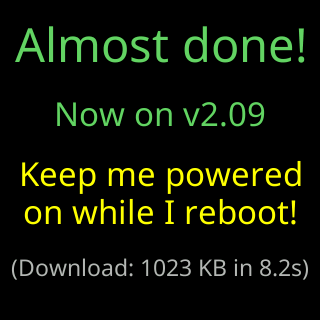
How do I know which firmware version my ticker has?
9:41192.168.1.107Open the settings page and read the
Firmware:line at the top right, for examplev2.09. Tapping the line opens that version’sWhat's new?list.Without the page, watch the ticker start: the version is under the logo on the start screen at every power-up. See Which firmware do I have?.
More questions
Support
How do I contact support?
Call or text (234) 575-2550, or email leeo@cryptoticr.com. That is Lee, in Hudson, Ohio, who designed the ticker and wrote its firmware; the ticker’s own screens give the same details, and its pages add
Stuck? Call or text him, not the store.
The store can only process returns, and most problems take a few minutes to sort out. See Contact.
What should I tell support when I call?
The top of the page: firmware, network, signal
9:41192.168.1.107 Or, if it cannot reach the ticker, the Diagnostics box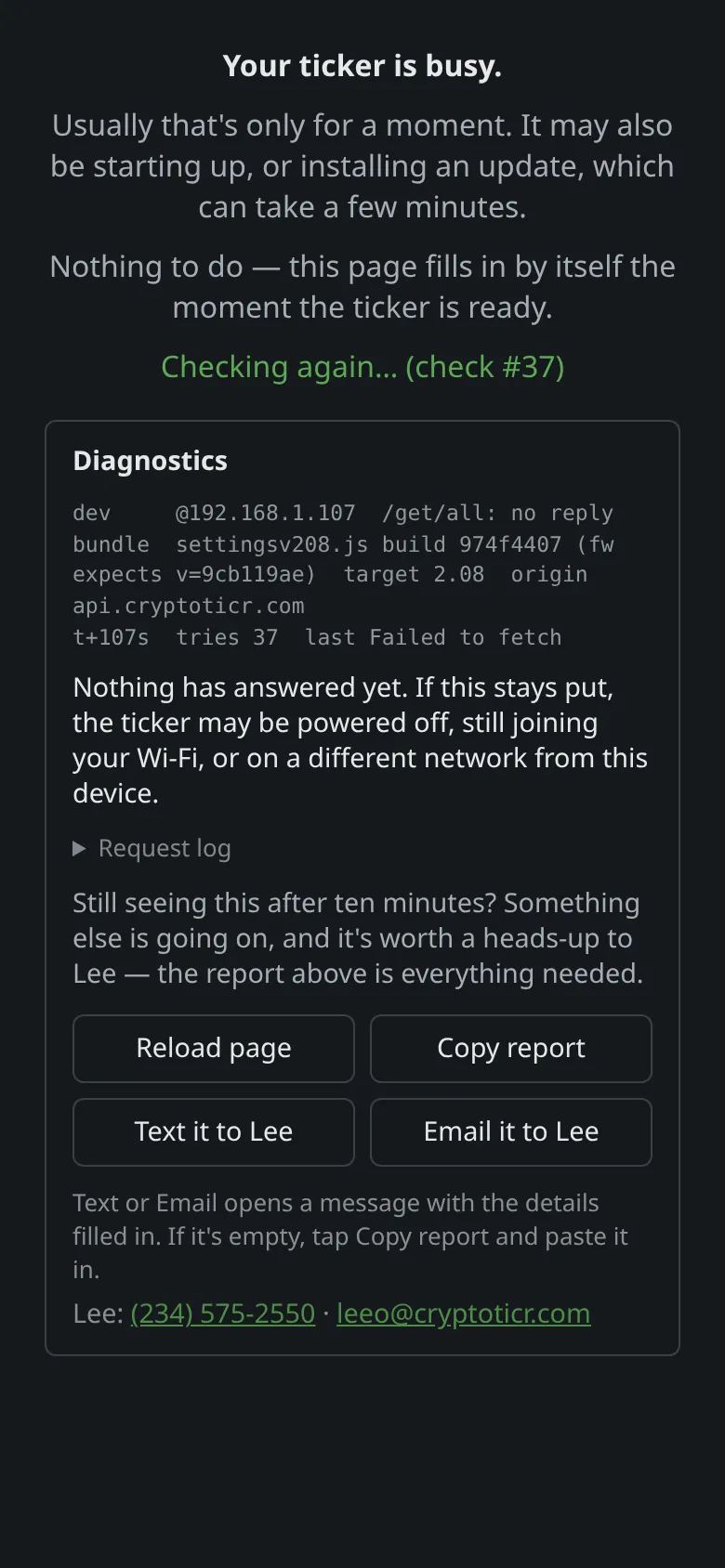 9:41192.168.1.107
 9:41192.168.1.107
Three things answer most questions at once: the exact words on the ticker’s screen, or a photo of it; the
Firmware:line at the top right of the settings page; and the line underSettingsthat names your browser. If the settings page will not load, its own card hasCopy report,Text it to LeeandEmail it to Leebuttons that package everything. The full list is on Before you call: what to have ready, and every screen message is explained on What the screen is telling me.
More questions
Buying
How long is the warranty?
Two years from the day you bought it, parts and labor. If the ticker fails in that time because of a defect in its materials or workmanship, it is repaired or replaced at no charge. Accidents, spills, misuse and outside repairs are not covered.
To claim, contact Lee first: most problems that look like a fault are a Wi-Fi or power question and are fixed in minutes, with nothing sent back. The full terms are on Warranty, and the number and email are on Contact.
What is the return policy?
You have 30 days from delivery to return the ticker for a full refund. Send it back in its original condition, in its box, with the cable, the adapter and the printed card.
Returns go through Amazon: start the return from Your Orders, and Amazon supplies the label and issues the refund. Every ticker also has a two-year warranty, so a fault after the 30 days is repaired or replaced; see Warranty.
Before you send it back, text or call Lee. Most problems are a Wi-Fi setting and take a few minutes to fix. The details are on Returns and refunds.