The signal here is very weak
- Glass: `The signal here is very weak.`
- Setup page: `I can barely hear your router from here — only -84 dBm. Get me and the router closer together, then tap Connect again.`
- Glass card `Also worth trying`: `Your Wi-Fi signal is faint here (-84 dBm).`
- Glass waiting screen: `Weak Wi-Fi signal` / `Poor Wi-Fi signal.` / `Get me and the router closer together.`
Symptoms

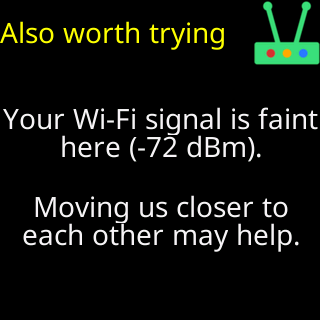
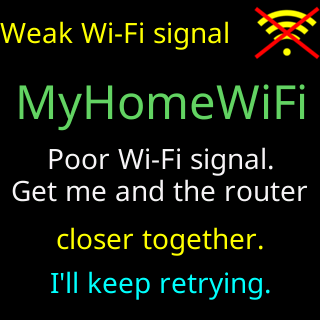
The glass shows The signal here is very weak. and the setup page I can barely hear your router from here — only -84 dBm. Get me and the router closer together, then tap Connect again. (with your reading). In the failure cards, Also worth trying says Your Wi-Fi signal is faint here (-84 dBm). / Moving us closer to each other may help. A working ticker that starts up too far from its router shows Weak Wi-Fi signal with Poor Wi-Fi signal. / Get me and the router / closer together.
Cause
The ticker measured the router’s signal at below -79 dBm from where it sits — the band it calls weak — and the join did not complete. Walls, floors, metal and distance all cost signal, and the ticker’s small radio hears less than a phone does. In the setup page’s list, such a network shows red bars.
Fix
- Move the ticker and the router nearer each other — either end can move. For setup, a meter or two apart is ideal.
- Tap
Connectagain. - Once it is set up, move the ticker to where you want it a step at a time, watching the signal: the settings page header’s
Signal:line, or theWeak Wi-Fi signalcard if it appears. Aim for green or amber, not red; see Signal bars and dBm. - If the ticker must live far from the router, a mesh unit or a 2.4 GHz range extender near it solves it.
If that didn’t work
- The signal reads fine but the join still fails: It failed and didn't say why
- The weak-signal card keeps appearing after setup: The weak Wi-Fi card keeps appearing