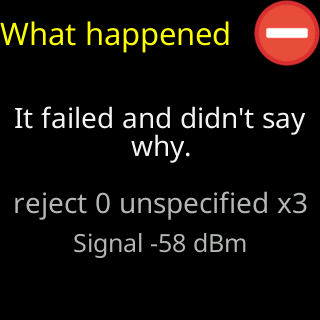
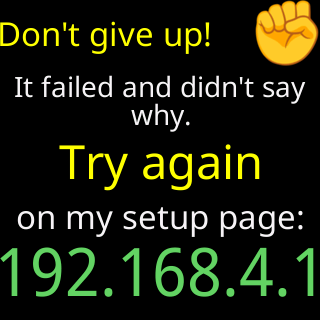
It failed and didn't say why
- Glass: `It failed and didn't say why.` or `It failed and the Wi-Fi router didn't say why.`
- Setup page: `Something stopped me joining your home Wi-Fi, and I can't tell exactly why.`
- Setup page: `⚠️ That didn't work, and I can't tell you why. Screenshot this for Lee.`
Symptoms
The glass shows It failed and didn't say why. — or It failed and the Wi-Fi router didn't say why. when the router was heard answering — and the setup page says Something stopped me joining your home Wi-Fi, and I can't tell exactly why. If it fails the same way again, check the password for capitals and '0' versus 'O'. If the page has no verdict at all it says ⚠️ That didn't work, and I can't tell you why. Screenshot this for Lee.

Cause
The ticker records what the router sends during a join and turns it into a verdict when the evidence is clear. Here it was not: the router sent codes that mean different things on different routers, or nothing at all. A hidden network cannot be classified beyond this, because the ticker never sees it in a scan. The password is still the likeliest cause, followed by range and a router that holds new devices for approval — the page’s advice covers all three without pretending to know which.
Fix
- Check the password with the eye button and retype it; capitals matter, and
0andOlook alike. TapConnectagain. - Prove the password on your phone: forget the network in the phone’s Wi-Fi settings and rejoin it by typing the password fresh. If the phone is refused, the password is wrong.
- Move the ticker nearer the router and try again.
- Look in the router’s app for devices waiting for approval and allow the ticker.
- Restart the router.
If that didn’t work
- Screenshot the status panel with
Extra technical detailopened — theRouter reasonandMy radiolines are what Lee reads — and text or email it: Before you call: what to have ready, Contact.