Prices stopped updating
- -.--
- No reply
- Busy (429)
- Updating... (202)
- Updating... (200)
- Reply cut off
- Too fast
- Easing off
- Heavy Server Load
- Connection failed (-1)
Symptoms
- One coin’s price reads
-.--with a dim note under it, while other coins are fine. - Or a box with a code such as
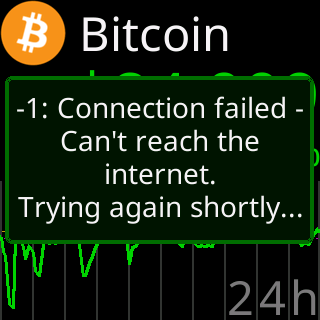
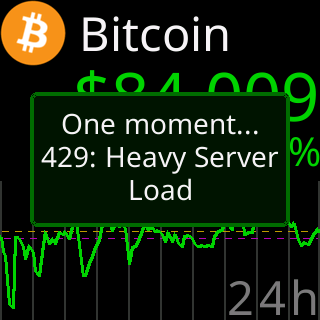
-1: Connection failedandTrying again shortly..., or429: Heavy Server Load.

Cause
The note names it. No reply: the fetch got nothing back this time. Busy (429): the server asked the ticker to slow down, and it backs off for a short while. Updating... (202): the server is preparing that coin’s data (a coin it has not served lately) and asked the ticker to come back; the next turn usually has it. Reply cut off: the answer started but the link dropped before it was complete; the next turn usually has it. Updating... (200): the server answered but had no price ready yet. Too fast: the ticker held its own fetch back because it had reached its per-minute budget, usually after stepping through coins with the remote buttons. Easing off: the ticker is backing off after the server answered a chart request unusably twice in a row; the pause doubles each time and clears on the next good answer. A code with a name, such as Connection failed (-1), is a transport failure for that one fetch.
None of these is a fault in the ticker. Each clears on a later fetch; a coin that fails every turn is covered by The chart shows (No Data).
Fix
- Wait for the coin’s next turn. Most notes clear by themselves.
- If you were stepping through coins quickly, stop for a minute;
Too fastclears as the budget refills. - If every coin shows a note, the ticker cannot reach its server; the outage box will say why. See Glass says I can't see my server.
If that didn’t work
- One coin shows
Updating... (202)for more than an hour while the others update: the server is not managing to fetch that coin from its source. Tell Lee the coin’s name; see Contact.