Load top coins
 9:41192.168.1.107
What it shows
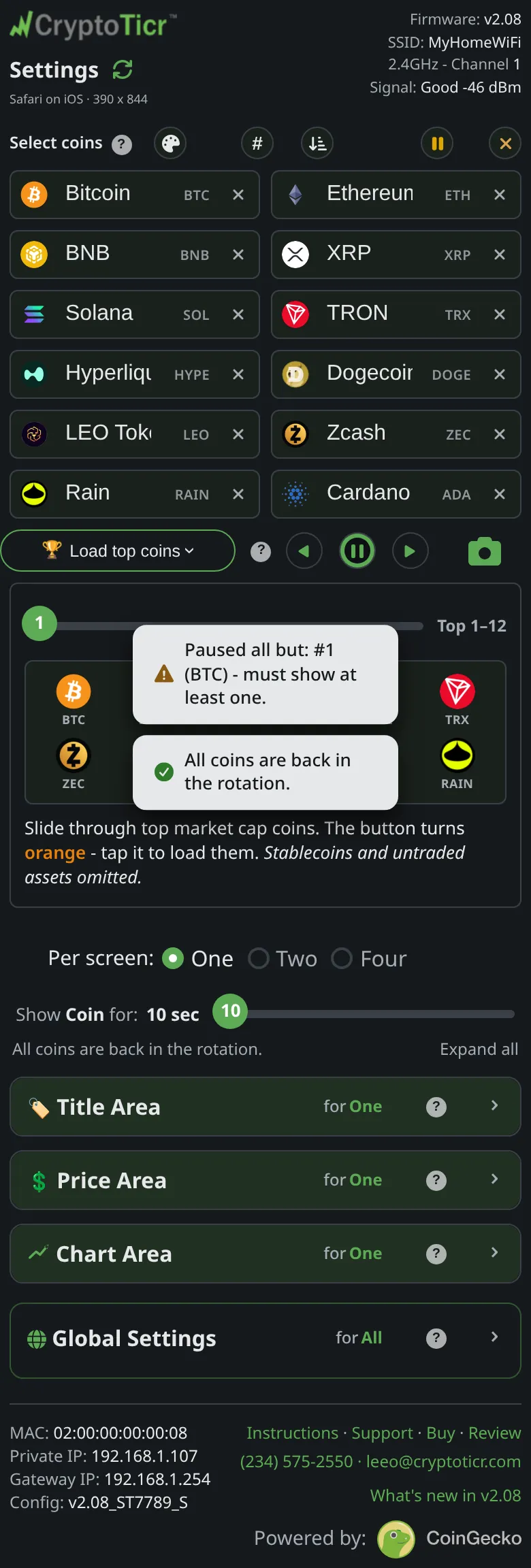
Under the coin boxes, a row headed Load top coins with a trophy. Open it and a slider steps through the market’s biggest coins twelve at a time: position one is Top 1–12, position two Top 13–24, and so on, up to the tenth group. As you slide, the twelve logos of that group appear under it so you can see what you would get. The page describes the rule: Stablecoins and untraded assets omitted.
The slider’s button is green while a tap would change nothing and turns orange when tapping it will load the twelve you are previewing. Tap it and those twelve drop into the boxes above, replacing what was there and un-pausing everything. If your current list is exactly one of the groups, the slider opens already sitting on it.
Nothing changes on the ticker until Save & Apply Coins. An Undo button appears under the boxes and puts back the list you had, until you save.
Options
- Load a group, then edit it: swap, delete, add and reorder in the ordinary boxes. The page’s words:
a loaded set is just a starting point, not a commitment. - The rankings are fetched from the market each time the page loads, so a group’s members change over time.
- If the list cannot be fetched the row shows
No top coins available right now.and aTry againbutton.
Where to set it
Select coins → Load top coins, on the settings page.