My Wi-Fi network is not in the setup page's list
- Your network name is missing from `Choose your Wi-Fi`
- `No networks found. Move me closer to your router and tap Rescan.`
- `I can't find that network right now. Make sure it's on and in range. I can only join 2.4 GHz networks, so a 5 GHz-only one is invisible to me.`

Symptoms
 9:41192.168.4.1
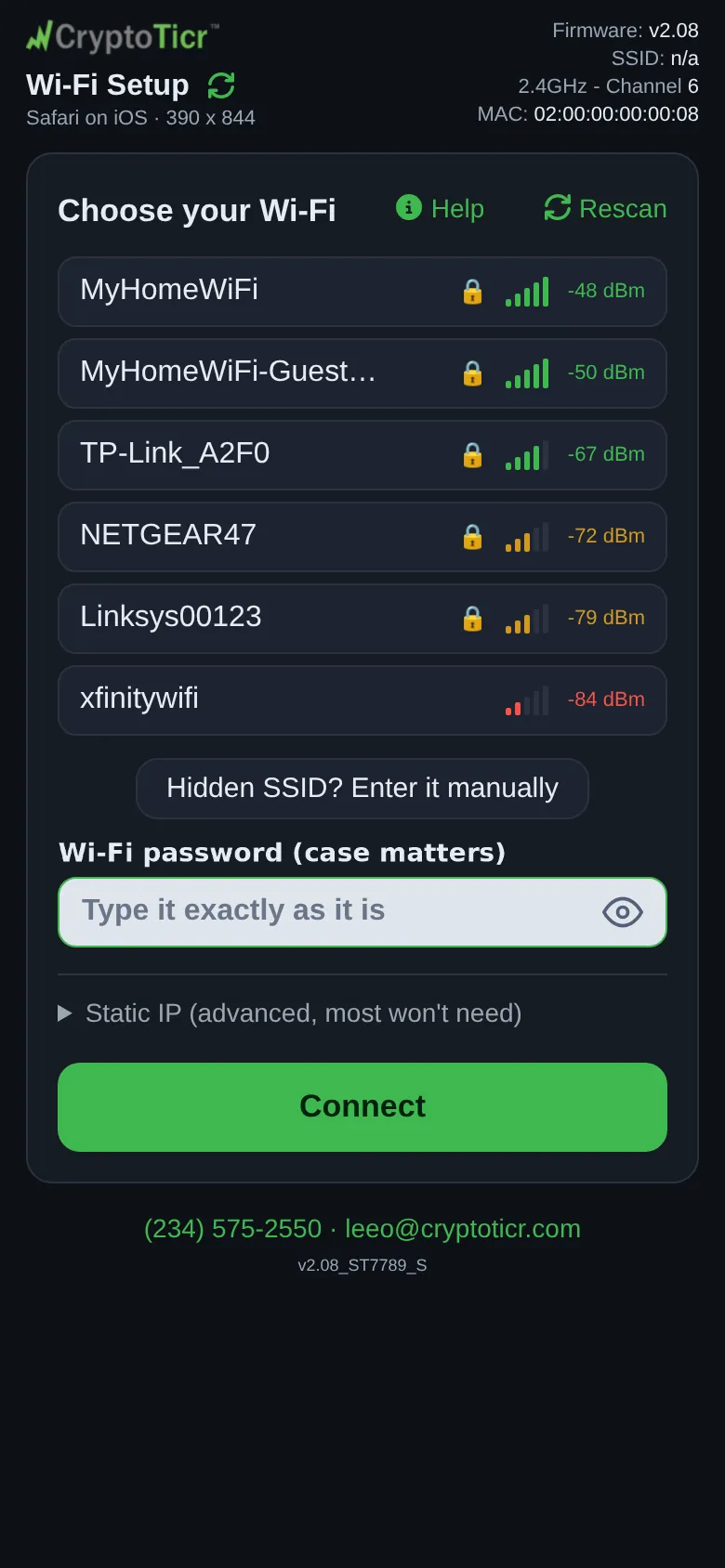
Under Choose your Wi-Fi the list shows your neighbors’ networks but not yours, or it says No networks found. Move me closer to your router and tap Rescan. If you typed the name by hand and pressed Connect, the page says I can't find that network right now. Make sure it's on and in range. I can only join 2.4 GHz networks, so a 5 GHz-only one is invisible to me. The setup page’s Help panel says Don't see your network? Tap Rescan: each search adds what it finds. You can also type its name yourself with Hidden SSID? Enter it manually.
Cause
The list is what the ticker’s radio hears from where it sits, not what your phone hears. Four things keep a network out of it: the network runs on 5 GHz only (the ticker cannot see that band at all); it is too far away or behind too much wall; it is hidden (does not broadcast its name), or its name contains control characters, which the list leaves out; or the list is from a scan that ran before the router was ready. The ticker also leaves its own CT network and other tickers’ out of the list on purpose.
Fix
- Tap
Rescanbeside the heading. The rows already shown stay put, and each search adds any network it finds, so a second or thirdRescancan still bring yours in. - Check your router for a 2.4 GHz network. If it shows two names, one for each band, pick the 2.4 GHz one. If it shows one name and the ticker still cannot see it, the router may have its 2.4 GHz band switched off; turn it on in the router’s app.
- Move the ticker nearer the router for setup — a meter or two away is fine — and tap
Rescan. You can move it back once it is set up, watching its signal card. - If the network is hidden, tap
Hidden SSID? Enter it manuallyand type the exact name: Join a hidden network. - If the router was off or restarting when the page opened, give it a minute to come back, then tap
Rescan. Waiting with the page open is slow: the page asks again after five quiet minutes, but the ticker answers from the list it already has until that list is half an hour old.
If that didn’t work
- The network appears but the join fails: The password was refused or It failed and didn't say why
- Your only network is a hotel or office one: Hotel, cafe and public Wi-Fi, Office and corporate Wi-Fi