Display options
Two coins per screen
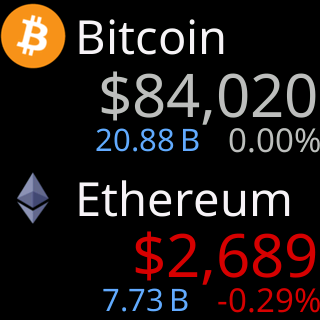
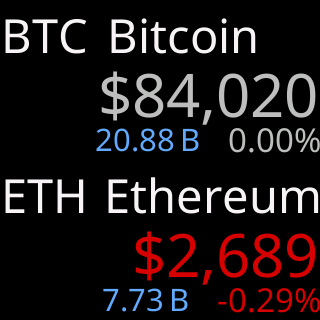
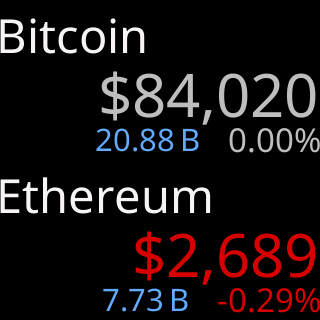
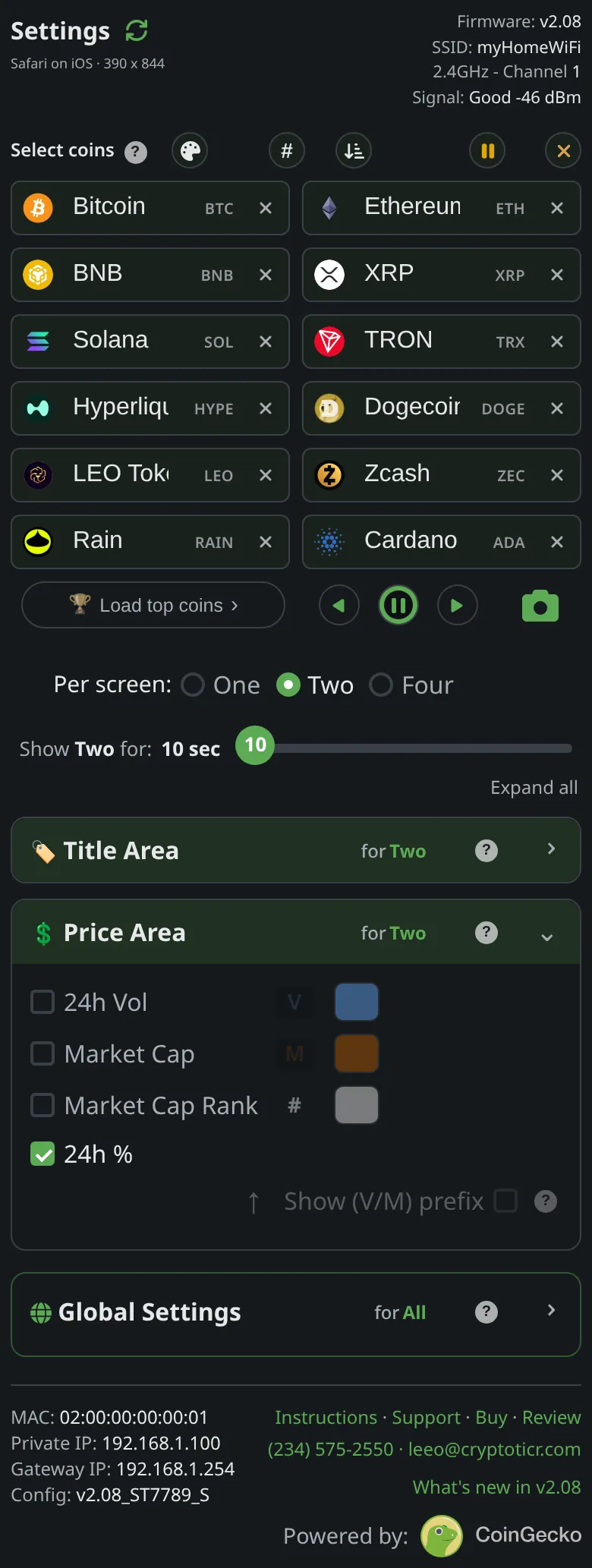
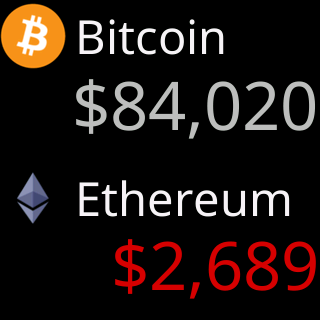
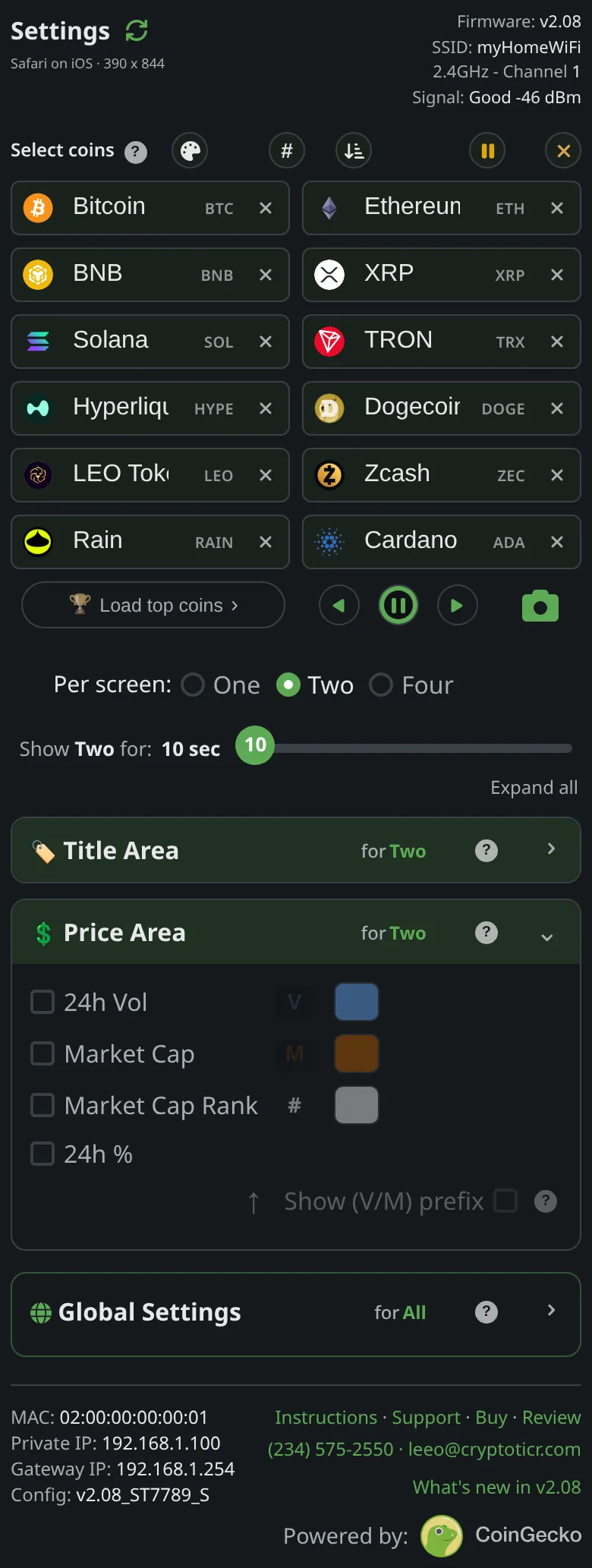

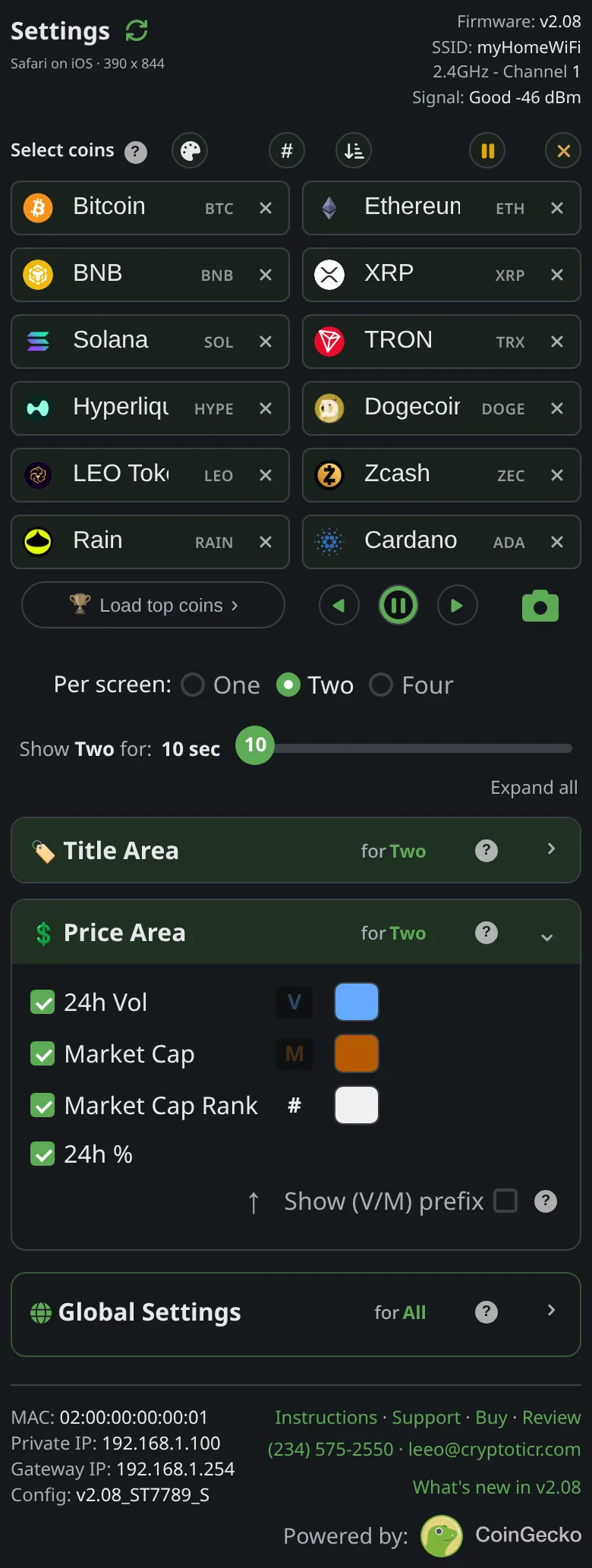
The screen split in half: your coins two at a time, in the order of your list, each coin's name on top and its price under it. After the time you set, the next two. Every picture here is the ticker's own output.
Title Area
Identify both coins your way
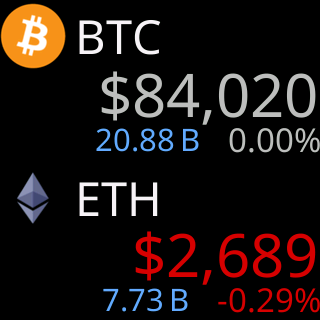
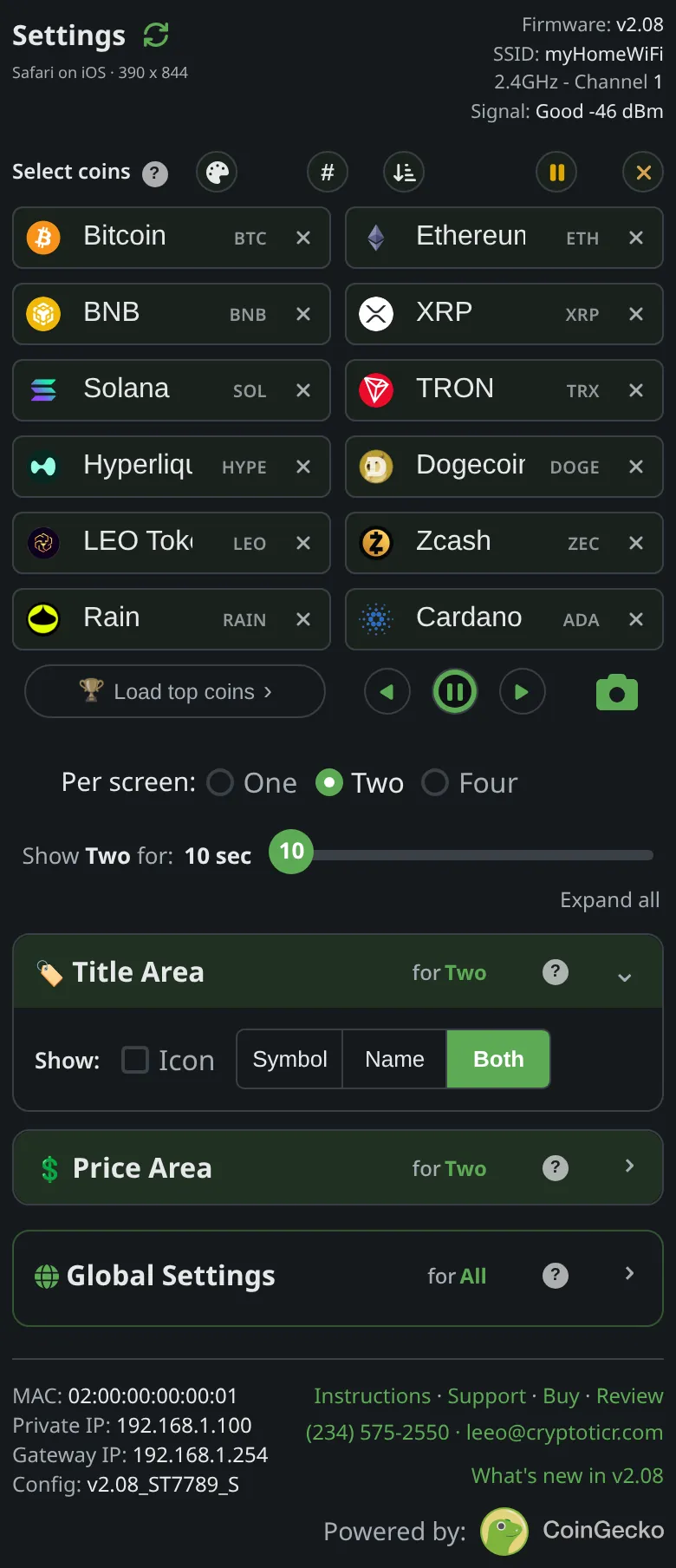
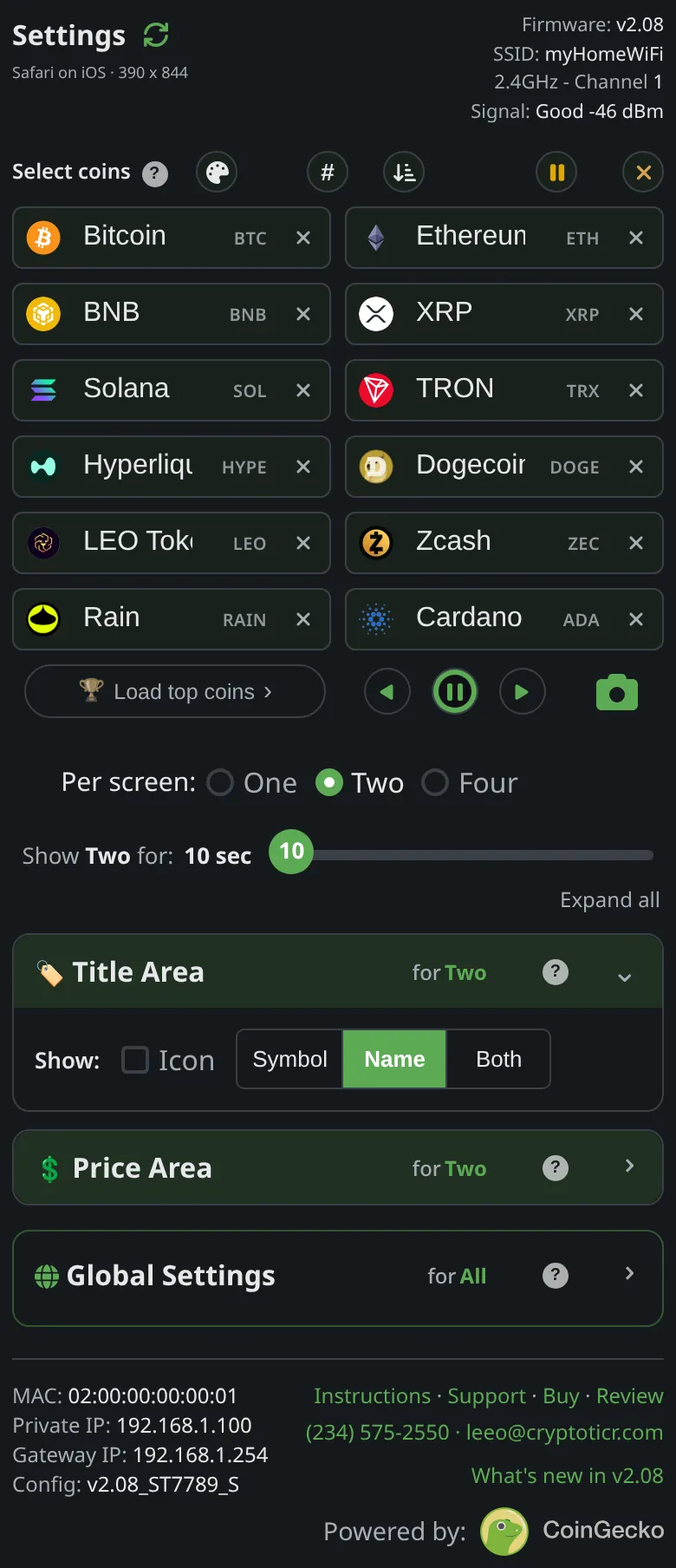
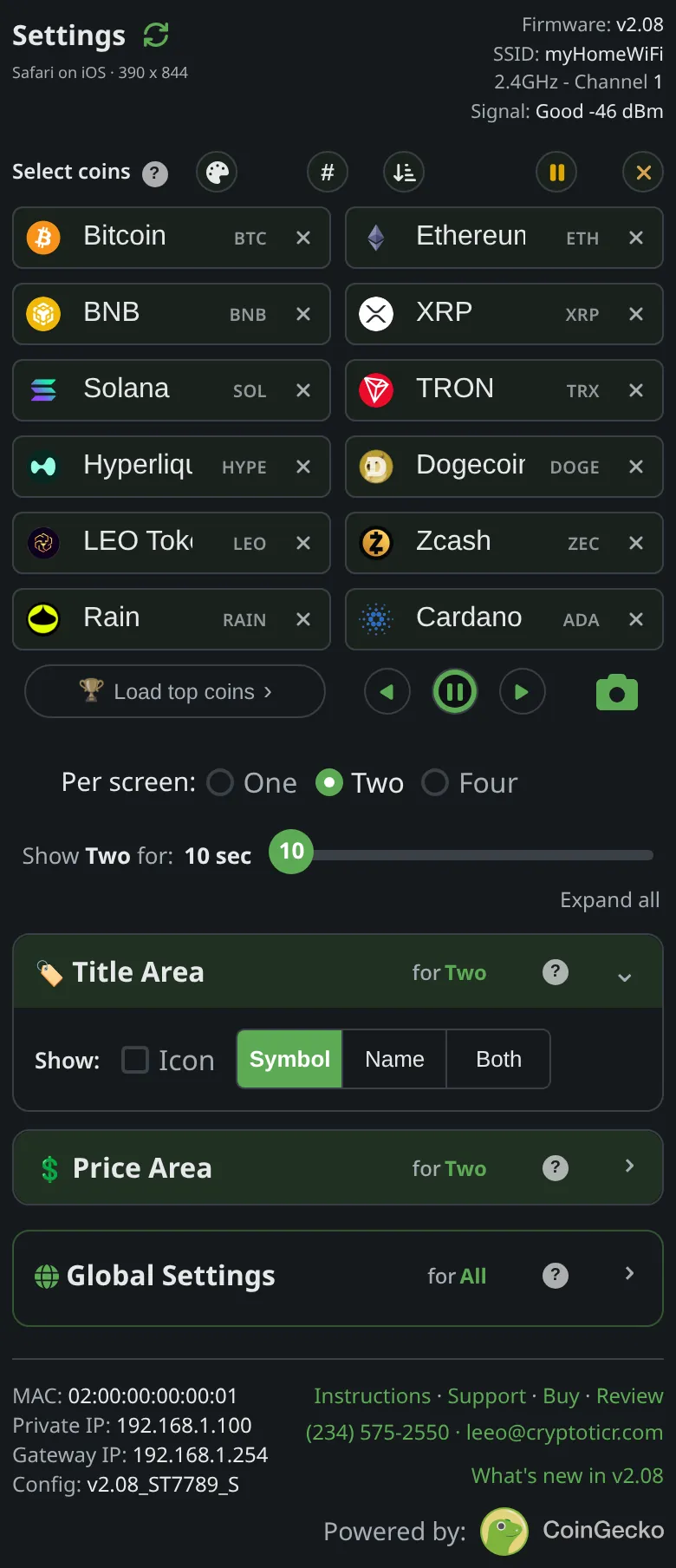
The line over each price: the coin's icon, its symbol, its name, or a mix. Both shows the symbol and the name side by side.
- A long name steps down in size before anything is cut
- Set on its own for this mode
- No chart in this mode: the screen is titles and prices

Give me the full detailsHide the details
How does Two per screen divide the screen?
The ticker splits its coin area into two equal bands stacked one above the other, one coin in each: the first coin of the pair on top, the second below. The glass is 240 by 240 pixels and the coin area is 236 pixels tall, so each band is 118 pixels. Both bands are laid out alike: a title line 50 pixels tall at the top, a 7-pixel gap, the price, and under it the row of figures if any are switched on. There is no chart band in this layout, so the two coins have the whole area to themselves.
With the row of figures on, the icon is drawn at 43 pixels instead of its usual 47 and centered in the 50-pixel line, because each band has to fit a title, a price and the figures in 118 pixels. Switch every figure off and the icon goes back to 47 pixels.
Which two coins share a screen?
The ticker pairs your coins in the order of your list: coins 1 and 2 share the first screen, coins 3 and 4 the second, and so on. The pairs are fixed. They do not slide along one coin at a time, so a coin always appears with the same neighbor for as long as your list stays the same. The settings page holds up to twelve coins, which makes six screens. After the last screen the rotation starts again at the first.
A paused coin leaves the rotation and the coins after it move up a place to close the gap, so every pair after it changes partners until you bring the coin back. Switching Per screen: to Two, or saving your coin list with Save & Apply Coins, starts the rotation at the first screen, and that screen gets its full time.
What happens with an odd number of coins?
With an odd number of coins, the last screen shows the leftover coin in the top band and leaves the bottom band dark. The ticker does not wrap around to the top of your list to fill the gap, so no coin is repeated to pad a screen. A list with one coin shows that coin alone in the top band. With one or two coins there is only one screen: each time its time runs out the ticker fetches fresh prices and draws the same screen again, and the arrow buttons under the coin boxes are dimmed, because there is no other screen to step to.
What can the title line show in Two per screen?
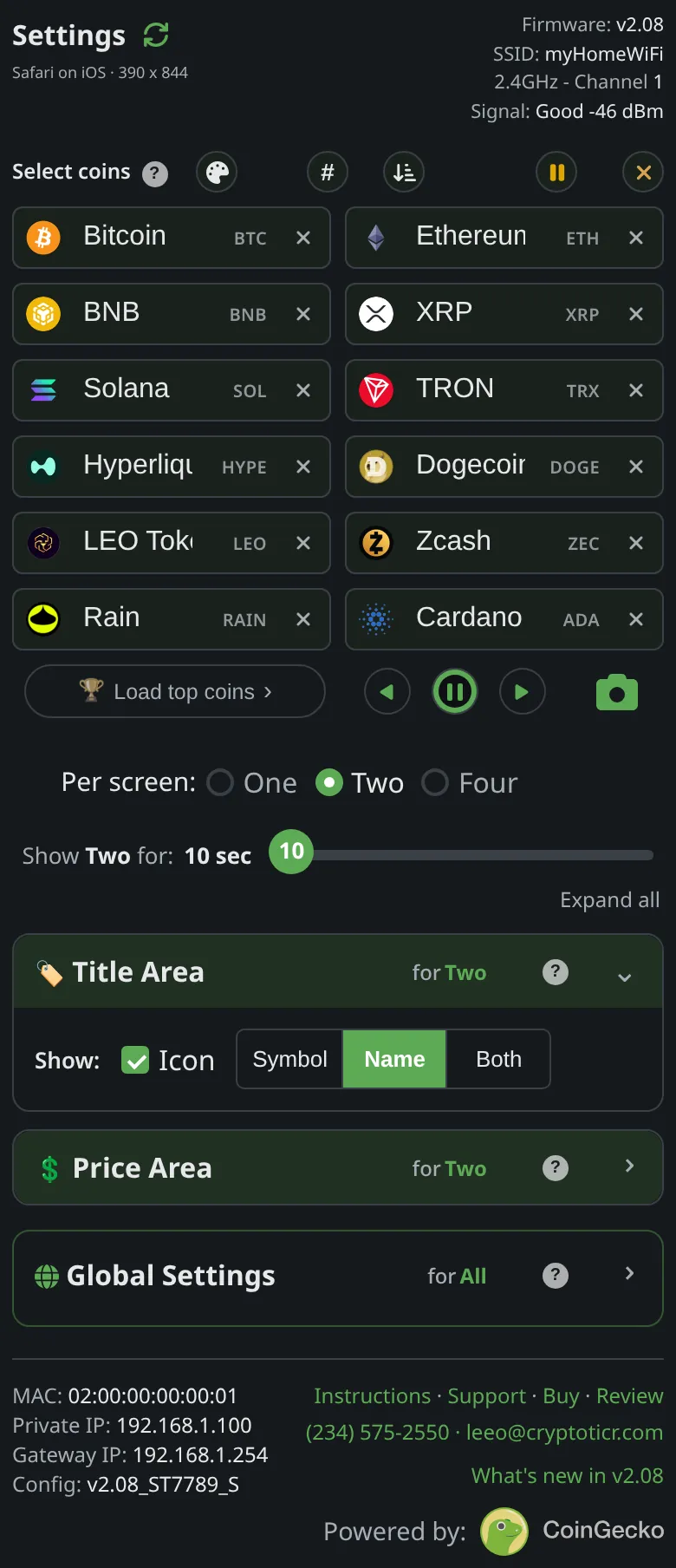
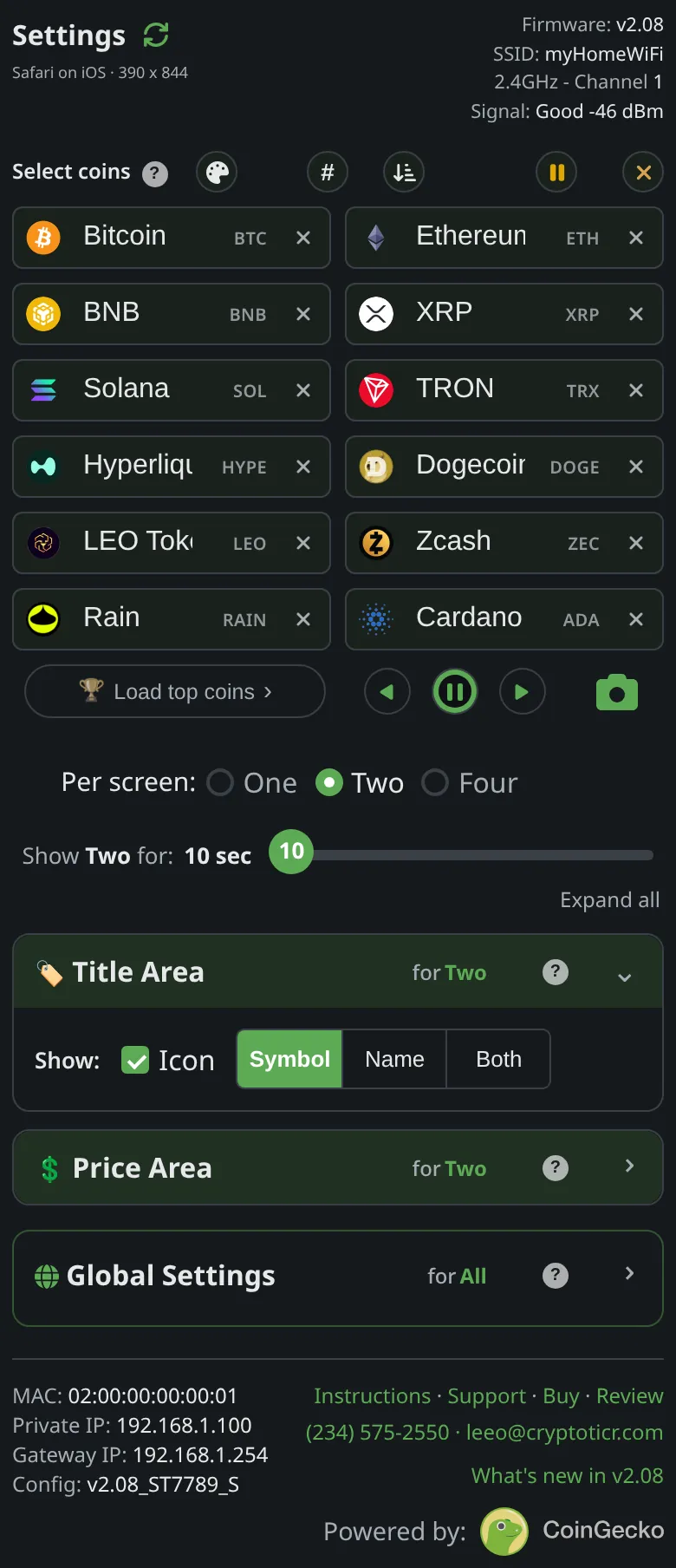
The title line can show the coin's icon (its logo), its symbol (BTC), its name (Bitcoin), or a mix. In the Title Area section of the settings page, Show: offers an Icon switch and a three-way choice of Symbol, Name or Both. That makes five titles on this ticker: icon and name, icon and symbol, symbol and name, name alone, and symbol alone. One of the three text choices is always selected, so the title always carries a symbol or a name; an icon on its own is not a choice in this layout.
The factory setting for Two per screen is the icon with the name. One, Two and Four per screen each keep their own choice, which is why the section's heading reads "for Two per screen" while this layout is selected. A change shows on the glass at once: the screen is redrawn from the prices already on it, without waiting for the next screen.
How does Both lay out the symbol and the name?
The Both choice draws the symbol in the largest title type, 36 pixels tall, and puts the name beside it after a 15-pixel gap, aligned to the bottom of the symbol so the two share a baseline. The name takes whatever width is left and is never taller than the symbol: a short name can come out the same size, a long one steps down. When a coin's name is its symbol, as with XRP, it shows once, never "XRP XRP".
Why is Icon with Both not offered here?
The icon, the symbol and the name together do not fit across this ticker's 240-pixel screen, so the settings page will not hold all three. Ask for them and the page keeps your latest pick, drops the other, and says which: tap Both with the icon on and it reads "Icon+Both won't fit, deselecting Icon"; switch the icon on while Both is selected and it reads "Icon+Both won't fit, selecting Name". The control that was dropped blinks while the note is up, about four seconds. If a saved setting asks for all three anyway, the ticker draws the icon and the name.
How does a long name fit on the title line?
The ticker tries the name in the largest title type and steps down through smaller sizes until it fits the width left of the icon; only when even the smallest size overflows does it trim letters from the end. The icon-to-text gap in Two per screen is 7 pixels, tighter than the 10 of One per screen, which leaves more room for the name. The text is centered on the middle of the icon, or on the middle of the 50-pixel title line when there is no icon.
What if a coin has no icon yet, or a name the ticker cannot draw?
In a title style with the icon, a coin whose logo is not on the ticker yet, such as a new listing, shows its symbol and name in place of the icon and text. New logos reach the ticker by themselves with its automatic updates; see a coin shows no icon. The ticker's fonts carry plain letters, digits and ordinary punctuation, so accented letters and other scripts are left out of a name or symbol. Four marks are drawn as stand-ins: \ as /, ^ as ', { as ( and } as ). A coin with nothing drawable left in either shows its logo in every title style, Symbol and Name alone included, and if the logo is missing too, a plain-letter form of the coin's identifier.
What if two of my coins share a symbol?
Two different coins can share a symbol, and with the title set to Symbol alone they would look identical. The settings page warns under the Title Area, naming the symbol: "is shared by two of your coins, with Symbol only they'll look identical. Add Icon to tell them apart." Switching the icon on tells them apart. The same coin entered twice is a different case: the page mentions it under the coin boxes and lets it stand, and that coin comes around twice as often. More in coins that share a symbol.
Price Area
Two prices, and the figures under them
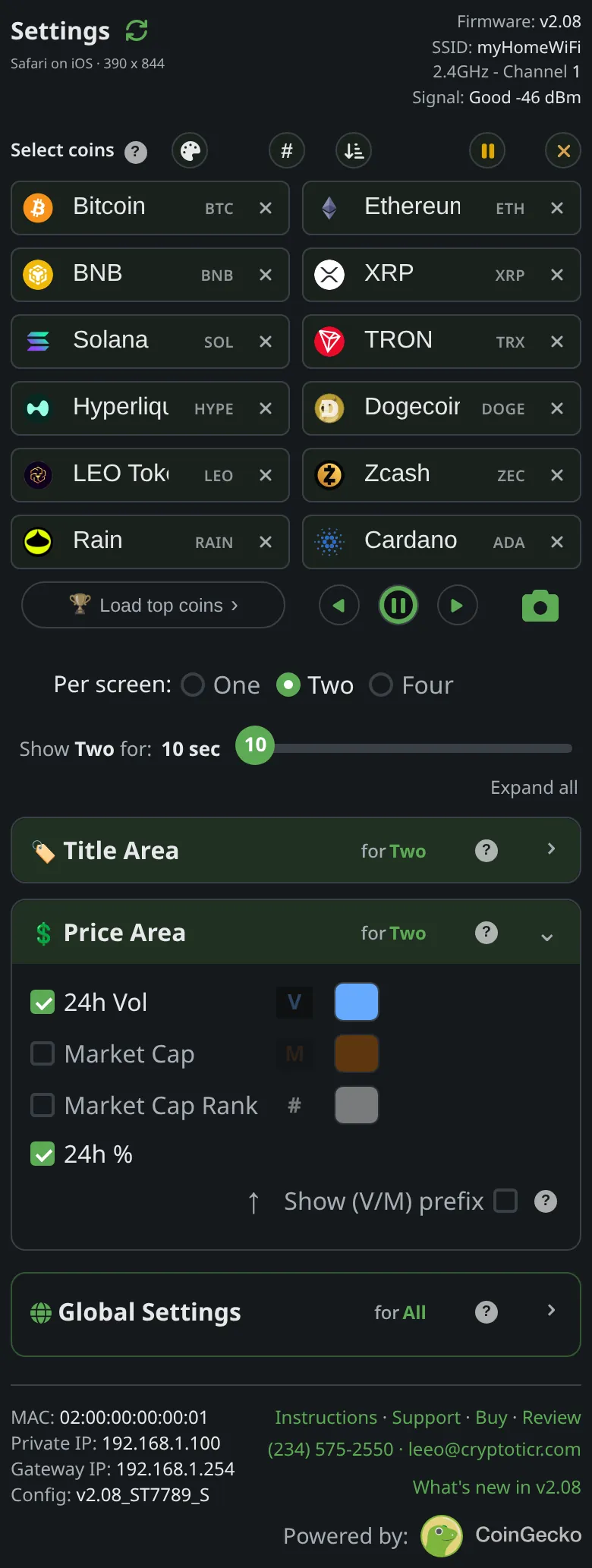
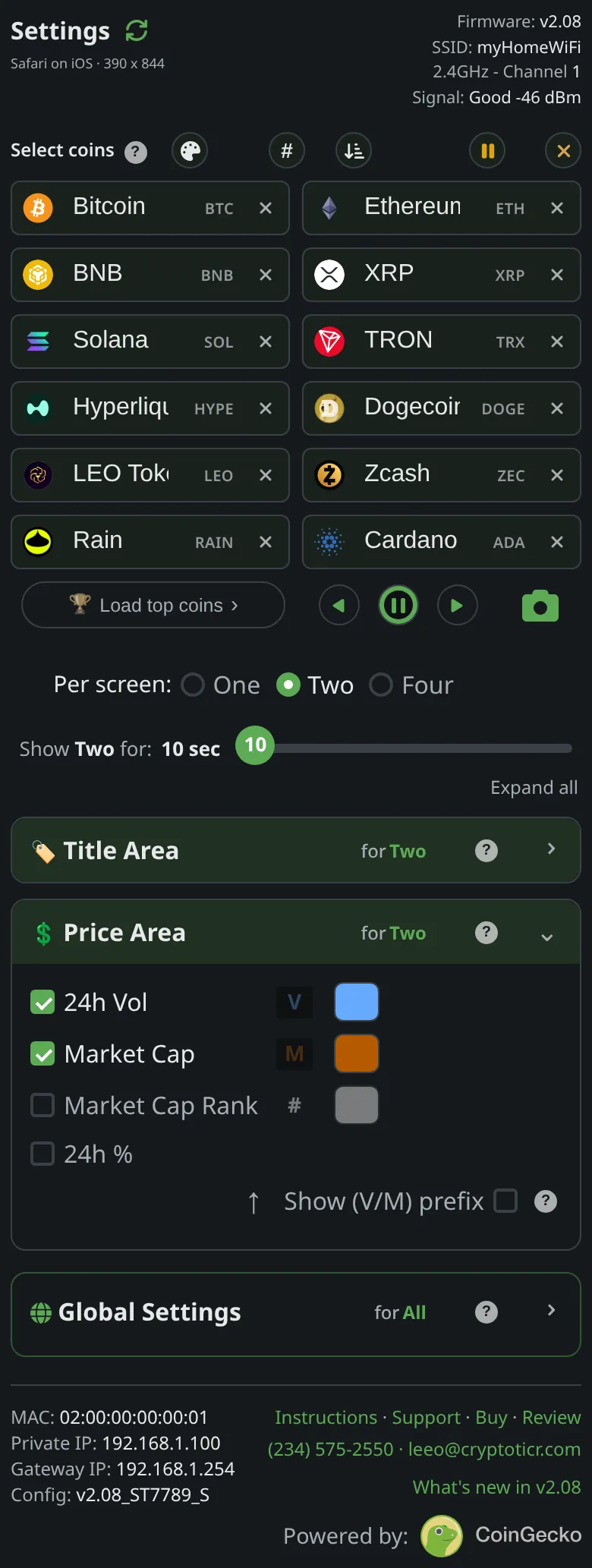

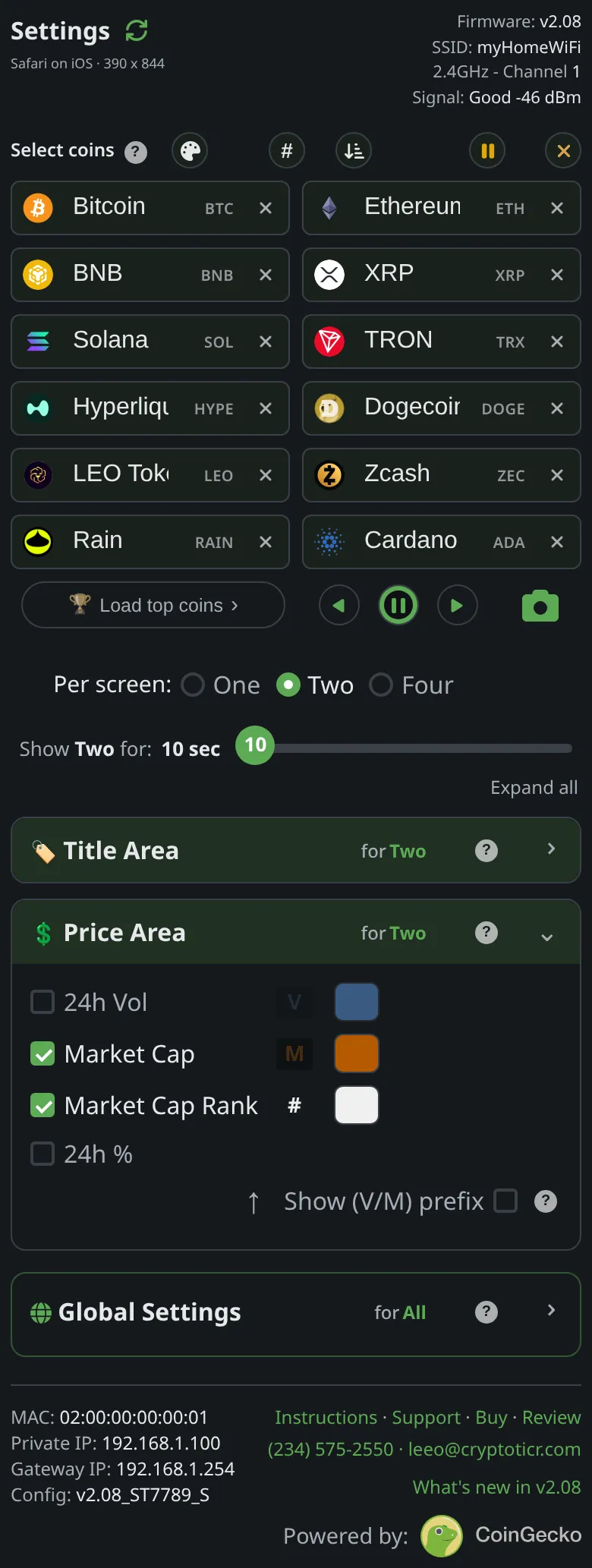

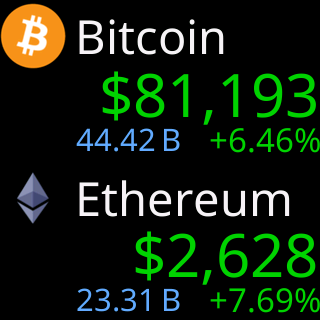
Each price colored by its own last 24 hours. Under it, the 24h% on the right, and 24h Vol, market cap or rank on the left.
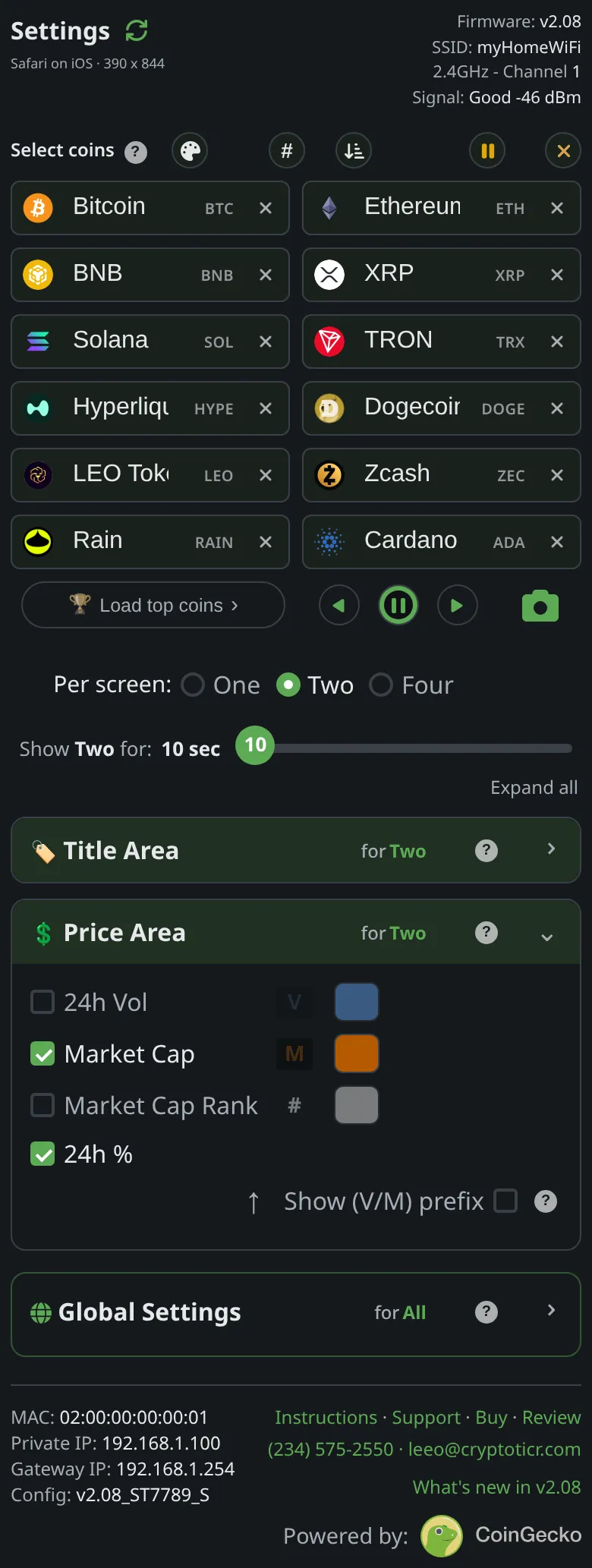
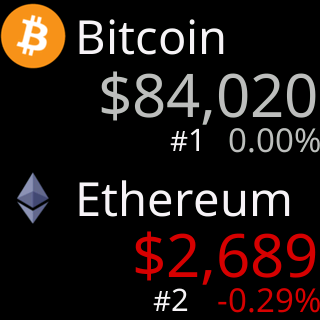
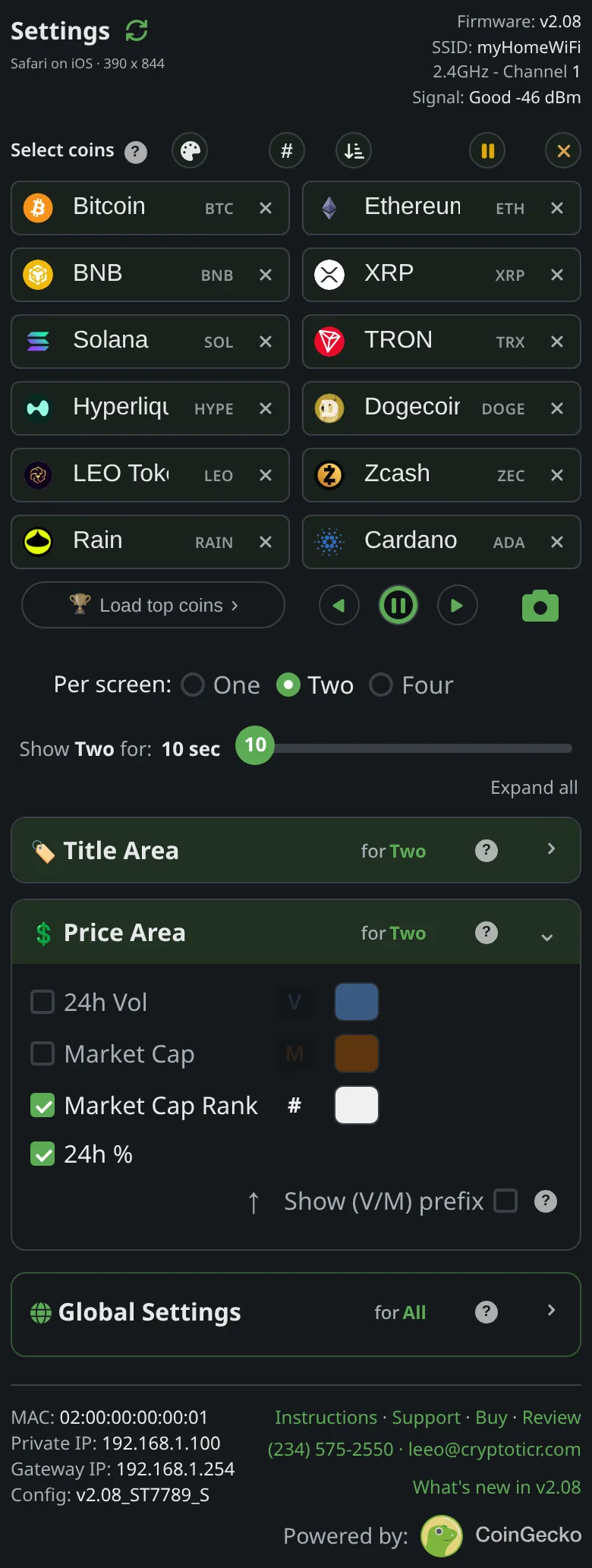
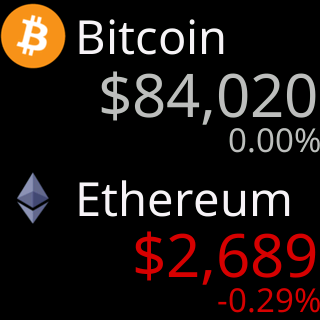
Give me the full detailsHide the details
How big is each price in Two per screen?
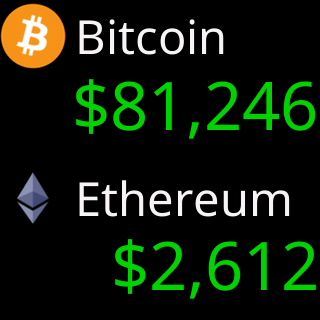
Each price in Two per screen takes the largest type that fits its band, and the row of figures decides how tall that can be. With any figure switched on, the price is held to the ticker's second-largest price size, 41 pixels tall, one size under the price in One per screen, so the figures fit beneath it in the 118-pixel band. With every figure off, the height the row would have used goes to the price instead: the limit becomes the room left under the title, 61 pixels on this screen, and the price can use the largest size, 45 pixels tall.
Under that limit each price is fitted to the width of the screen, 240 pixels, and right-aligned. The two largest sizes also come in a narrower cut, which a price tries before it drops a size. Both bands are the same height, so the two prices share one height limit: two prices of similar length come out the same size, and one that is too long at that size steps down on its own.
What can show under each price?
Under each price in Two per screen sits one row of figures, the same four the Price Area offers in One per screen, drawn a size smaller. The 24h% stands at the right in the same color as the price, in type 27 pixels tall. On the left, one at a time, comes 24h Vol, Market Cap or Market Cap Rank, starting one size smaller than the percentage so the percentage stays the anchor of the row, and stepping down again if it does not fit beside it with its 22-pixel gap. A figure the ticker has no value for reads "No VOL", "No MC" or "No RNK", and rank always wears its "#", as in "#7".
What each figure means and how the rolling 24 hours work is the same in every layout; see the Price Area on the One per screen page. The same goes for the Show (V/M) prefix switch, which puts a small V or M in front of volume and market cap.
How do several figures take turns in Two per screen?
The left-hand figures you switch on share the screen's time equally, in a fixed order: 24h Vol, then Market Cap, then Market Cap Rank. Two figures get half the time each, three get a third. Both coins change figure at the same moment, so the pair always shows the same kind of number, and only the left spot is redrawn: the prices and the 24h% stay still. At the factory settings all three are on, so each gets a third of the 10 seconds a screen stays.
The three moving pictures above are built from the ticker's own frames, the same two coins drawn once per figure, each frame held as long as a ticker set that way would hold it. The figures stop taking turns while the screen is paused, while a message box is over it, and while the address box is up, so a held screen stays still and nothing redraws through a box on top of it.
What happens when the 24h% is off, or it is the only figure on?
With the 24h% off and a left-hand figure on, that figure moves to the right edge, where the percentage stood, and starts at the percentage's own size. With only the 24h% on, the left spot stays empty and the row carries the percentage alone. With all four off, the row disappears from both bands, the icon grows back to 47 pixels, and the price takes the freed height, as described above.
How fresh are the prices in Two per screen?
The ticker fetches the latest figures for both coins together as a screen comes up, and draws the screen from them. Nothing on the screen is fetched again while it stays up: the left-hand figures take their turns from the same set of numbers. The next screen brings its own fresh fetch. With only one screen of coins, the same screen is fetched and drawn again each time its time runs out. How often the figures themselves change is covered in how often prices refresh.
How long does each screen stay in Two per screen?
Each screen stays for the time on the Show Two for: slider under the coin boxes: 10, 15, 20, 25 or 30 seconds, 10 seconds from the factory. The whole screen shares that one time. One, Two and Four per screen each keep a time of their own. The slider applies as you move it, and the new time counts from when the screen on the glass appeared, so shortening it can bring the next screen at once.
Both ends of the range have a reason. Every new screen means a fetch, so 10 seconds is the floor. A screen's figures are not refreshed while it stays up, so 30 seconds is the longest the ticker leaves one standing. The fetch for the next screen starts a little under half a second before the time runs out, so the time you set is about the time the screen is on the glass, not that time plus the wait.
Under the coin boxes, the arrow buttons step a whole screen back or forward, and the pause button between them holds the current screen for up to 30 seconds; when it lets go, the screen finishes the time it had left. Tapping the small symbol inside a coin's box brings up the screen that holds that coin. More in jump to a coin and the remote buttons.
What if a coin's price has not arrived?
A coin with no price shows "-.--" where the price goes, with a short note under it that says why, and its row of figures is cleared so nothing from the screen before survives under the new name. The other coin shows its real price, because each band is judged on its own. The screen still gets its full time, and the missing coin is fetched again the next time its screen comes around.
What comes between screens of two?
When a card from Show Market Info is due, it takes a turn of its own between two screens, and the rotation then carries on with the screen that was next, so no pair loses its turn. At power-on the cards you have switched on come first, before the first screen of coins. After that first round, cards keep at least 30 seconds from each other and from the address card, so they never stack. See Market Info.
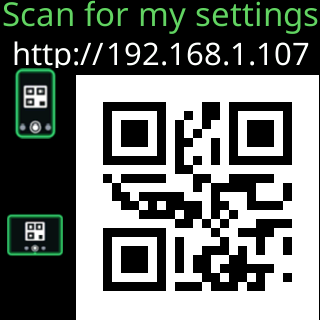
The address card from Show my IP address appears as a fresh screen comes up: the written address in a box in the middle of the screen, over both coins, or the QR code over the whole screen. When it has had its time, the rotation moves on to the next screen, so the screen it covered does not get a second turn that round. See the address card.
Up and down colors
Each coin wears its own day
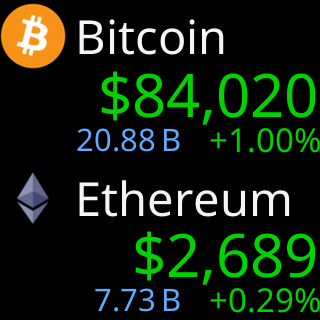
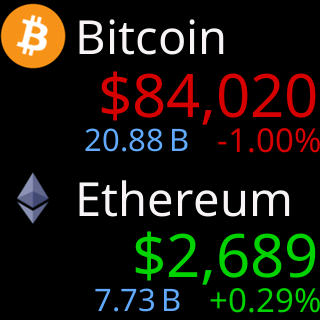
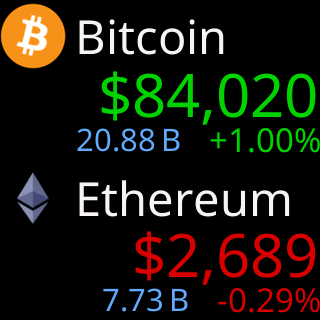
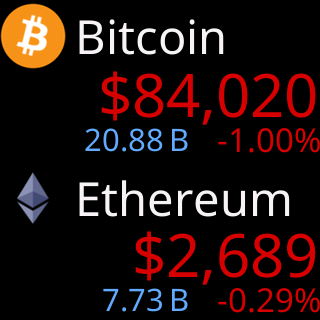
In the Default colorset a price in green rose over the last 24 hours and one in red fell; other colorsets use their own pair. Each coin is colored by its own day, so the two halves can disagree.
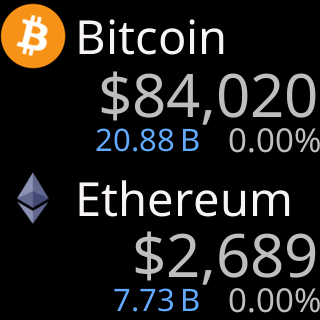
- A change that rounds to 0.00% shows gray
- The gray is the same in every colorset
Give me the full detailsHide the details
What decides the color of each price in Two per screen?
Each price in Two per screen is colored by its own coin's change over the last 24 hours: the colorset's up color if the coin rose, its down color if it fell, and a neutral gray if the change rounds to 0.00%. The 24 hours are rolling, counting back from now, never since midnight. The ticker makes the call separately for each half of the screen, from that coin's own figure, and nothing else feeds into it: not the other coin, and not the market as a whole.
Why are the two coins on one screen different colors?
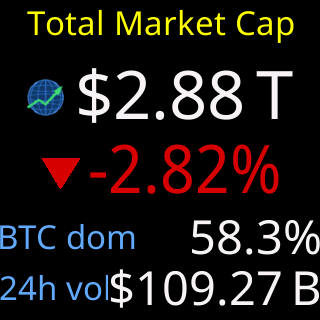
Two coins on one screen can show different colors because each is judged on its own 24 hours, so one can be up while the other is down. A screen of two is two separate readings, not one verdict on the pair or on the market. For the market as a whole, the Market overview card that comes between screens shows the total value of all coins and how it moved over the same 24 hours; see Market Info.
Do the price and its 24h% always agree?
The price and the 24h% under it always wear the same color, because both take it from the same test on the same number, rounded the way the percentage is printed, to two decimals. A price in the up color never sits over a percentage in the down color, and when the percentage reads 0.00%, with no plus or minus sign, both are gray. The figure on the left, volume, market cap or rank, never uses the up or down color: each has a color of its own from the colorset.
When is a price gray in Two per screen?
A price is gray when its 24-hour change rounds to 0.00%, which means a move of less than 0.005% either way. The gray is a light, neutral gray, the same in all ten colorsets, and no colorset uses gray for up or down, so it cannot be mistaken for a direction in any of them. A price is gray as well when CoinGecko has no 24h figure for its coin; the percentage under it then reads “-.--%” rather than a 0.00% nobody measured. The reasoning behind a third color is on the One per screen page.
Which colors can I change in Two per screen?
The up and down pair comes with the colorset, which is chosen on the Global settings page and applies to every layout; there are ten. The price and the 24h% always follow that pair and cannot be recolored on their own. The three left-hand figures can: each of their switches in the Price Area has a swatch beside it, the choice is remembered for each colorset, and once you have changed one a Default button appears to bring back the colorset's own color. The names and symbols on the title line use the colorset's title color, and the icons keep their own artwork colors, except in Amber and Green.
How do the colorsets show up and down?
Default uses green for up and red for down, and Colorblind uses blue for up and yellow for down. Amber and Green imitate a single-color monitor: up and down are a brighter and a darker shade of the same color, and the coin icons are drawn in that color too, so there the direction is told by brightness. With the 24h% switched on, its plus or minus sign says the same thing in any colorset.
Does a price change color while the screen is up?
A price does not change color while its screen is up. The colors are set when the screen's figures arrive, together with the numbers, and they stay for the screen's whole time. The next screen is colored from its own fresh figures, so a coin can come back a different color on its next turn. A coin whose price has not arrived shows "-.--" instead, which is no direction at all.
Full or minimal
The same coins, fully loaded or stripped back
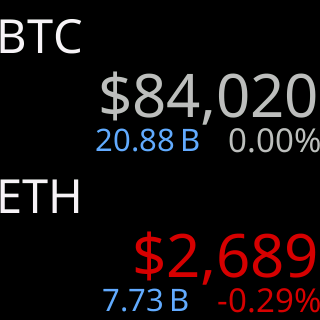
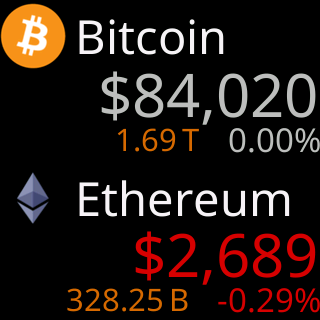
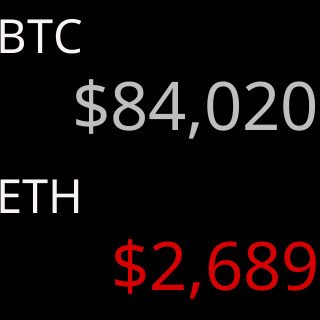
The first screen is the ticker as it ships, showing everything it can. The second has every extra switched off: only each coin's symbol and price are left.
Give me the full detailsHide the details
What does Two per screen show at the factory settings?
At the factory settings, Two per screen shows each coin's icon and name on its title line and the full row of figures under each price: the 24h% at the right, and on the left 24h Vol, Market Cap and Market Cap Rank taking turns, each for a third of the screen's time. Each screen stays 10 seconds. Between screens come the Market overview and Sector heat cards, a round every 10 minutes with each card up for 7 seconds, and the colors are the Default colorset's green and red. The Default settings picture above shows the volume turn.
These are the values Two per screen has until you change them. They take effect whenever Per screen: is set to Two, and One and Four per screen have factory values of their own.
What does the “Bare essentials” screen turn off?
The “Bare essentials” picture is the sparest screen Two per screen allows: the Title Area set to Symbol with the Icon switch off, and all four switches in the Price Area off. That removes the icon, the name and the whole row of figures from both halves, the 24h% included. Each coin keeps two things: its symbol and its price. One thing to watch: with Symbol alone, two different coins that share a symbol look identical, and the settings page warns you under the Title Area when your list has such a pair; see coins that share a symbol.
What changes on the glass when the figures go?
When the figures go, the freed height goes to the prices. With the row gone, a price is no longer held one size down to leave room for figures, so it can use the ticker's largest price size, 45 pixels tall against 41 with the figures on, and both halves share one height limit, which keeps the pair in step. The symbol sits alone on its title line in the largest title type that fits. With the 24h% gone, the color of each price is the only sign of which way the coin moved: up, down, or gray for a change that rounds to 0.00%.
Nothing else moves. The two bands keep their 118 pixels each and the prices stay right-aligned, so switching between the two changes what fills each band, not where the coins sit.
What can't be turned off in Two per screen?
Every combination keeps the price, its color, and a text title. The Title Area always has one of Symbol, Name or Both selected, so Two per screen has no icon-only title; Four per screen does, where Icon is one of its two choices. What appears between screens is switched separately on the Global settings page: with both Market Info cards off, no market cards come between screens, and the address card has its own switches under Show my IP address.
How many looks lie between the two?
Five title choices and the sixteen on-off combinations of the four figures make 80 combinations for this screen, before the colorset, the figure colors and the V/M prefix are counted. Every one of them is set on the settings page and shows on the glass at once, redrawn from the prices already on the screen, so the quickest way to choose is to change a setting and watch the ticker.
Which settings on the page belong to Two per screen?
The Title Area, the four figure switches of the Price Area and the Show Two for: time belong to this layout alone. While Per screen is on Two, the two sections' headings read "for Two per screen", and One and Four per screen keep values of their own. The V/M prefix and the figure colors are kept per colorset instead, so they are shared with One per screen. The Chart Area section disappears from the page, because this layout has no chart; its settings stay as they were for One per screen. The coin list is shared by all three layouts, and everything inside the Global Settings border, such as Market Info, the address card, brightness and the colorset, applies to every layout.
Why is there no chart in Two per screen?
Two per screen has no chart because a chart needs a band of its own and a coin's price history, and this layout has neither. A band of 118 pixels holds a title, a price and a row of figures, with no room left for a chart, and a screen of two fetches only the latest figures for both coins, not their history. For a chart, switch Per screen to One; see the chart on the One per screen page.
Also on the settings page
The rest of the settings
The Market Info cards between screens, the address card, brightness and quiet hours, and the ten colorsets are on the Global settings page. How long each screen stays, the progress bar, date and time, and what a touch does are in the settings reference.