Before you call: what to have ready
Before you start
- Nothing is required. Every item below makes the conversation shorter; none is needed to have it.
Steps
- Read the line under
Settingsat the top of the settings page. It names your browser and screen size in one line, so support never has to ask what you are using. - Read the
Firmware:line on the right of the header, for examplev2.09, and, in the footer, theConfigline, which names the full build, for examplev2.09_ST7789_S. - If the ticker’s screen is showing a message, write down its exact words, or photograph it. The technical row under a recovery line (
3: Soft watchdog | mid a data fetch) and theStatus report:table at the end of setup are written for exactly this moment. - If the settings page will not load, use the row of buttons on its wait card:
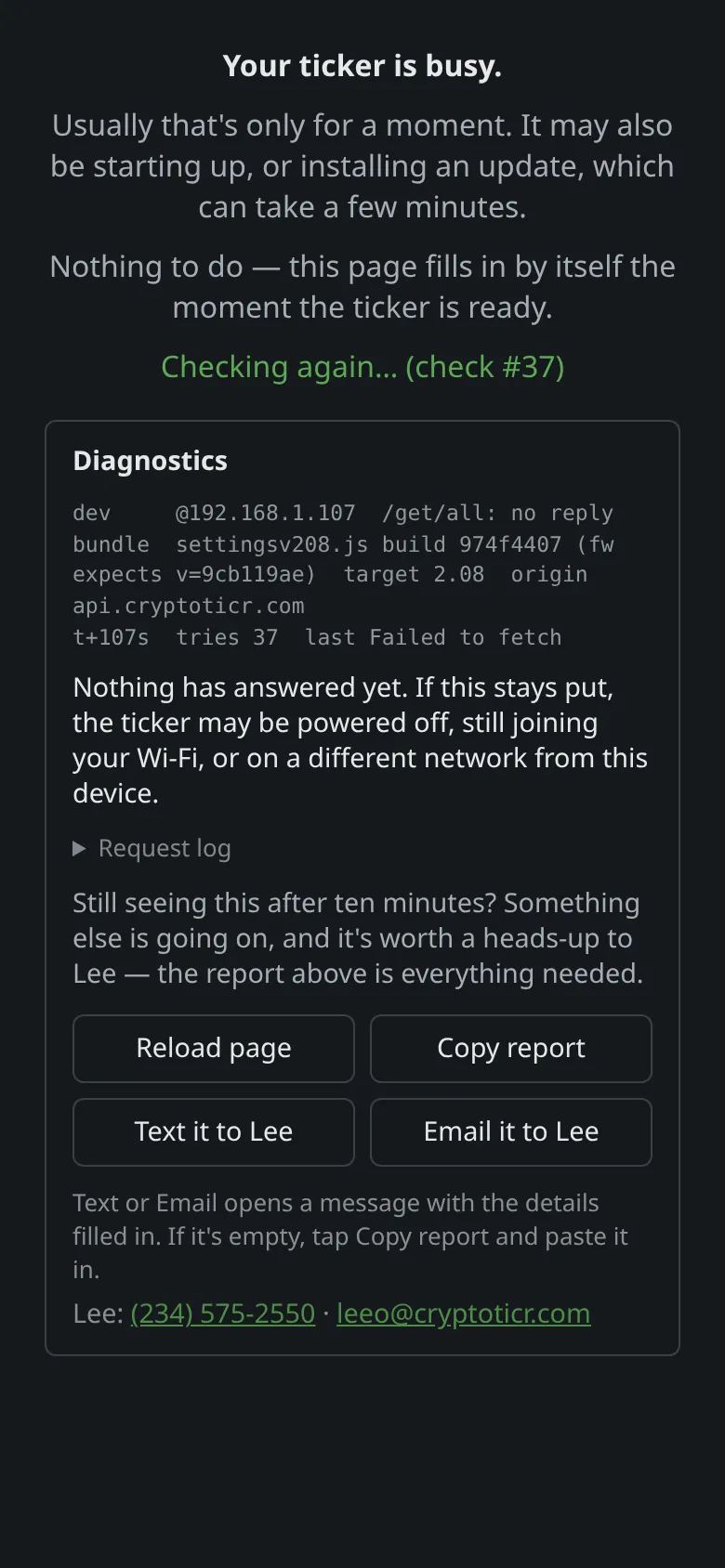
Copy reportputs a full report on the clipboard,Text it to LeeandEmail it to Leeopen a message with it filled in. TheDiagnosticsbox above the buttons holds the short technical version. - If a Wi-Fi join failed, open
Extra technical detail(orWhat I saw) in the setup page’s status panel and screenshot it. TheRouter reasonandMy radiolines are what Lee reads. The page says as much:None of this needs to mean anything to you. If you call or text Lee, he may ask what it says. - For anything else, the settings page’s
Infobuttons openSystem Info(everything about the ticker and its network) andFiles Info; a screenshot ofSystem Infoanswers most questions about a running ticker.
The header: firmware, network and signal 9:41192.168.1.107 The footer: address, MAC and config9:41192.168.1.107
 9:41192.168.1.107
You’re done when
- You can read the browser line, the firmware line and the screen’s exact words down the phone, or have screenshots of them.
Problems?
- The page will not load at all: The settings page won't open
- Then Contact.