Factory reset
Every step with pictures, the phone and the ticker side by side: the Device page.
Which reset
A factory reset erases everything: the Wi-Fi network, the coin list and every setting. The ticker restarts into first-time setup as if new. Before choosing it, check the gentler resets on What each reset erases and keeps: Factory defaults puts the settings back and keeps the Wi-Fi; Start over (keep Wi-Fi) replays the welcome and keeps the Wi-Fi; Erase Wi-Fi forgets the network and keeps the settings.
From the settings page
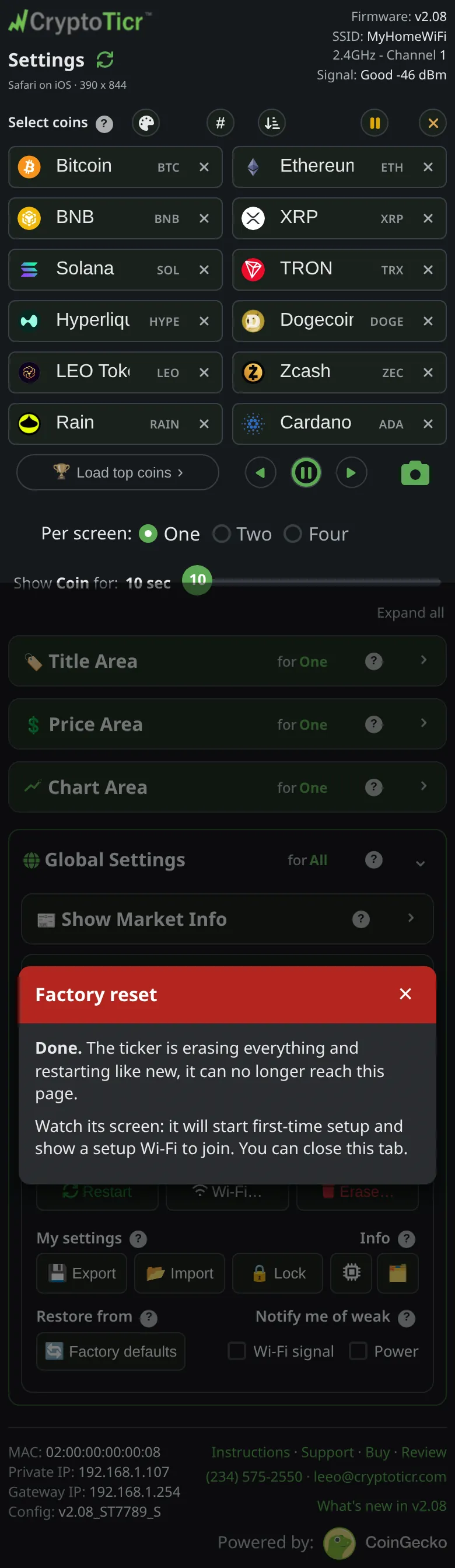
Device → Erase… → Everything, (FACTORY RESET), then confirm. The ticker shows Factory Reset Done and restarts into setup.
What it asks first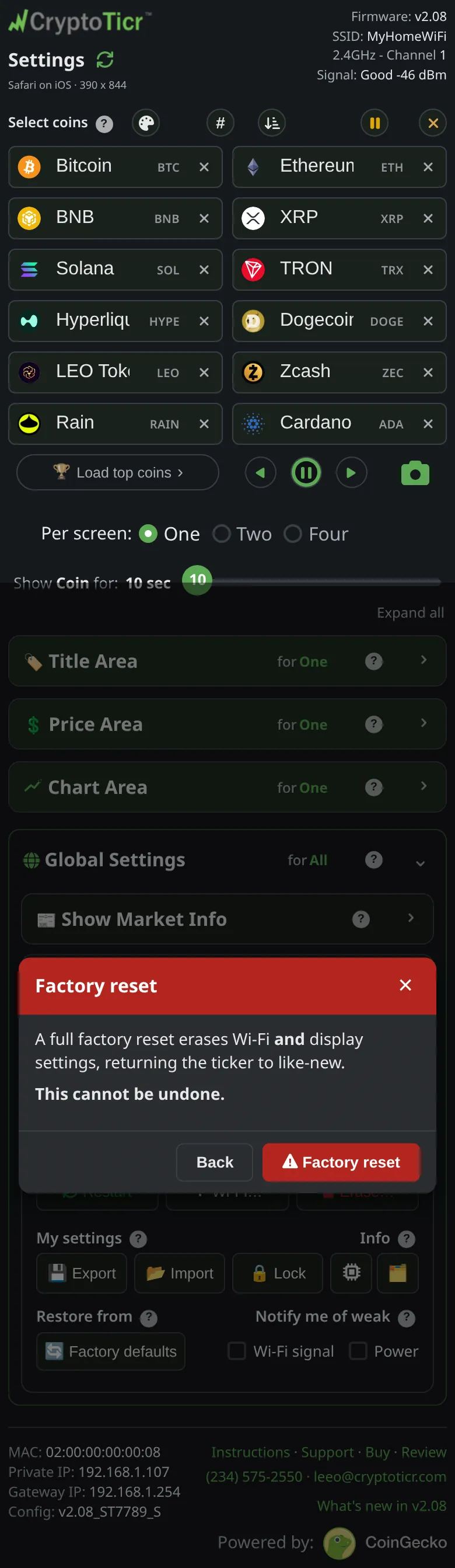 9:41192.168.1.107 And what it says when it is done
 9:41192.168.1.107
Step by step: Factory reset from the settings page.
Without the page: five quick restarts
Cut the power and restore it five times in a row, each time within five seconds of the screen lighting. From the second restart a row of circles counts you down (3 more / quick reboots / for factory reset); on the fifth the screen shows Factory Reset, then Factory Reset Done. A ticker that has never been set up cannot be reset this way and does not need to be.

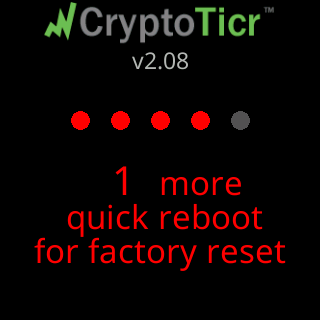
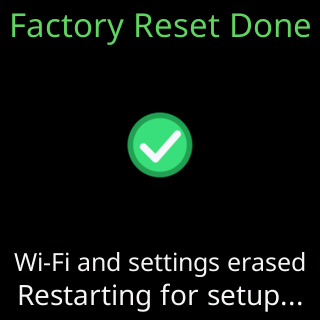
Step by step, with the timing: Factory reset by restarting five times.
Afterwards
Set the ticker up again with Quick start. A file saved with Export beforehand puts the coins and settings back in one tap; see Export and import settings.