Factory reset by switching it off and on five times
Every step with pictures, the phone and the ticker side by side: the Device page.
Before you start
- The ticker has completed setup at least once and holds a Wi-Fi network. Without one the counter never runs.
- You can reach the plug or the button on the cable. Each restart is a full power cut. The
Restartbutton on the settings page does not count. - Everything on it will be erased: the Wi-Fi network, the coins and every setting. Read What each reset erases and keeps first if you want to keep the Wi-Fi.
Steps
- Unplug the ticker (or press the button on the cable), wait a second, and plug it back in. The screen lights and shows the start screen. Nothing else appears yet.
- Within five seconds of switching it on, cut the power again and restore it. This time a row of five circles appears, two of them red, with
3 more/quick reboots/for factory resetand a red line that grows under the words, left to right.

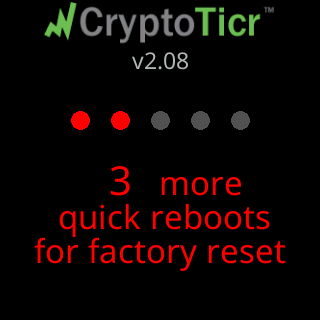
- Cut the power again while that line is still growing, and restore it. Three red circles,
2 more.
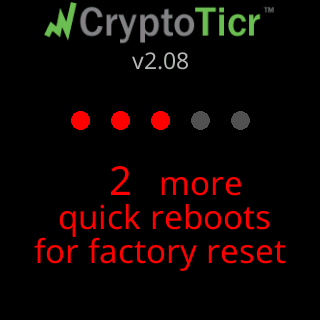
- Again. Four red circles,
1 more/quick reboot.
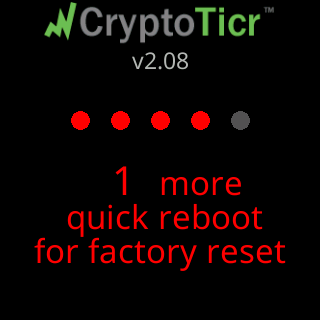
- Once more. All five circles red and
Factory Resetin red, then a greenFactory Reset DonewithWi-Fi and settings erasedandRestarting for setup....
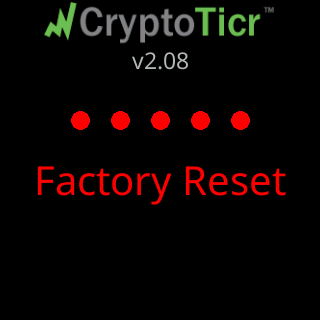
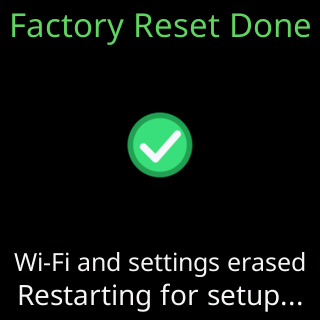
- Leave it plugged in. It restarts into first-time setup and shows
Let's get me set upand its setup network’s name.
You’re done when
- The screen shows
Factory Reset Done, and after the restart the setup cards play with aCTnetwork name on them.
Problems?
- The circles never appeared, or the count went back to the start: The five-restart factory reset is not working.
- You only wanted to change the Wi-Fi: Change to a different Wi-Fi network keeps your coins, and Erase the Wi-Fi and set up again keeps everything but the network.
How the count works
Every power-on adds one to a counter, and the counter is cleared the moment the ticker has been running for five seconds. So five power-ons in a row, none of them five seconds apart, reach the reset. The circles appear from the second power-on, so the first one gives you no sign; the growing line on the countdown card shows how much of the window has gone. A restart caused by a fault, a restart the ticker makes by itself, and the settings page’s Restart button do not count: only a real power cut does. A ticker with no saved network resets the counter at every boot, which is why the gesture cannot fire on a ticker that has never been set up.