Factory reset from the settings page
Every step with pictures, the phone and the ticker side by side: the Device page.
Before you start
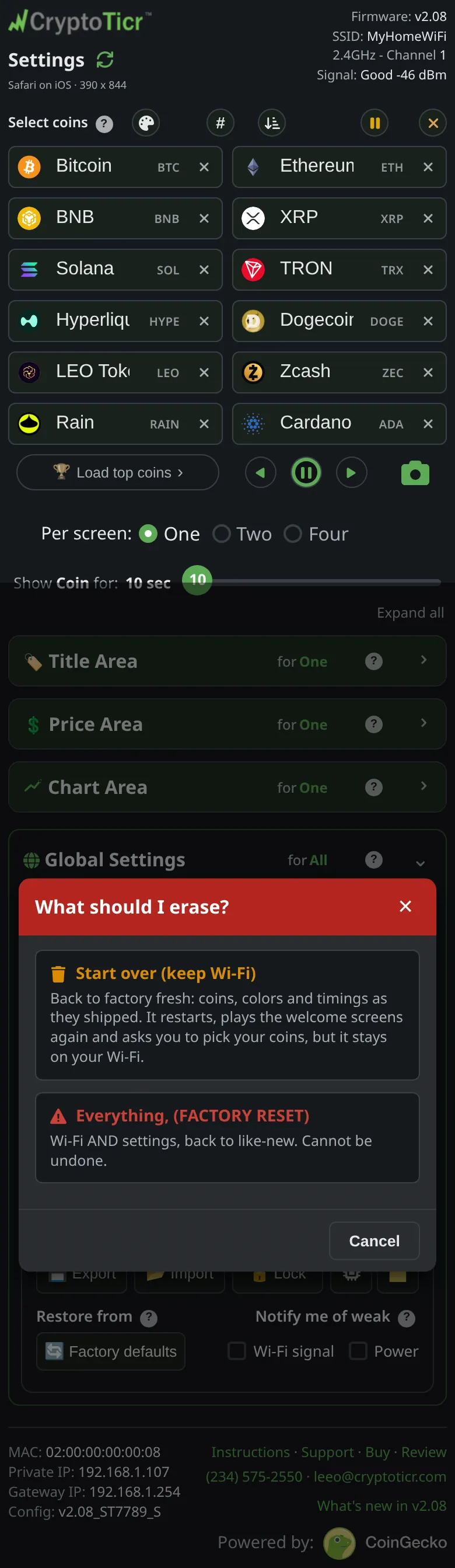
- This erases the saved Wi-Fi network and every display setting. The page says so:
Wi-Fi AND settings, back to like-new. Cannot be undone. - If all you want is fresh settings, use Start over but keep the Wi-Fi instead; it keeps the network.
- If all you want is to move it to another network, use Change to a different Wi-Fi network; nothing is erased.
Steps
- Open the settings page and scroll to the
Devicesection. - Under
Reset, tapErase…. A chooser opens titledWhat should I erase?with two choices.
 9:41192.168.1.107
- Tap
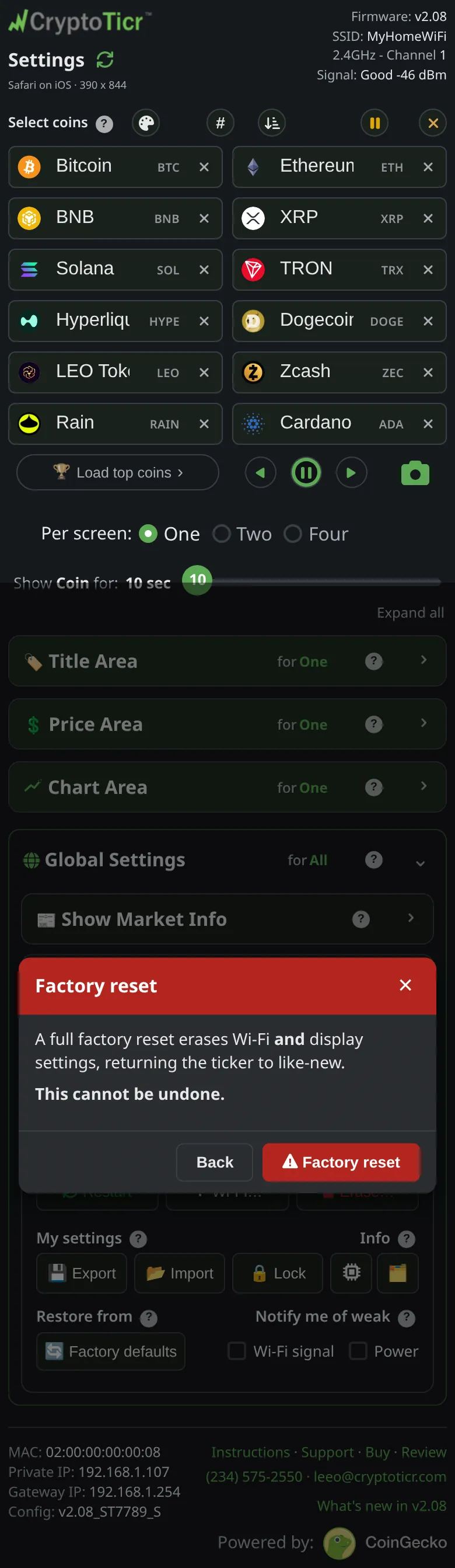
Everything, (FACTORY RESET). The confirmation is titledFactory resetand saysA full factory reset erases Wi-Fi and display settings, returning the ticker to like-new.andThis cannot be undone.
 9:41192.168.1.107
- Tap the red
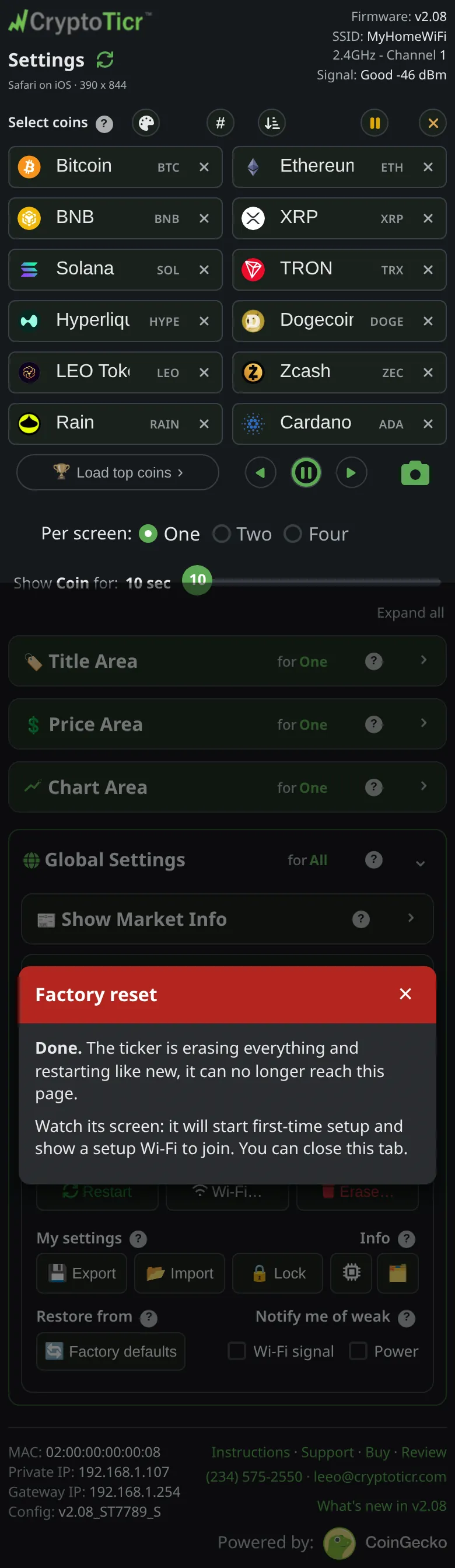
Factory resetbutton. The page showsDone.The ticker is erasing everything and restarting like new, it can no longer reach this page.andWatch its screen: it will start first-time setup and show a setup Wi-Fi to join. You can close this tab.
 9:41192.168.1.107
- Watch the ticker. It shows
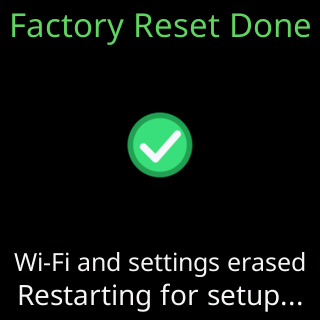
Factory Reset Done/Wi-Fi and settings erased/Restarting for setup..., restarts, and plays the setup cards with itsCTnetwork name.

You’re done when
- The ticker’s screen shows
Let's get me set upand a setup network name, and the old settings page address no longer answers.
Problems?
- The page will not load or the button does nothing: the five-restart gesture does the same job without the page. See Factory reset by switching it off and on five times.
- To set it up again: Quick start.