Start over but keep the Wi-Fi

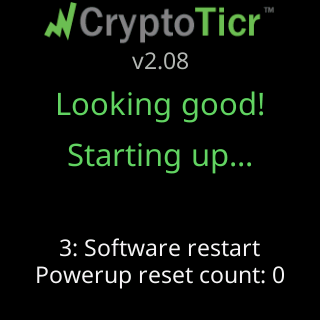
Every step with pictures, the phone and the ticker side by side: the Device page.
Before you start
- This is the middle of the three erasures. It is more than
Factory defaults(which changes settings and nothing else) and less than a factory reset (which also forgets the Wi-Fi). - The ticker restarts and behaves like a new unit on your network: the welcome screens play again and the page asks you to pick coins. Your Wi-Fi, and a fixed address if you set one, are kept.
Steps
- Open the settings page and scroll to the
Devicesection. - Under
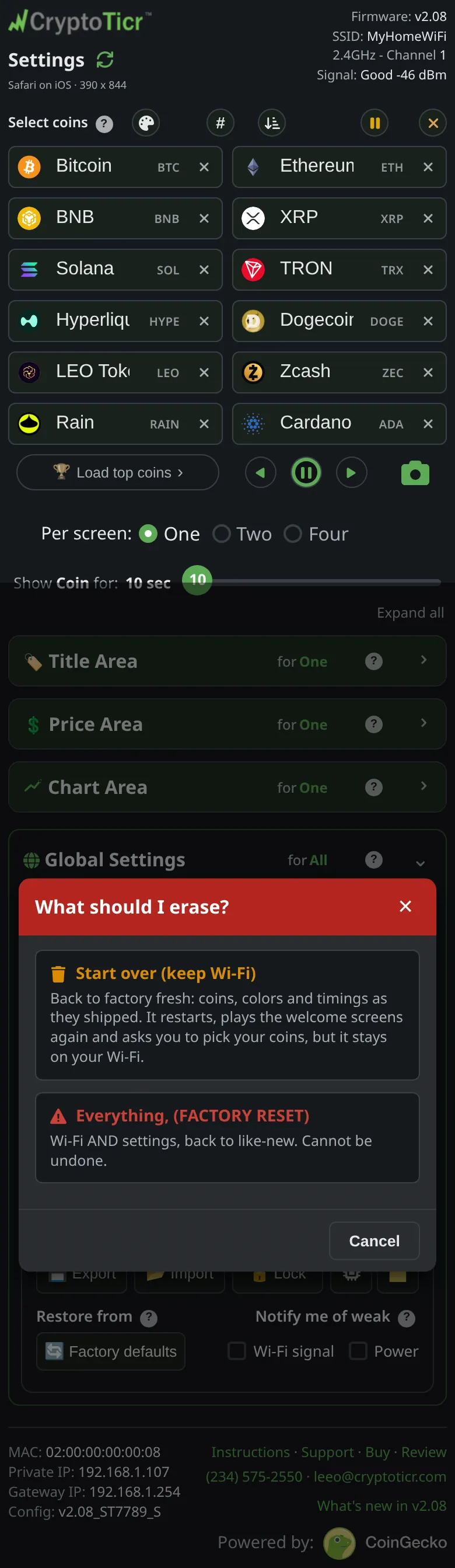
Reset, tapErase…. A chooser opens titledWhat should I erase?.
 9:41192.168.1.107
- Tap
Start over (keep Wi-Fi). Its card readsBack to factory fresh: coins, colors and timings as they shipped. It restarts, plays the welcome screens again and asks you to pick your coins, but it stays on your Wi-Fi. - The confirmation, titled
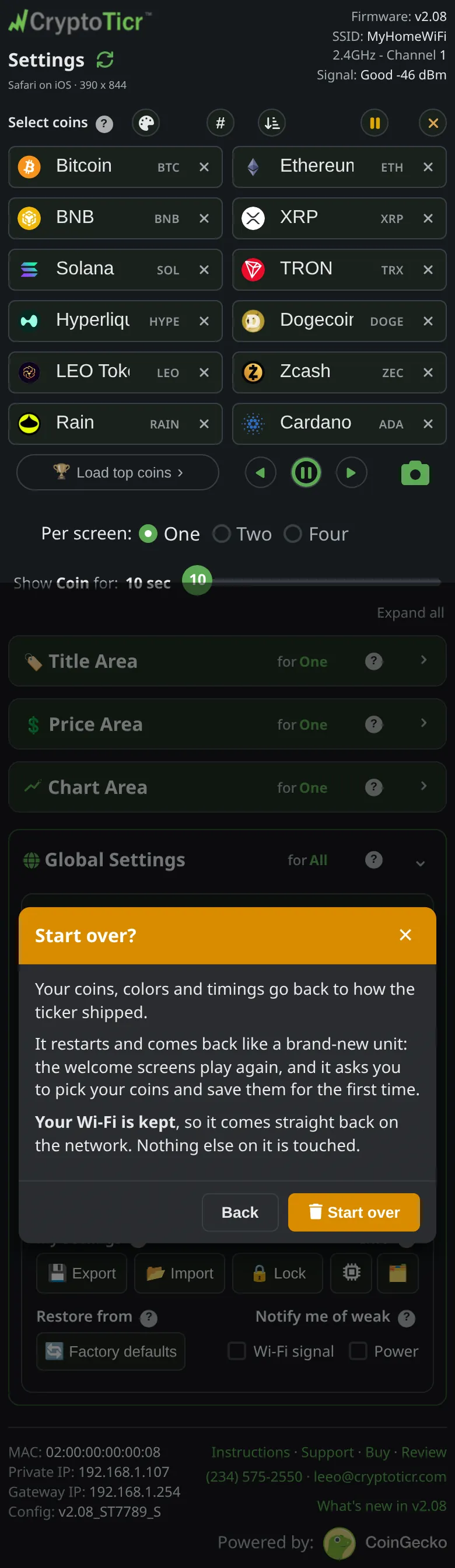
Start over?, repeats the outcome and addsYour Wi-Fi is kept, so it comes straight back on the network. Nothing else on it is touched.TapStart over.
 9:41192.168.1.107
- Watch the ticker. It restarts, joins your Wi-Fi, and runs the first-run sequence described on The first run on the glass. The settings page will not answer for a short while.
You’re done when
- The ticker is back on the same address, showing the starter coins, and the settings page greets you as a first-time visitor.
Problems?
- The page did not come back: wait for the ticker to finish restarting, then reload. If it still does not answer, I lost the ticker's address.
- You wanted the Wi-Fi gone too: Factory reset from the settings page.