Restore the factory default settings
Before you start
- This is the gentlest of the erasures. The page describes it as:
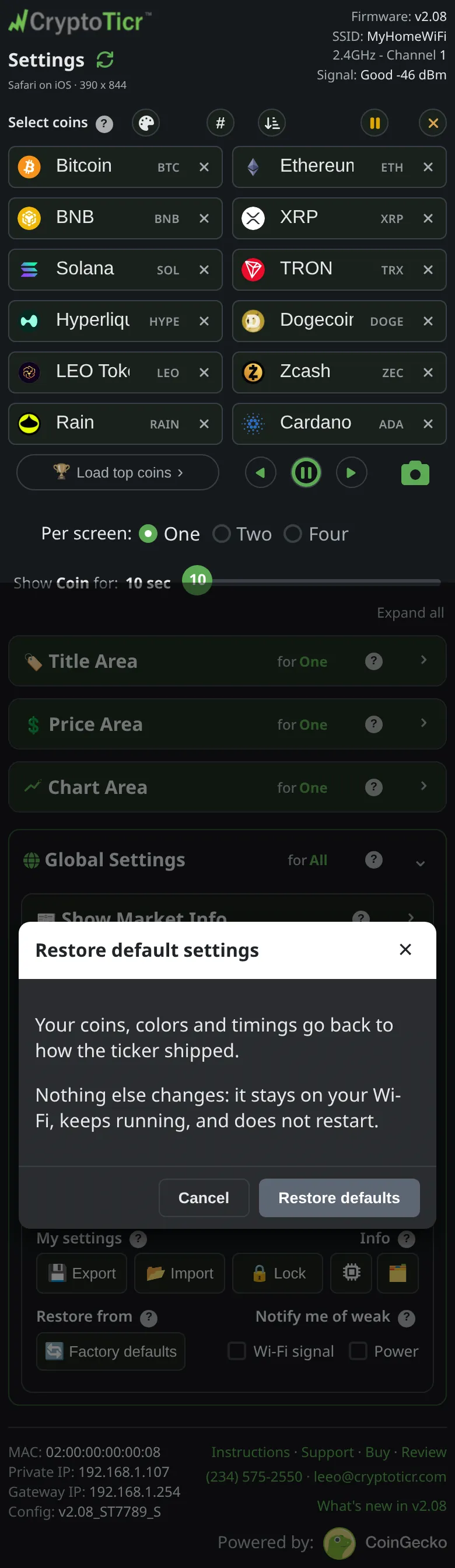
puts your coins, colors and timings back to how the ticker shipped. Nothing else changes: it stays on your Wi-Fi, keeps running, and does not restart. You confirm first. - If you might want your current setup back, save it first with
Exportin the same section. See Export and import settings.
Steps
- Open the settings page and scroll to the
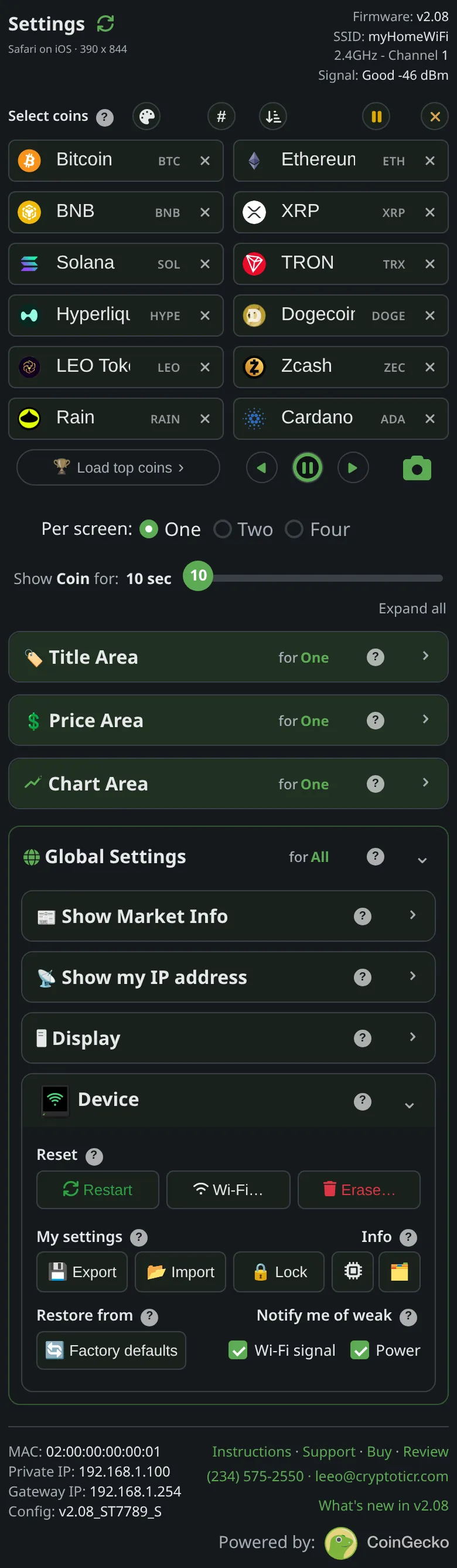
Devicesection.
 9:41192.168.1.107
 9:41192.168.1.107
- Below the
My settingsbuttons, under the headingRestore from, tapFactory defaults. - A confirmation titled
Restore default settingsopens. It saysYour coins, colors and timings go back to how the ticker shipped.andNothing else changes: it stays on your Wi-Fi, keeps running, and does not restart.TapRestore defaults. - The page shows
Default settings restored.and fills in with the shipped values. The ticker redraws its screen with the starter coins and the shipped colorset and brightness on its next pass; there is no restart.
You’re done when
- The page’s coin list and every control show the shipped values, and the ticker is cycling through the starter coins.
Problems?
- The page answered with a busy message: the ticker was mid-draw. Wait a moment and tap again.
- You wanted a true fresh start, welcome screens included: Start over but keep the Wi-Fi.