Change to a different Wi-Fi network
Every step with pictures, the phone and the ticker side by side: the Device page.
Before you start
- The ticker keeps its current network until the new one has been proven. If the new one fails, nothing changes.
- The phone or computer you are using has to move to the new network afterwards too, or it cannot reach the ticker’s page any more.
Steps
- On the settings page, open the
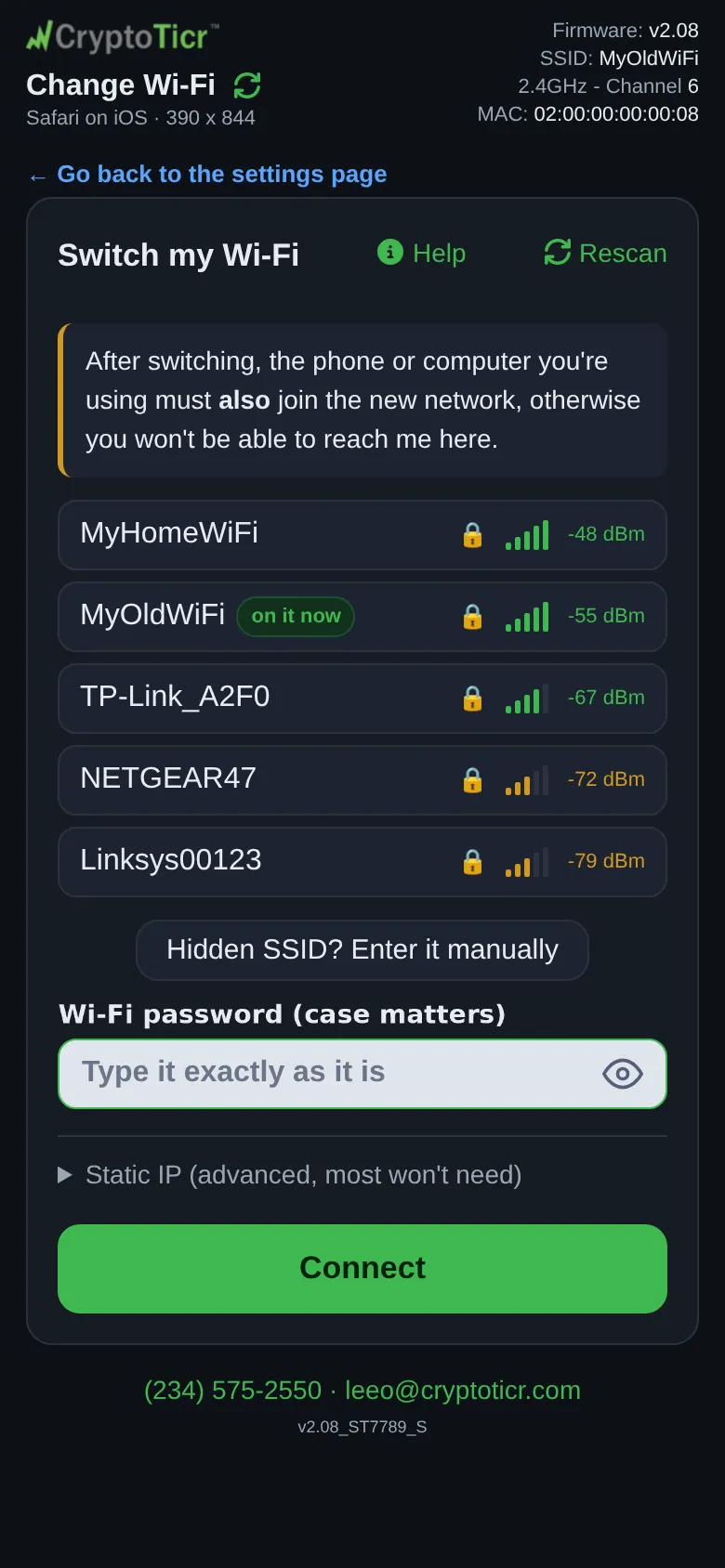
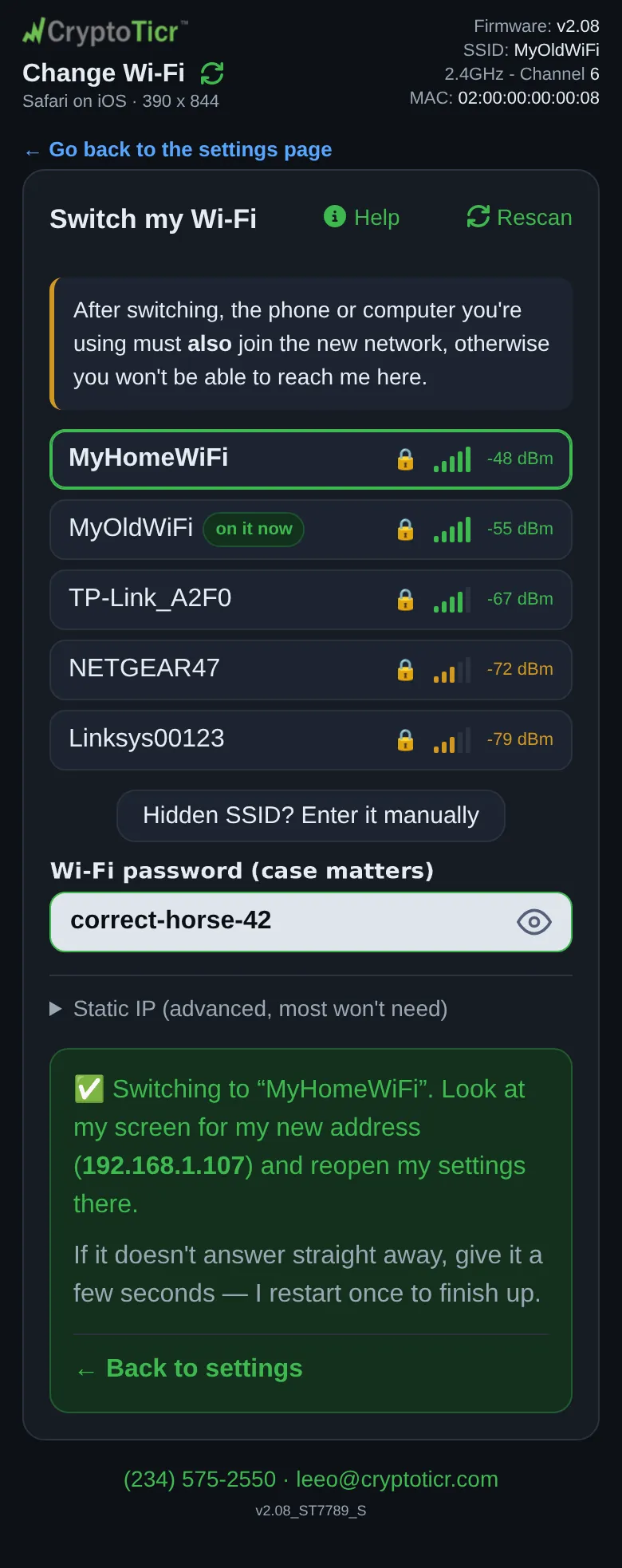
Devicesection and tapWi-Fi…, thenChange Wi-Fi(Move me to a different network. No setup restart.). The Change Wi-Fi page opens, with← Go back to the settings pageat the top and the headingSwitch my Wi-Fi. Under it:After switching, the phone or computer you're using must also join the new network, otherwise you won't be able to reach me here.
 9:41192.168.1.107
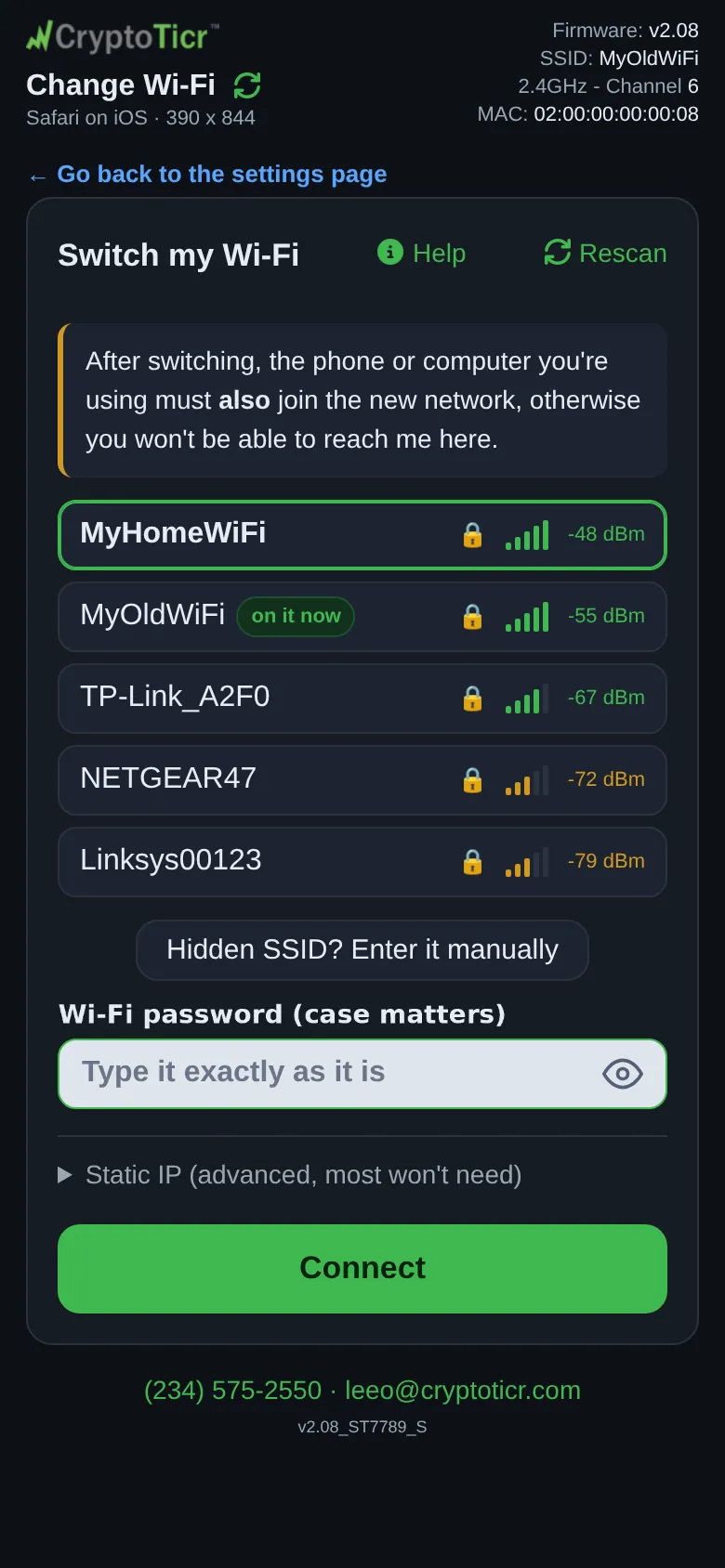
- Wait for the list. The network the ticker is on carries the badge
on it now. Tap the new network.
 9:41192.168.1.107
- Type its password and tap
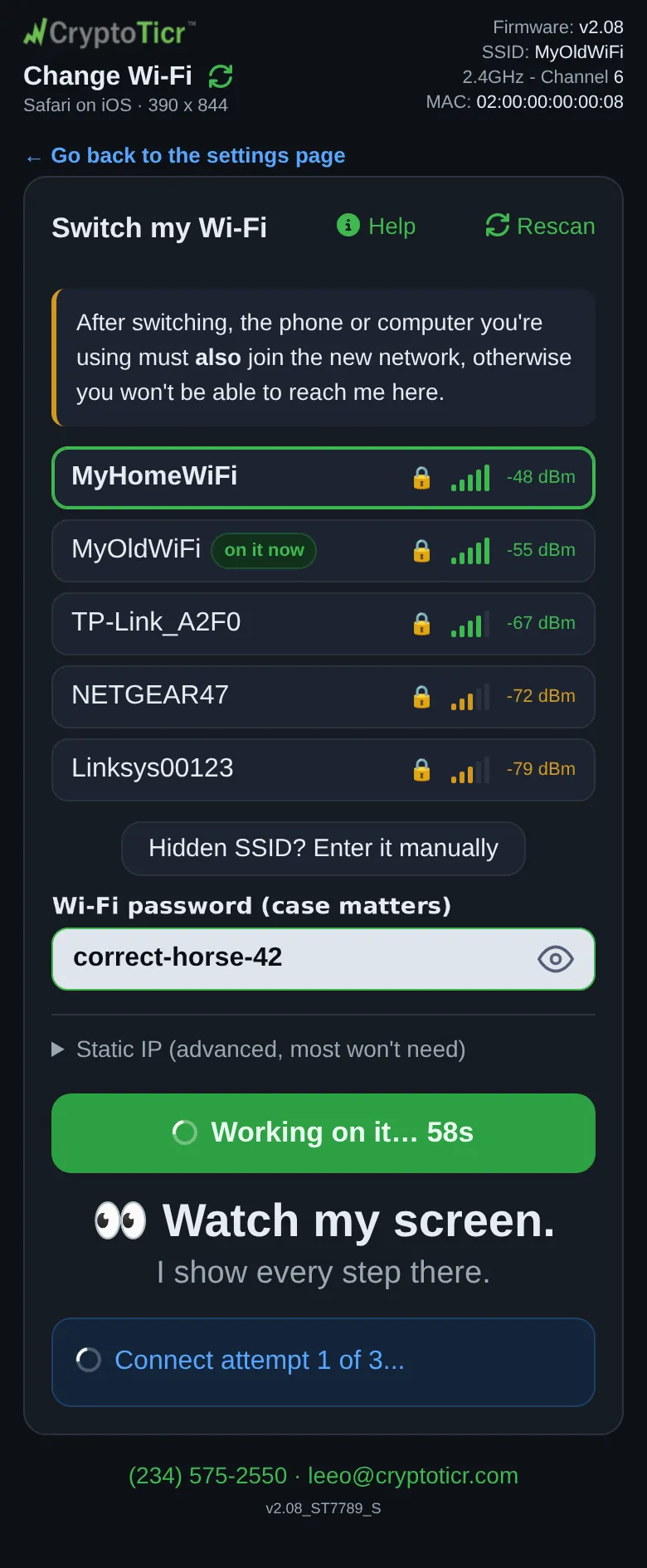
Connect. The page showsTrying "NewNetwork"…and then relays what the ticker is doing.
Type the new password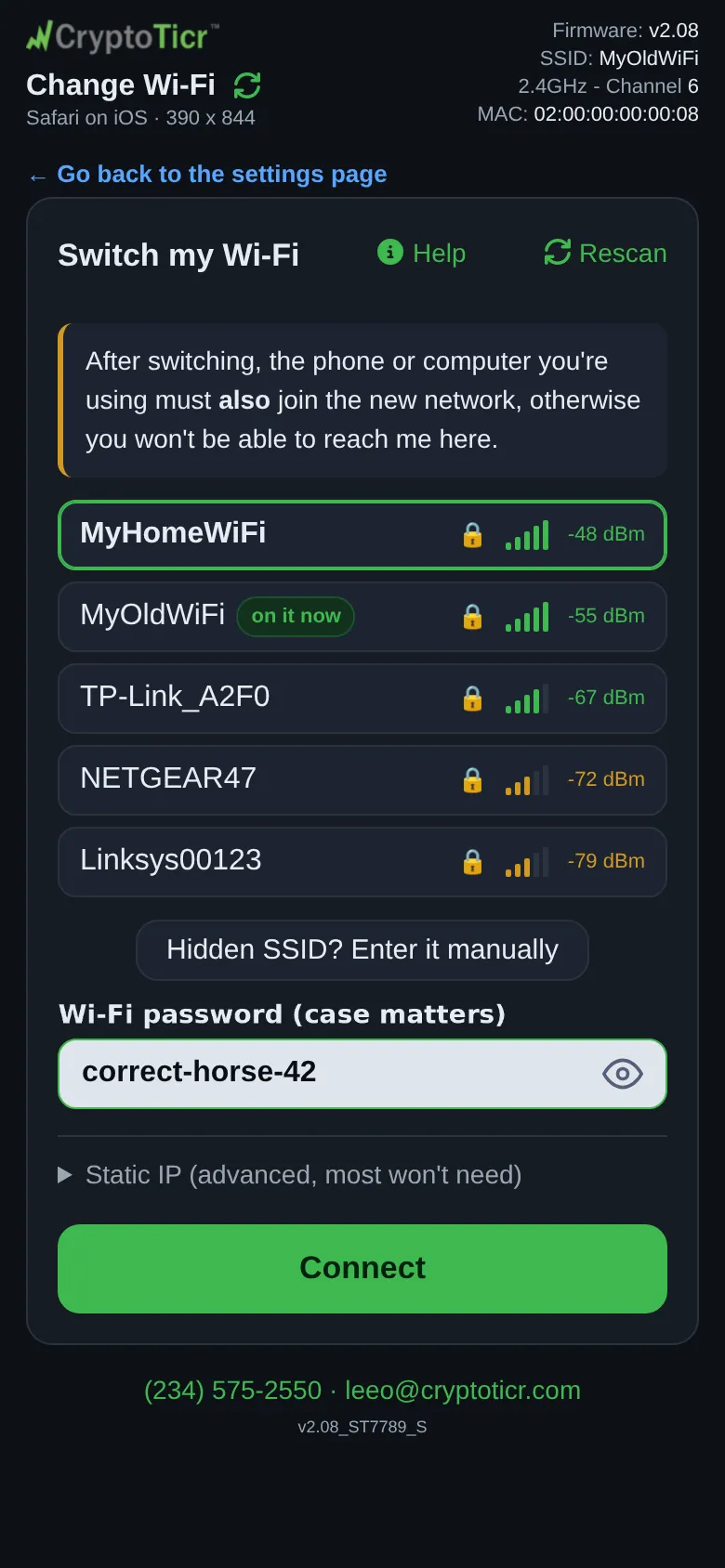 9:41192.168.1.107 Then it tells you how it went
 9:41192.168.1.107
- Watch the glass. It shows a band of short phases:
Looking for that network nearby..., thenFound it (signal 78%). Connecting...(orNot in my scan - trying anyway (hidden?)), thenConnect attemptand1 of 3.... Each attempt is given nine seconds; a failed one shows its reason andRetrying... (1 of 3). A join that works is followed byWi-Fi OK - checking the internet....

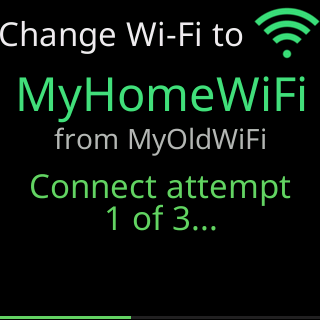
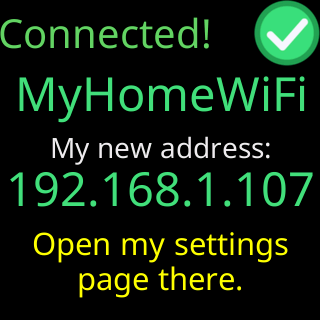
- On success the glass shows
Connected!andMy new address:with the new address for 20 seconds, then the ticker restarts once onto the new network (Restarted to reconnect,to your Wi-Fi). The page shows✅ Switching to "NewNetwork". Look at my screen for my new address (…) and reopen my settings there.with the address as a link, andIf it doesn't answer straight away, give it a few seconds, I restart once to finish up.The page may instead reportI've stopped answering here, which usually means I've moved to "NewNetwork". Look at my screen: it either shows my new address, or it says what went wrong.The ticker has left the network your phone is on, so the page has lost it.
 9:41192.168.1.107
- Move your phone or computer to the new network and open the address the glass showed.
You’re done when
- The ticker cycles coins on the new network and the settings page opens at the new address.
Problems?
- The new network is not in the list: My Wi-Fi network is not in the setup page's list
- The change failed: Change Wi-Fi did not work
- The page went quiet and you cannot find the ticker afterwards: I can't reach the ticker after changing its Wi-Fi
- You want to change the password of the network you are on, not the network: Changing your router's Wi-Fi password
If it fails
The ticker goes back to the network it was on. The glass shows Couldn't join. Back on your saved Wi-Fi., then a card headed Couldn't switch with the network name, the reason, and Your Wi-Fi settings, were not changed. for 15 seconds.
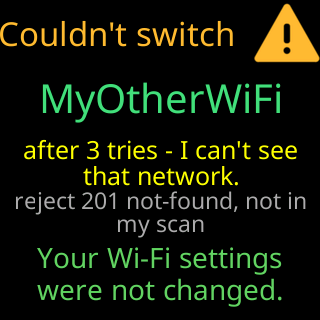
The page shows the verdict, one of I can't find “NewNetwork” at this location., “NewNetwork” let me in, but I couldn't reach the internet through it., or “NewNetwork” didn't let me on. What I saw is below, it says which part went wrong., with What I saw under it and the offer to Save it anyway, which is for a ticker you are about to move; see Save a network for another place.
When you only changed the fixed address on the network the ticker is on, the verdict is about the address instead: That address didn't reach anything. I'm still on “YourNetwork” with the address I had. for an address you typed, or The router gave me no working address. I'm still on “YourNetwork” with the address I had. when you cleared the boxes.
If the settings have a password, unlock them in the settings page’s banner first, in the same browser; the Change Wi-Fi page uses that unlock. A browser that has not unlocked sees My settings are locked. Unlock them on my settings page first, then change my Wi-Fi. in place of the network list.