Lock the settings with a password
Every step with pictures, the phone and the ticker side by side: the Device page.
Before you start
- The lock stops changes, not viewing. The page’s words:
Asks for a password before any change is saved: your display and Wi-Fi settings, and Clear/Reset. Viewing always stays open. - It is one password for the ticker, for everyone on the network including you. Made for
a display on a busy shared network; on an ordinary home network you may not need it. - A forgotten password cannot be looked up or reset by anyone. The only way back is a factory reset. Keep it somewhere safe.
- Password rules: three to ten characters, printable, no spaces; capitals matter.
Steps
- Open the settings page, scroll to
Device→My settings, and tapLock. A dialog opens:Add a password. - Type the password. Under three characters the page says
A little longer, please, at least 3 characters.TapContinue. - Read the warning headed
One important thing:If it's ever forgotten, it can't be recovered by anyone. TapI understand, continue.
Type a password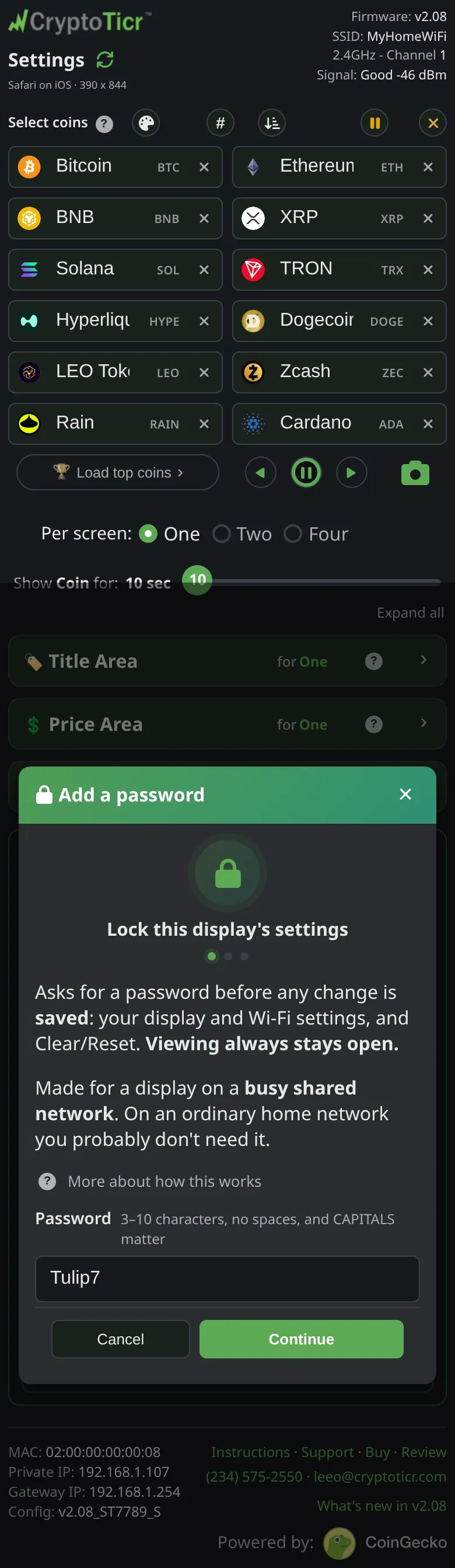 9:41192.168.1.107 Read what it warns
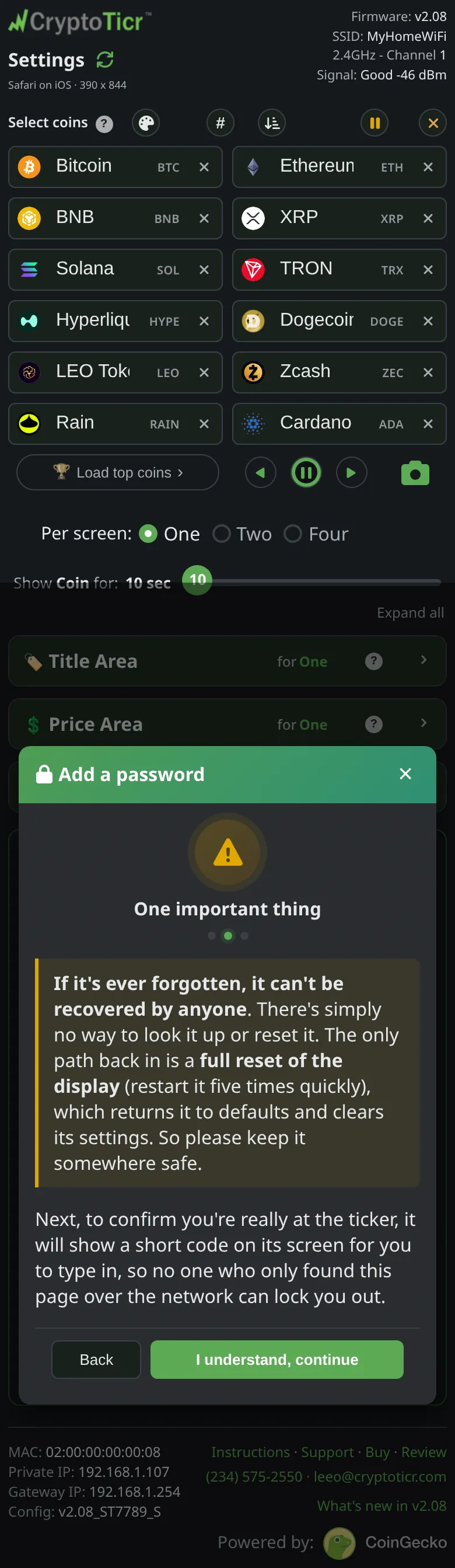 9:41192.168.1.107
- Look at the ticker. It shows
Password setup code, a four-digit number, andType this on your phone. The code proves you are at the ticker,so no one who only found this page over the network can lock you out. Read the code off the ticker itself: while a code is up, a settings-page screenshot is refused. Right after a restart the page may sayStill starting up, try again in a moment; the first code can go up 30 seconds after the ticker starts.

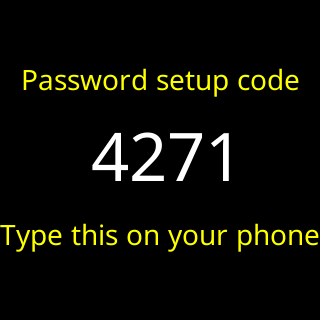
- Type the four digits into
Code from the screen. The page checks the code by itself on the fourth digit;Enable passworddoes the same if you need it. A wrong code saysThat code didn't match the one on your ticker. Try again: 2 more tries with this code., then1 more try with this code.The same code stays on the screen. After the third wrong try a fresh code goes up:That code didn't match the one on your ticker. A fresh code is on the screen, try again.A code lasts two minutes, andShow the code againasks for a new one. The ticker shows at most one new code every 30 seconds, so a second ask may sayYour ticker will show a new code in N seconds.and then ask again by itself. - The final card confirms the lock. Tap
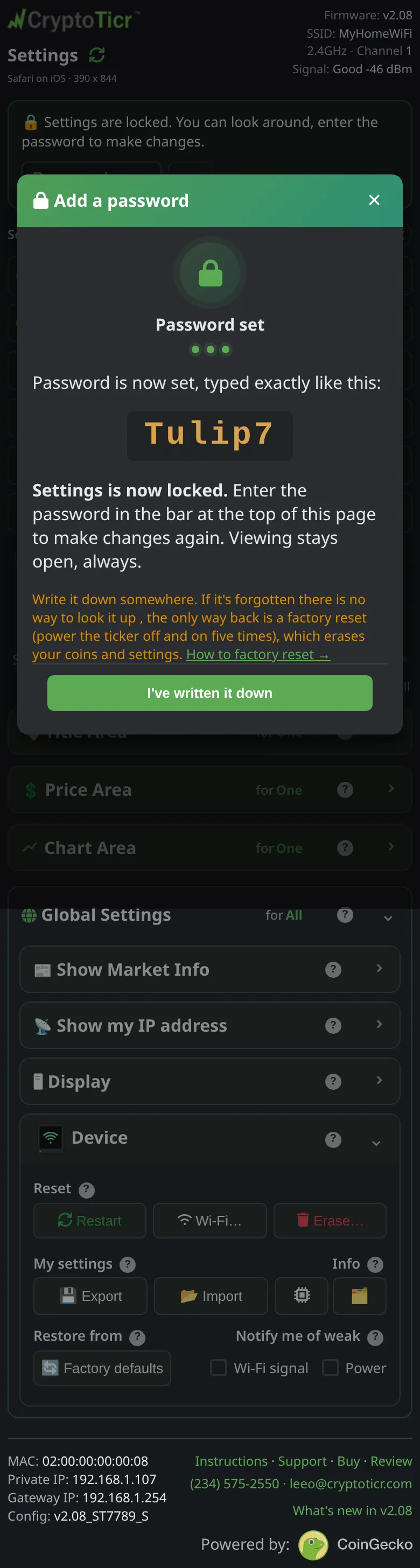
I've written it down.
Then the four digits that unlock it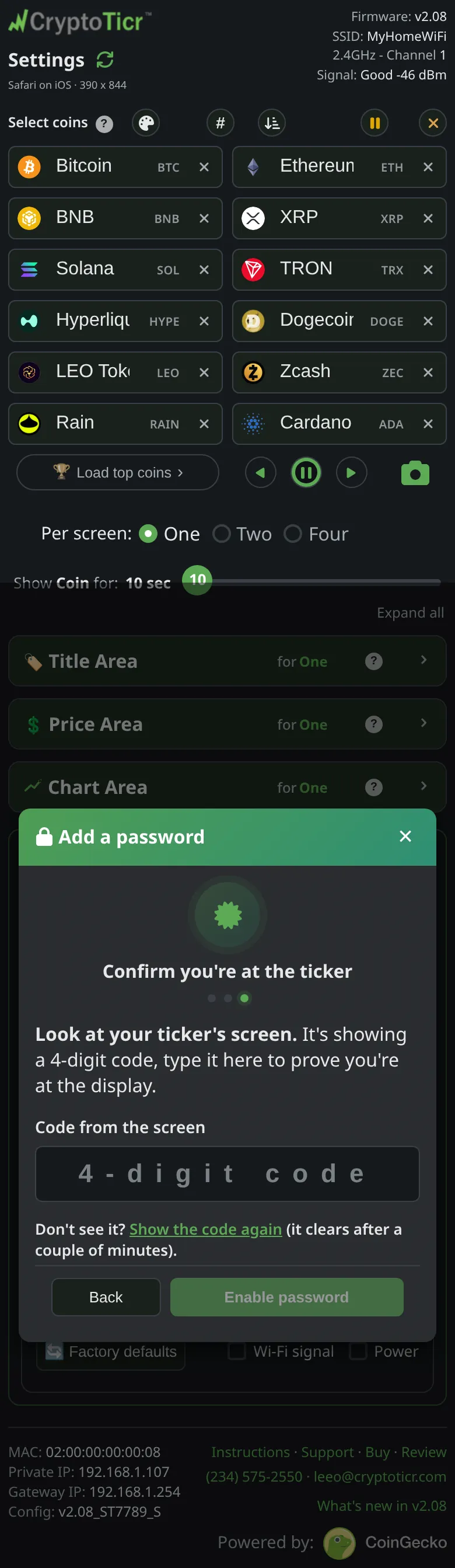 9:41192.168.1.107 Locked
 9:41192.168.1.107
You’re done when
- This browser is locked too: the page scrolls to the top, where a bar reads
Settings are locked. You can look around, enter the password to make changes., andLockis gone from theMy settingsrow. Type the password into that bar and tapUnlock; the row then showsUnlock. Every other phone or computer shows the same bar.
Problems?
- Every other browser now needs the password once: Using the page from several devices.
- Unlocking: type the password into the banner and tap
Unlock;Unlocked on this device.A wrong one saysThat password didn't match. Viewing is still fine.; typing the four-digit code instead is caught withNot that one, that's the 4-digit code from my screen…. See Unlock refuses the 4-digit code. Unlockon an unlocked browser offersLog out here(this browser back to view-only) orRemove password(the lock gone for everyone).- Too many wrong tries: Too many password tries. Forgotten: I forgot the settings password.