Security
The settings page is local
The ticker’s settings page is served by the ticker to your own network only. Someone on the internet cannot reach it; someone on your Wi-Fi can. That is the whole model: anyone you let onto your network can look at, and by default change, the ticker’s display settings, the same trust you extend to them for your printer.
A web page you visit elsewhere on the internet cannot reach the ticker or change anything on it.
Why it is http, not https
The page’s address is http:// followed by a private address such as 192.168.1.42. Browsers reserve the padlock for names on the public internet with certificates behind them; a small device on a home network has neither, and a browser told to use https:// for it shows an error. The ticker therefore speaks plain http, and its screens say http:// not https:// wherever they show the address. Everything between your phone and the ticker stays on your own network; none of this traffic goes over the internet. The page travels from the ticker to your phone and no further:

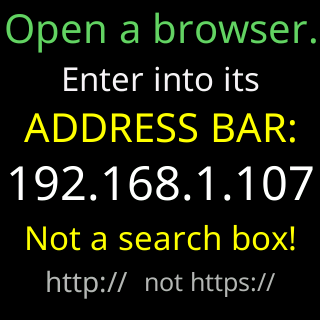
Nothing on the page is a secret to your own network: it carries your coin list, not your password.
The setup network
The CT setup network has no password and exists only until the ticker is on your Wi-Fi. It carries your Wi-Fi password once, from your phone to the ticker, and shuts down the moment the join succeeds:
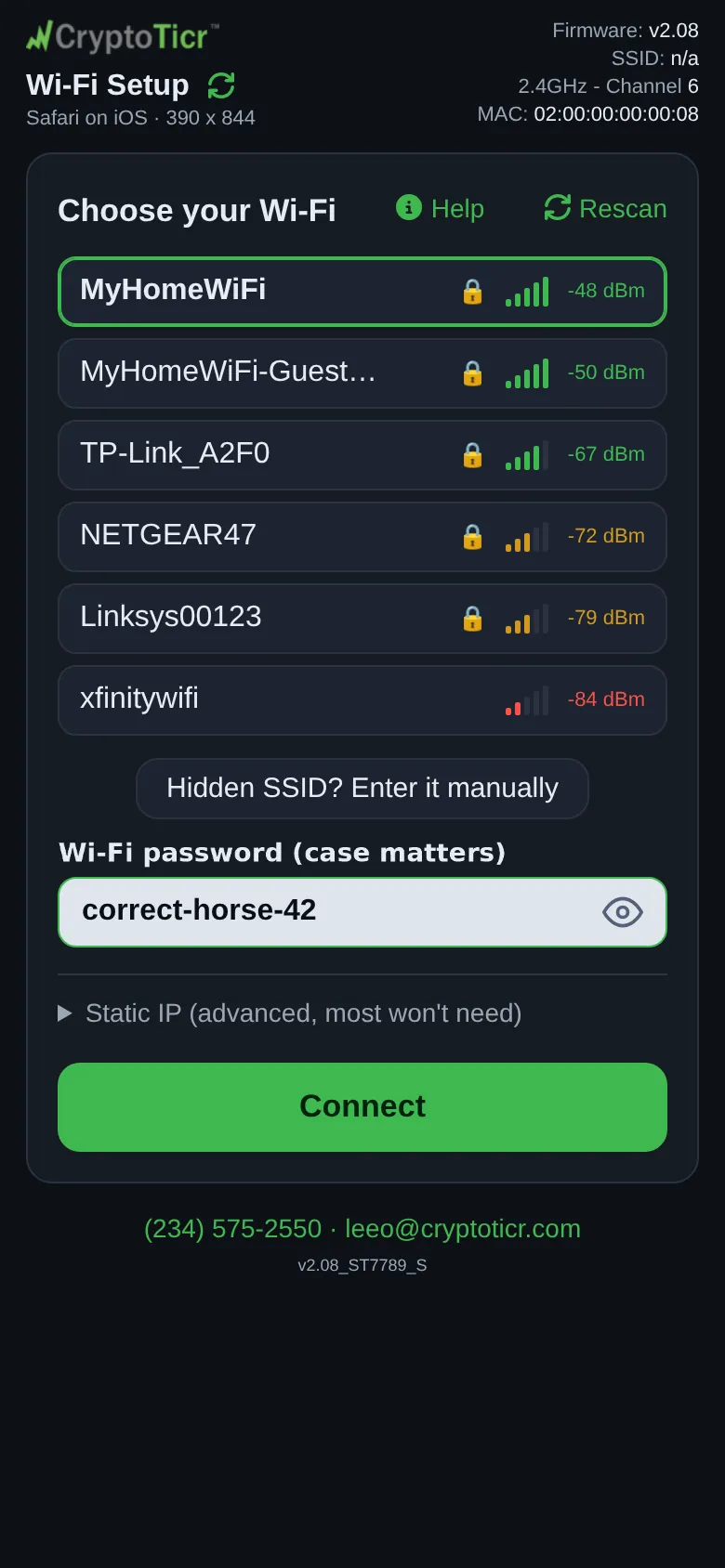 9:41192.168.4.1
The setup page is written so your phone does not offer it saved passwords, and while the ticker connects it paints the password on its own screen only if you left the page’s eye button open; otherwise it shows asterisks.
The optional password
Lock in the settings page’s Device section sets a password that stops anyone on your network changing settings; viewing stays open. Setting it requires typing a four-digit code that the ticker shows on its own screen, headed Password setup code, so nobody who only found the page over the network can lock you out.
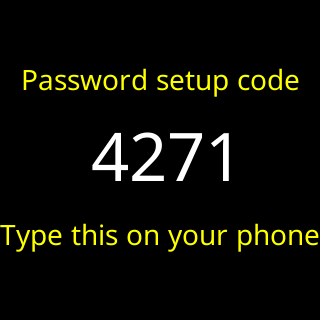
Each browser you unlock stays unlocked; another phone asks again. Repeated wrong tries are slowed down, and a forgotten password cannot be looked up by anyone: the only way back is a factory reset. See Lock the settings with a password.
What the ticker will not do
It has no camera or microphone, it never connects to a wallet or exchange, and it stores nothing of yours on any server. See Privacy.