The CT setup network is not in my phone's Wi-Fi list
- No network beginning with CT appears in the phone's Wi-Fi list
- The ticker's screen does not show `Join my Wi-Fi`
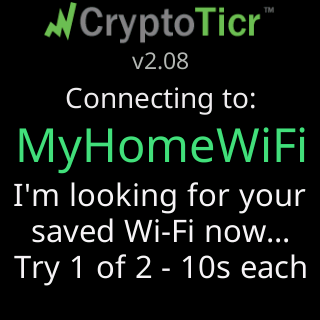
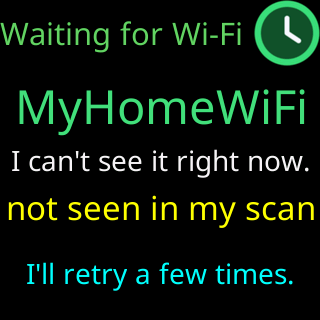
- The ticker's screen shows `Connecting to:` or `Waiting for Wi-Fi` with a network name
 9:41192.168.1.107
Symptoms
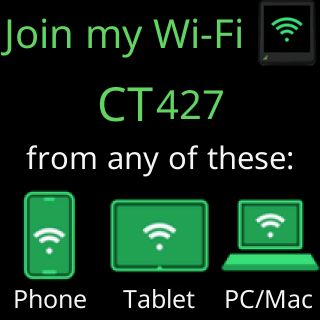
Your phone’s Wi-Fi list has no network whose name starts with CT, or the name comes and goes. Look at the ticker’s screen: the network exists only while the screen is cycling the setup cards: For help..., The steps:, Join my Wi-Fi, Scan to join Wi-Fi.

Cause
The setup network is on only while the ticker is in setup mode. A ticker whose screen shows Connecting to: and a network name, or Waiting for Wi-Fi / Trying to connect, already has a saved network and is trying to reach it; it does not offer setup while it does that. A ticker in setup mode that nobody joined for 15 minutes restarts (No activity / Restarting for a fresh start with a countdown) and the network is off for a few seconds while it does. Otherwise the network is a plain, open 2.4 GHz network on channel 1, which every phone can see.
Fix
- Read the ticker’s screen. If it shows
Join my Wi-Fiwith aCTname, the network is on: pull your phone’s Wi-Fi list down to refresh it, and stand within a few meters of the ticker. - If the screen shows
No activityand a countdown, wait for the restart; the cards and the network come back within a minute. - If the screen shows
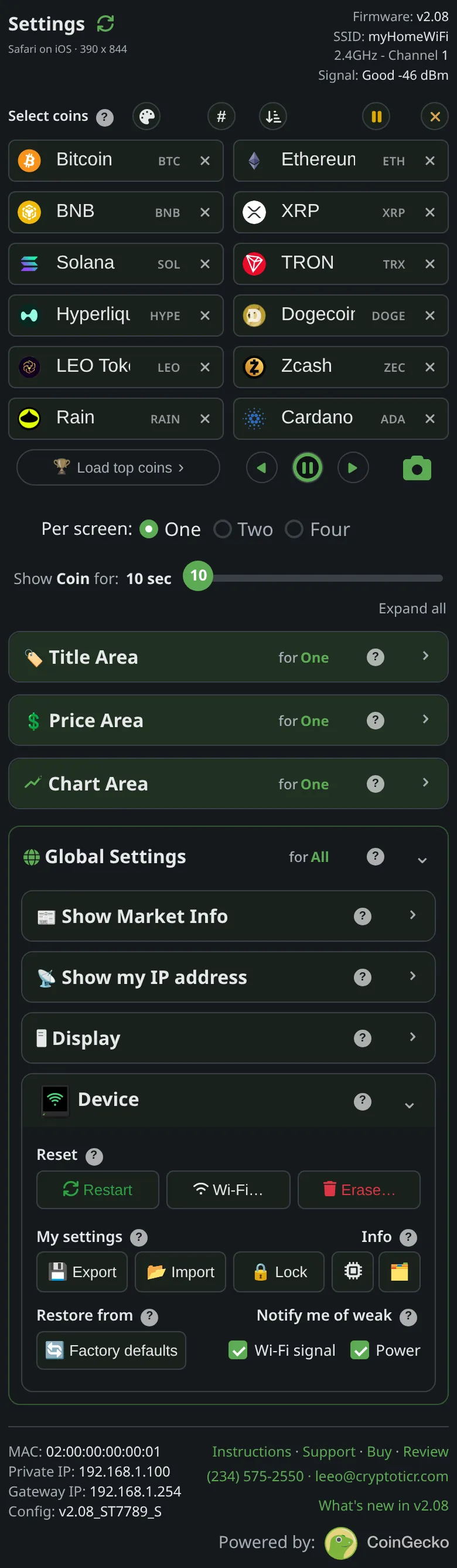
Connecting to:or one of the waiting screens with a network name, the ticker is not in setup mode. If you can reach its settings page, useDevice→Wi-Fi…→Erase Wi-Fito put it into setup; see Erase the Wi-Fi and set up again. - If you cannot reach the settings page either, use the five-restart factory reset: Factory reset by switching it off and on five times. The ticker comes back in setup mode with its cards.
- Join the
CTnetwork: Join the ticker's setup network.
If that didn’t work
- The screen is dark: The screen is dark or looks off
- The network appears but the setup page does not open: The setup page did not open by itself
- Still stuck: Contact