Choosing coins
 9:41192.168.1.107
What it shows
The Select coins section of the settings page: twelve boxes, one coin each, in the order the ticker will show them. Each filled box carries the coin’s logo and a small badge with its symbol, such as BTC.
Type into a box and a list appears as you type. The page says: Type either a symbol (btc, eth) or a name (solana), both find the coin, and a list appears as you type. The list shows up to six matches, best first: a symbol or name that starts with what you typed, then matches ignoring spaces and punctuation, then names containing it, then the coin’s identifier. Each suggestion shows the logo, the name, the symbol and the market-cap rank. Pick one and the box fills.
The choices come from the ticker’s server, which offers the 1,000 largest coins by market value, each with a logo; the list is on Supported coins. A box holding text that is not a coin on that list will not save; see Save refuses a coin it doesn't know.
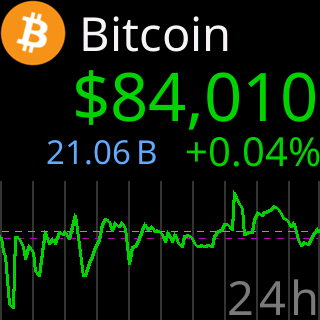
What a filled box turns into once it reaches the glass, here the first box with the factory coin, Bitcoin, in One per screen:

Options
- Up to twelve coins. The ticker cycles them in box order; see Ordering and sorting coins.
- Fill the boxes in one go from the market’s biggest coins: Load top coins.
- Keep a coin in the list but out of the rotation: Pausing coins.
- Nothing changes on the ticker until
Save & Apply Coins: Save & Apply and the coin list.
Where to set it
The Select coins section at the top of the settings page. Its reference page is Setting: the coin list.