Wrong code when setting the password
- That code didn't match the one on your ticker. Try again: 2 more tries with this code.
- That code didn't match the one on your ticker. Try again: 1 more try with this code.
- That code didn't match the one on your ticker. A fresh code is on the screen, try again.
- Your ticker will show a new code in N seconds.
- Don't see it? Show the code again
Symptoms
- In the
Confirm you're at the tickerstep, a wrong code showsThat code didn't match the one on your ticker. Try again: 2 more tries with this code., then1 more try with this code. - After the third wrong try it shows
That code didn't match the one on your ticker. A fresh code is on the screen, try again.
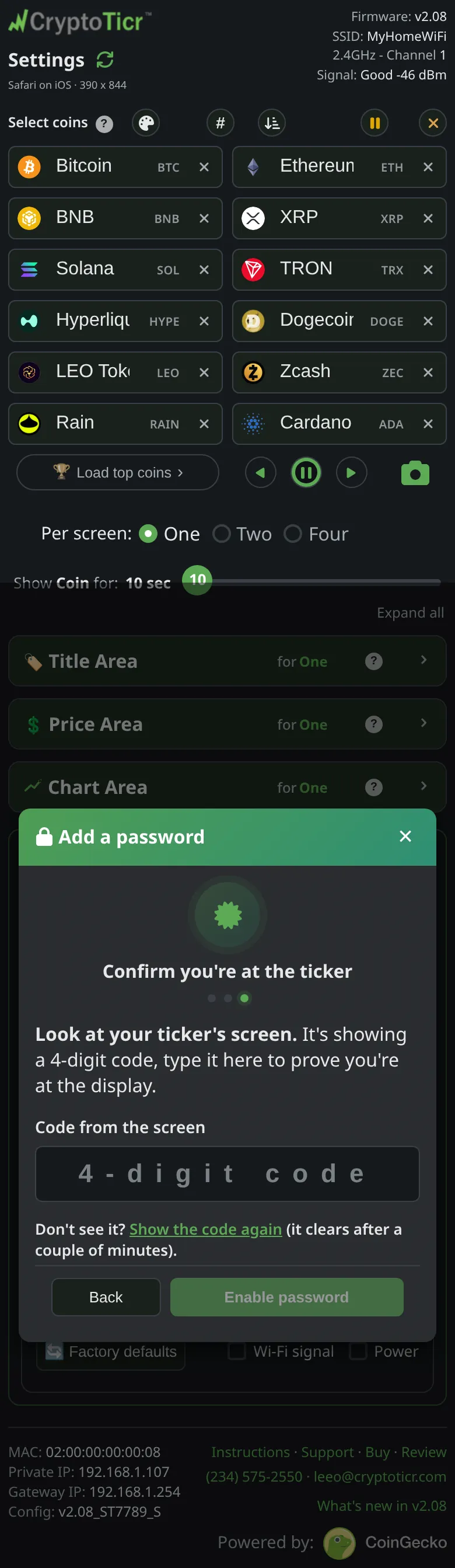 9:41192.168.1.107
Cause
The four-digit code is good for two minutes and three tries. A wrong try keeps the same code on the screen, so type it again. After the third wrong try the ticker puts up a fresh code. It shows at most one new code every 30 seconds. A code read too late, mistyped, or read from an earlier attempt no longer matches. The step exists to prove you can see the ticker’s screen, so the check is strict.
Fix
- Look at the ticker now. It is showing
Password setup codeand four digits: the same code after a first or second wrong try, a new one after the third.

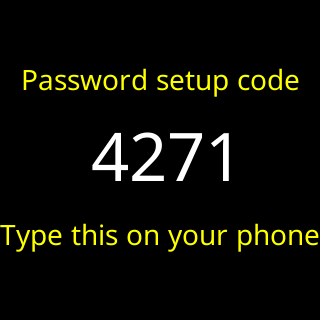 2. Type the four digits. The page checks them the moment the fourth is in.
3. If the ticker is not showing a code, tap
2. Type the four digits. The page checks them the moment the fourth is in.
3. If the ticker is not showing a code, tap Show the code again under the field; the dialog says it clears after a couple of minutes. If a code went up less than 30 seconds ago the page says Your ticker will show a new code in N seconds. and asks again by itself.
If that didn’t work
- The ticker never shows a code: it may be mid-draw or updating. Right after a restart the page says
Still starting up, try again in a moment, and the first code can go up 30 seconds after the ticker starts at the earliest. Wait for the coins to return, thenShow the code again. - You tried to read the code with the settings page’s screenshot: while a code is up the ticker refuses it, and the page says
Couldn't build the screenshot: the ticker said 503 (busy: a password setup is in progress). Stand at the ticker and read it there.