Unlock refuses the 4-digit code
- Not that one, that's the 4-digit code from my screen, which was only for setting the password up. Enter the password you typed in.
- Still no. Your password is the one YOU typed in when you set it up, not the 4-digit code my screen showed you.
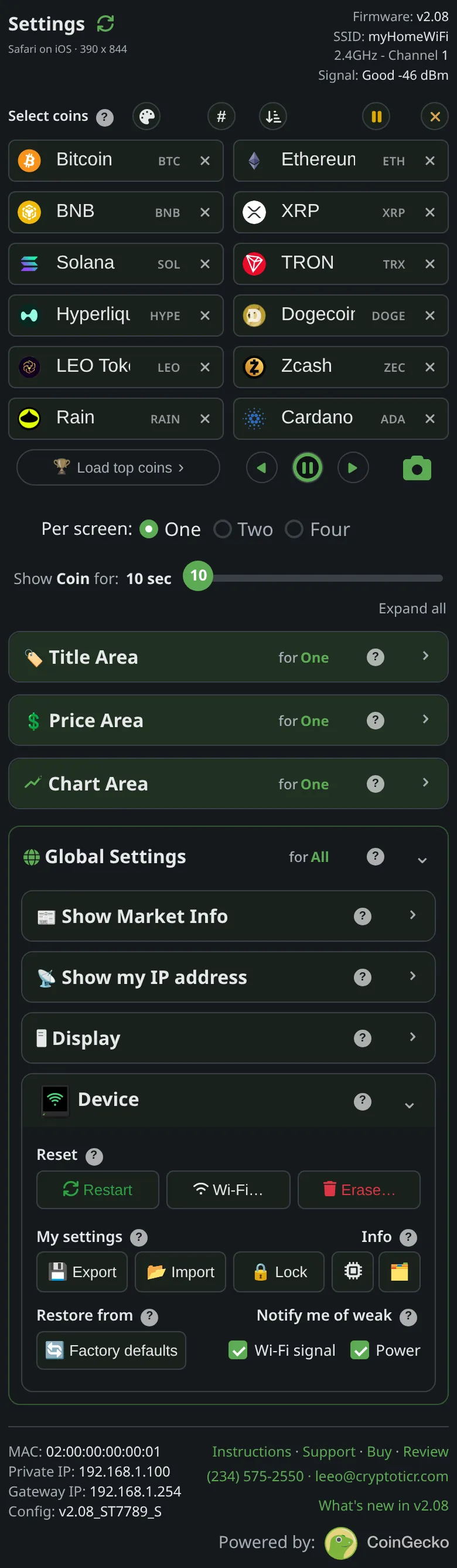 9:41192.168.1.107
Symptoms
- The
Unlockbox answersNot that one, that's the 4-digit code from my screen, which was only for setting the password up. Enter the password you typed in., and on a second tryStill no. Your password is the one YOU typed in when you set it up…
Cause
Two different things are easy to confuse. The four-digit code appears on the ticker only while a password is being set, to prove you are at the ticker.

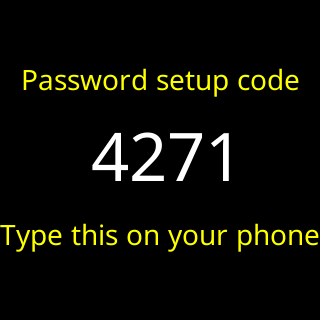
The password is the word you typed on the page at that moment. Unlocking wants the password.
Fix
- Type the password you chose when you set the lock, three to ten characters, capitals as you typed them.
- Tap
Unlock. The page saysUnlocked on this device.
If that didn’t work
- The password is not accepted either: I forgot the settings password.