Restart the ticker
Every step with pictures, the phone and the ticker side by side: the Device page.
Before you start
- Nothing is required. A restart keeps every setting and the Wi-Fi. Unplugging and replugging does the same for the ticker; the button saves you the walk. Two differences: the button never counts toward the five-restart factory reset, and it first saves any change still waiting to be written. A change that applies at once, such as brightness, is written about 30 seconds after your last one, so unplugging inside that time loses it.
- Do not restart during a firmware update. The
Updating/Firmwarescreen saysKeep me powered on!for a reason. See Automatic firmware updates.
Steps
- Open the settings page and scroll to the
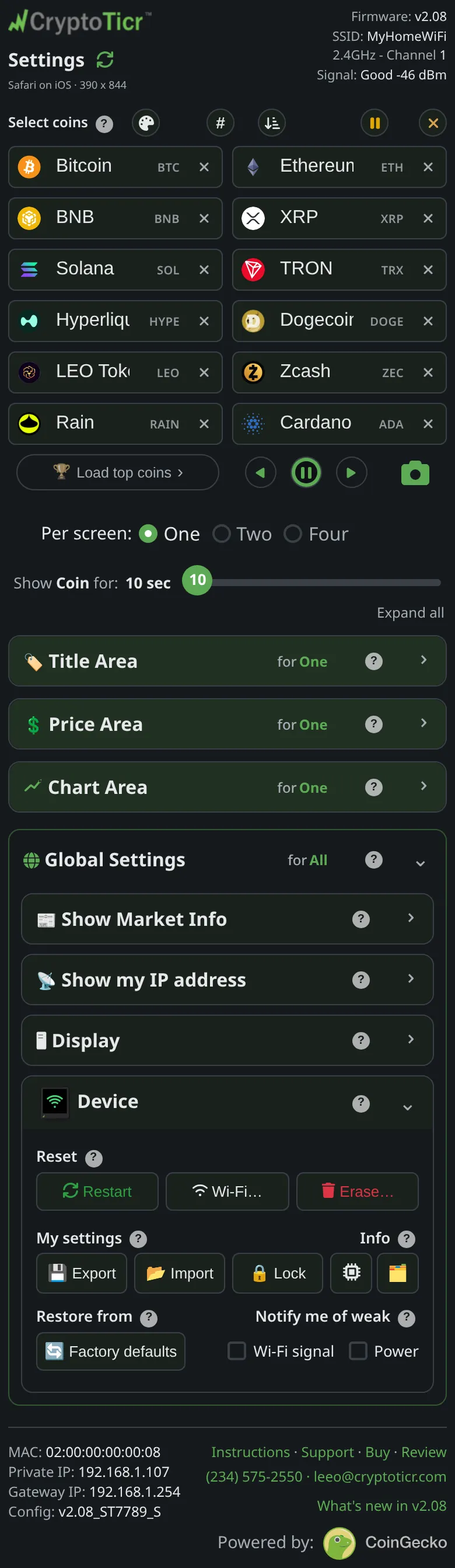
Devicesection. The page describes the button:Restart: restarts the ticker right away; it reconnects and carries on. Nothing is lost. (The universal first fix. It never counts toward the five-restart reset, which needs the power switched off and on.)
 9:41192.168.1.107
- Under
Reset, tapRestart. There is no confirmation. - A bar appears at the top of the page:
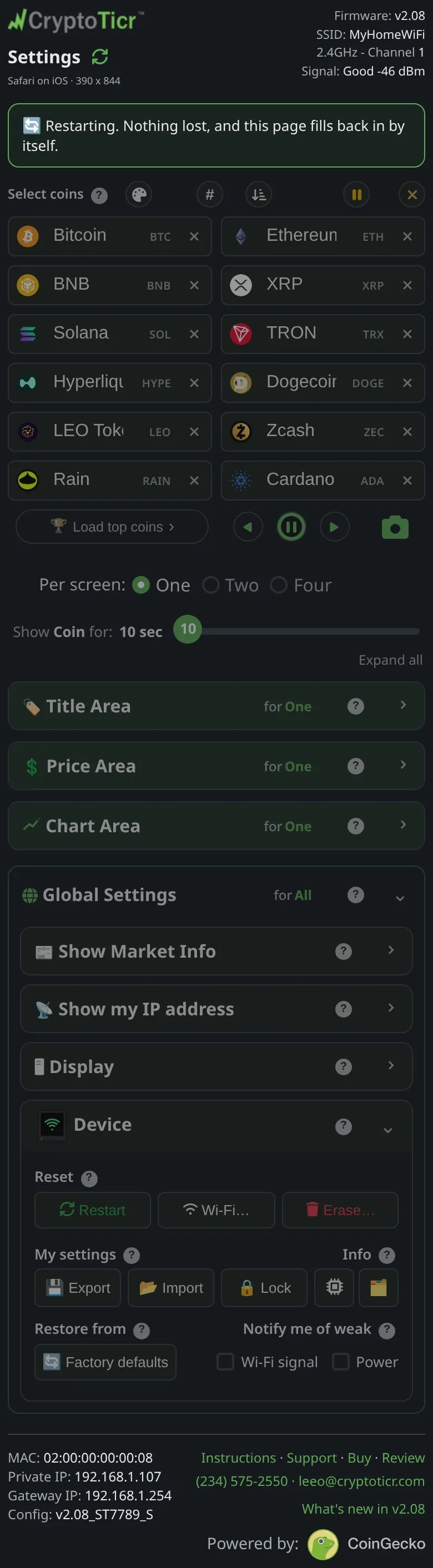
Restarting. Nothing lost, and this page fills back in by itself.The page dims while the ticker is away.
 9:41192.168.1.107
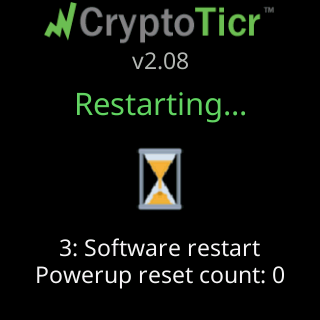
- Watch the ticker: it goes dark, shows its start screen with
Connecting to:and your network’s name, thenMy settings are here:and the address, and returns to its coins.

- When the ticker answers again the page reloads its data and shows
Back online, everything is as you left it.
You’re done when
- The ticker is cycling through its coins again and the page is live.
Problems?
- The page never came back: the address may have changed across the restart. See I lost the ticker's address.
- The ticker restarted again on its own afterwards: The ticker restarts by itself.