The five-restart factory reset is not working
- No circles appear when I restart it
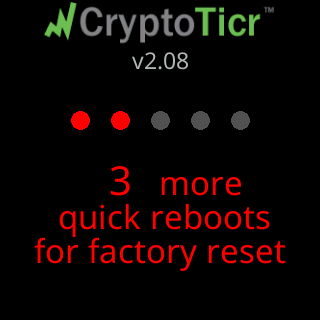
- 3 more quick reboots for factory reset, then it starts over
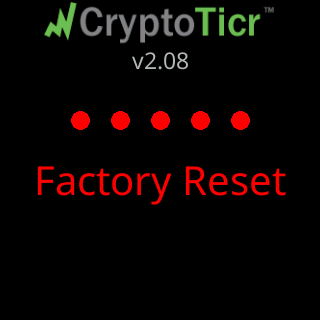
- It never says Factory Reset
- I pressed Restart five times and nothing happened
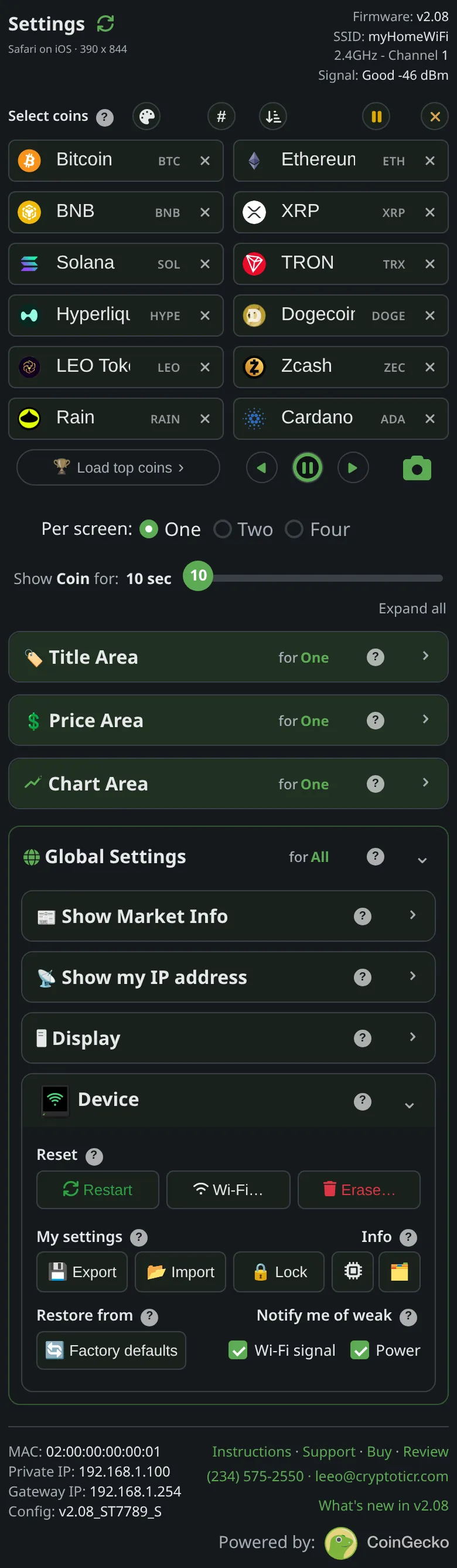 9:41192.168.1.107
Symptoms
- You cut the power and restored it several times and no row of circles appeared.
- The circles appeared,
3 more/quick reboots/for factory reset, then on the next restart the count was back at the beginning. - It never reached
Factory Reset. - You pressed
Restarton the settings page five times and nothing happened.

Cause
Each power-on counts only if the previous session lasted under five seconds. The counter is cleared the moment the ticker has run five seconds, and the circles only appear from the second quick restart, so the first restart shows nothing. Two things stop the gesture altogether: a ticker with no saved Wi-Fi resets the counter at every start (it is already in setup and has nothing to reset), and a restart caused by a fault or a watchdog is never counted. Neither is the settings page’s Restart button, or a restart the ticker makes by itself: only a real power cut counts.
Fix
- Cut the power with the plug or the button on the cable. The
Restartbutton on the settings page does not count: it restarts the ticker without cutting the power. - Plug in, and the moment the screen lights, count “one” and cut the power. Do not wait for the start screen to finish.
- Restore power. Two red circles and
3 moremust appear. If nothing appears, the previous session ran too long: start again from step 2. - Keep the rhythm: cut the power while the red line under
for factory resetis still growing, then restore it. Each restart adds a red circle. - On the fifth power-on the screen shows
Factory Reset, thenFactory Reset Done. Leave it plugged in.
If that didn’t work
- The ticker is showing setup cards with a
CTnetwork name: it has no saved Wi-Fi, so there is nothing to reset. Continue with Join the ticker's setup network. - The settings page is reachable: Factory reset from the settings page does the same job with one tap.
- The ticker is restarting on its own between your restarts (a
Glitch recoveryline): those restarts are not counted. Check the power supply first: The power card says low or high.