The power card says low or high
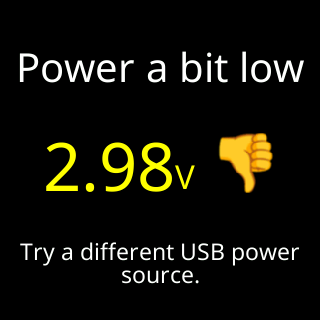
- Power a bit low
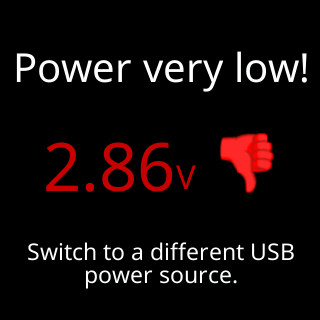
- Power very low!
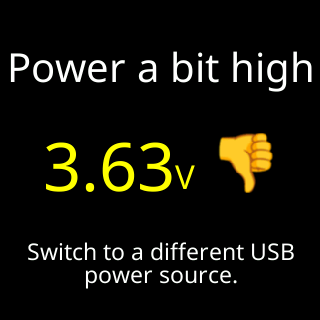
- Power a bit high
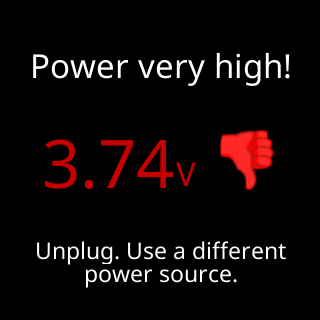
- Power very high!
- Switch to a different USB power source.
- Unplug. Use a different power source.
- My USB power is very low right now.
Symptoms
- A card with a large voltage figure, a thumb down, and one of
Power a bit low,Power very low!,Power a bit highorPower very high!, with advice such asSwitch to a different USB power source.orUnplug. Use a different power source. - It comes back about every quarter of an hour.
- During setup, a
Powercard:My USB power is/very low right now., or the setup page’sUSB Power: check nownotice.

Cause
The ticker measures the voltage reaching it and compares a minute’s readings against fixed lines. Low means the supply sags under load: a thin or long cable, a worn adapter, a computer port that is asleep or shared, or a hub. High means the source is pushing above the rail’s rating. The ticker’s electronics are not the cause; the card is the ticker telling you what it is being fed.
Fix
- Note the title.
very low!orvery high!is the danger band, where the ticker can restart on its own or damage its stored settings; act now.a bitis a warning. - For a low reading, swap the cable first. Use the cable that came in the box, or another short USB Type-C cable.
- Plug the adapter into a wall socket rather than a power strip that is shared with heavy loads, or move from a computer port or hub to the adapter.
- For a high reading, unplug it and use a different source: a plain USB charger or the adapter from the box.
- Wait a minute or two. The verdict only improves once a full minute of readings clears the line by a margin, so the next card, or the figure under
Info → System Info, is the check. A good supply shows no more cards.
If that didn’t work
- The card still shows
lowon the adapter from the box with its own cable: contact Lee with the voltage figure on the card. See Contact. - The ticker has been restarting on its own as well: The ticker restarts by itself.
- The supply is fine and you want the repeats to stop: untick
Notify me of weak → Power. The start-up showing stays.