System Info and Files Info
 9:41192.168.1.107
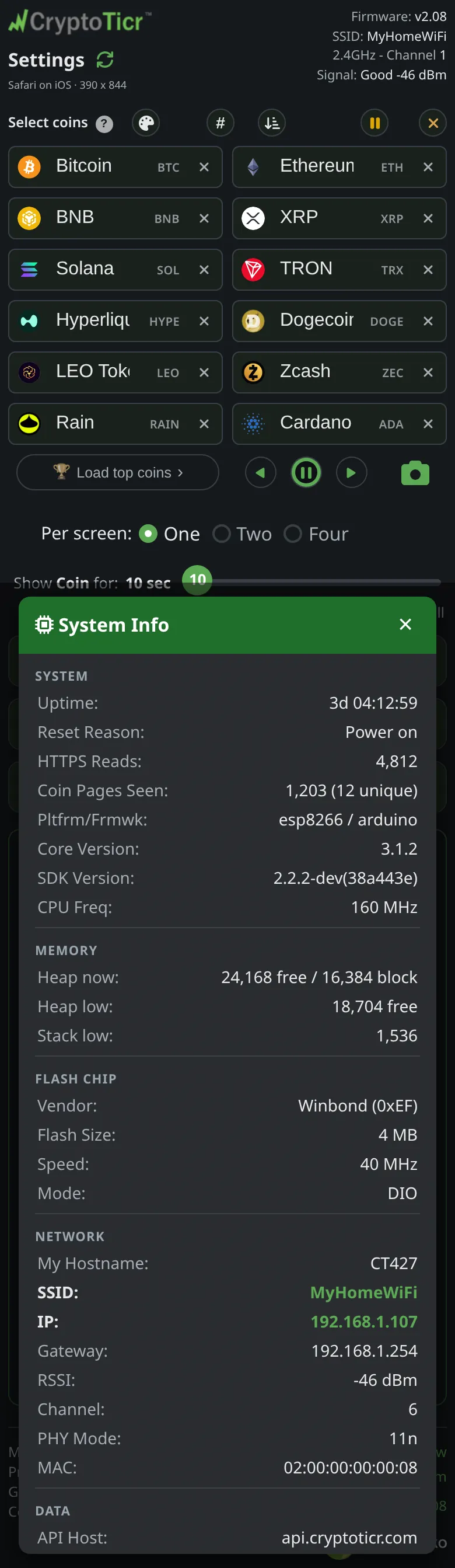
System Info
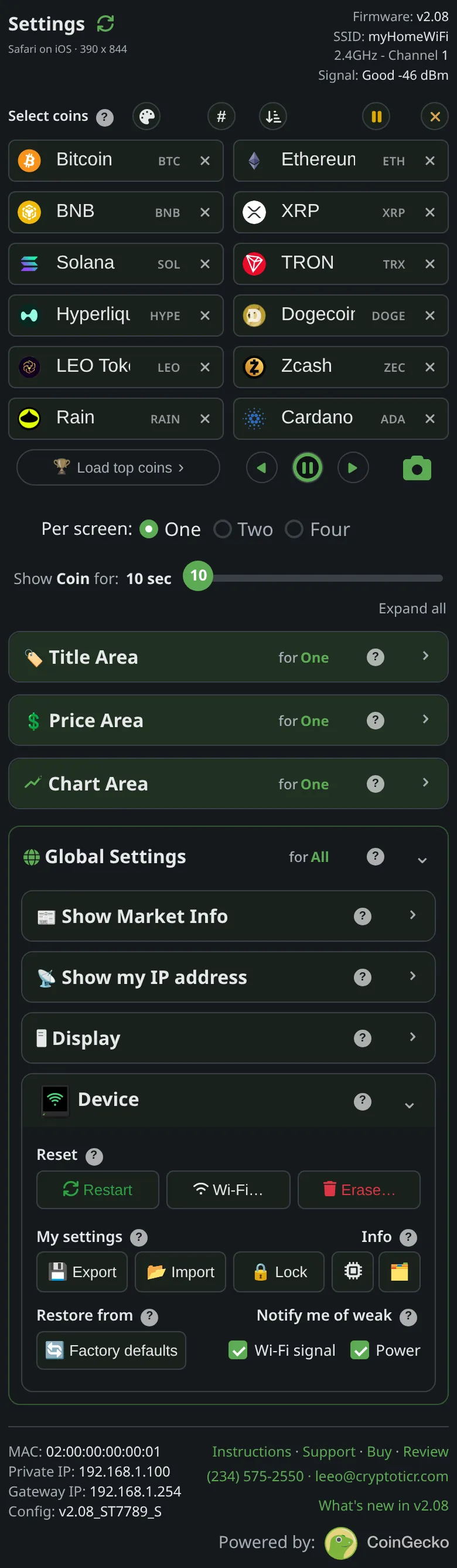
Device → Info → system opens System Info: one list of everything about the ticker, fetched fresh when opened. The page describes it as everything about the ticker including its network and says the two read-outs are for the curious, and for troubleshooting with support. It gathers the system rows (version, build, uptime, restart reason), the memory rows, the Wi-Fi rows (network, channel, signal, the addresses that also sit in the footer), the supply voltage, and the icon pack’s state. The network lines in the header and the footer facts open the same list.
 9:41192.168.1.107
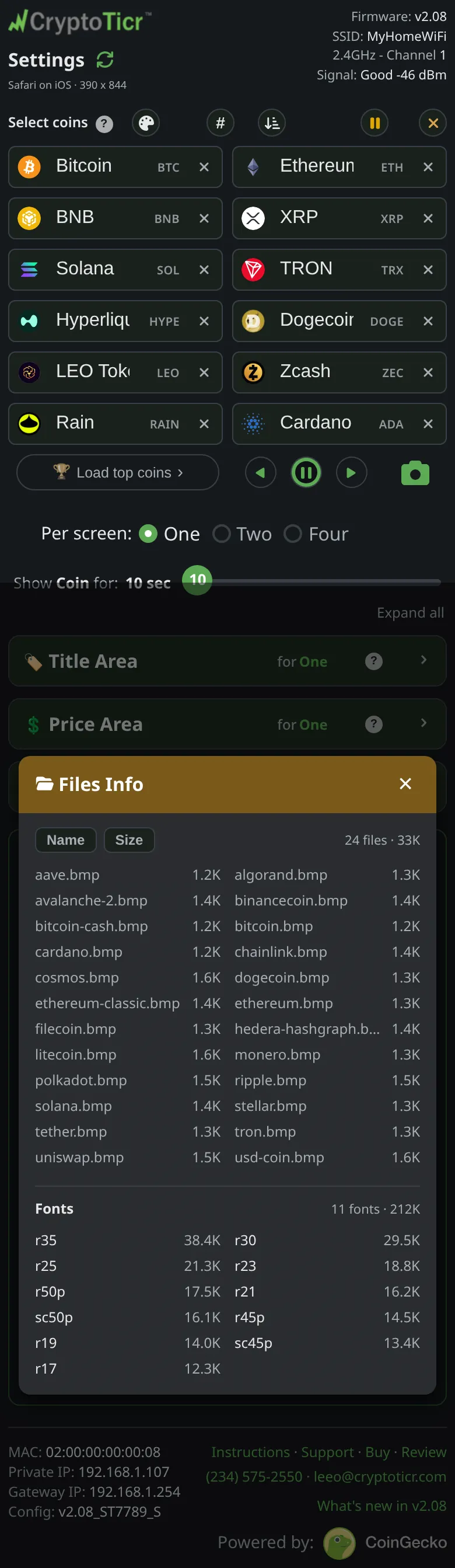
Files Info
Device → Info → files opens Files Info: the files on the ticker with their sizes in kilobytes, sortable by name or size. It is rarely needed by an owner; support may ask for it when the icon pack or the settings page will not load.
 9:41192.168.1.107
When they help
A screenshot of System Info answers most questions about a running ticker in one picture. See Before you call: what to have ready.