Guest networks
What a guest network does
A guest network is walled off from your main network on purpose: devices on it can reach the internet but not each other, and not the devices on your main network. The ticker on a guest network gets prices and runs normally. Your phone, on your main network, cannot open the ticker’s settings page, and if your phone joins the guest network too, it may still be unable to, because many routers keep guests apart from each other as well.
The setup page puts it this way on its third welcome card: A guest network would give me internet just fine. I'd happily sit there showing prices. The catch is the wall: guest networks deliberately keep guests away from your main network, where your phone lives. Put me on the guest side and I'm a guest too, so your phone probably won't be able to reach my settings page, where you pick your coins.
How the ticker warns you
- In the network list, a name that looks like a guest network carries a
guestbadge, and picking it shows:This looks like a guest network. I'd still get prices on it, but guest networks are walled off from your main one, so afterwards this phone probably couldn't open my settings to pick coins. Your main Wi-Fi is the safe choice. - When the setup page opens, the glass shows
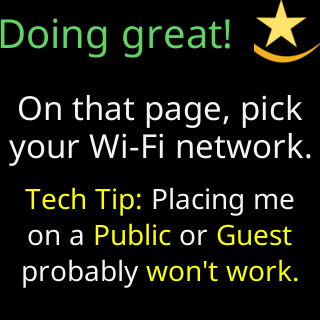
Doing great!with the reminderTech Tip: Placing me,on a Public or Guest,probably won't work. - The page’s Help panel adds:
Some routers can let guests through, but it's normally switched off and plenty can't do it at all.

What to do instead
Put the ticker on the same network your phone or computer uses. If you have already put it on a guest network and cannot reach the settings page, the fix is to move it: from the ticker’s side that means Erase the Wi-Fi and set up again is out of reach (the page is what you cannot open), so use the five-restart reset described on Factory reset by switching it off and on five times, or change your router’s guest settings to allow guests to reach the main network, if it can.