One, two or four coins per screen
 9:41192.168.1.107
What it shows
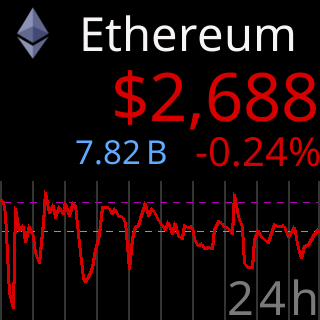
- One: the coin fills the screen: title band with logo and name, the price, the stats row, and a chart (or the 7d/30d/90d panel when no chart period is chosen). The rotation moves one coin at a time.
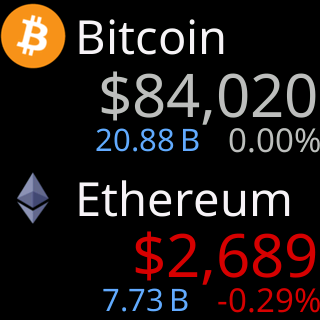
- Two: two coins stacked, each with its title band, price, change and stats. No chart. The rotation moves a page of two at a time.
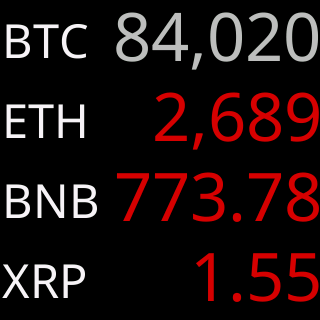
- Four: four rows, each a logo or symbol and a price colored by the day’s direction. No chart, no stats. The rotation moves a page of four at a time.
Two and Four per screen have no chart at all; the page’s chart controls say Applies to One coin mode only.
The three side by side, all at factory settings:

Options
- Each layout keeps its own
Show … for:time and its own title style. The page says:One, Two, and Four per screen each remember their own choice here. - A page of two or four is filled from your list in order; a last page with fewer coins shows what is left.
- Changing the layout applies at once and restarts the rotation from the first coin or page.
Where to set it
Per screen: One / Two / Four, above the Display section of the settings page. Reference: Setting: coins per screen.