Quiet hours come at the wrong time
- It dims an hour early
- It dims in the afternoon
- It never dims
- It stopped dimming after the internet was down
Symptoms
- The ticker dims or brightens at a time that is off by one or more whole hours from what you set.
- It never dims at all, or it stopped dimming after a stretch without internet.
 9:41192.168.1.107
Cause
The ticker works out local time from universal time plus the zone on the settings page. A wrong zone shifts the window by whole hours. The zone is taken from the first phone or computer that opened the page, so a page first opened from a device set to another zone, or from a laptop abroad, sets the wrong one. Never dimming has two causes: the From and to times are equal, which the page defines as never, or the ticker has lost the time after a day without a server reply and has stood the schedule down on purpose.
Fix
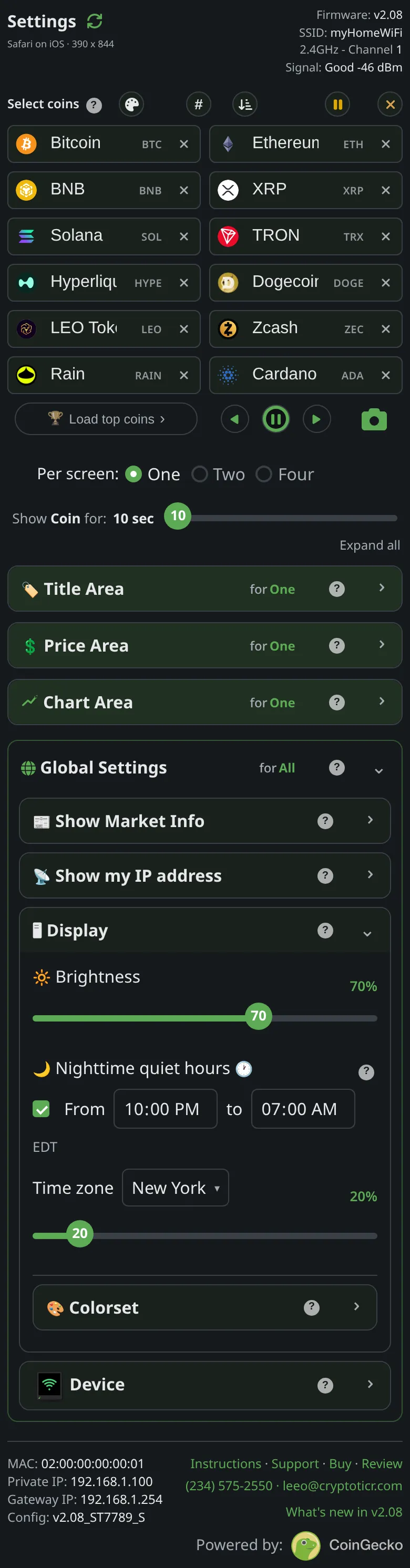
- Open the settings page, scroll to
Nighttime quiet hours, and read the zone in the row under the times. - Pick your zone. United States zones are listed first. The change applies at once and the ticker re-evaluates the window within a second.
- Check
Fromandtoare different times. The same time in both means never dim. - If it stopped after an internet outage, it recovers by itself once the ticker reaches its server again; a restart also refreshes the time at once.
If that didn’t work
- Daylight saving changed and the window moved: the server applies the zone’s rules, so a wrong shift after a clock change means the zone itself is wrong (for example a fixed-offset zone). Pick the named zone for your place.