If the setup page doesn't pop up Samsung and some other Android phones
Some phones join the ticker's Wi-Fi and then show nothing. Three ways to open the setup page: the sign-in notice, the address in Chrome, or the ticker's code.
Step by step in the manual: The setup page did not open by itself
Chapters
More help with Part 1
Read it insteadHide the text
You joined the ticker's Wi-Fi, but no setup page appeared. That's common on Samsung phones, and on some other Androids.
If your phone asks whether to stay connected to a network with no internet, tap Yes. This network is only for setup.
The ticker knows your phone is there. Its screen even says some phones need a sign-in tap, or the address typed in.
First, swipe down from the top of the screen. If you see a notice like, sign in to network, tap it.
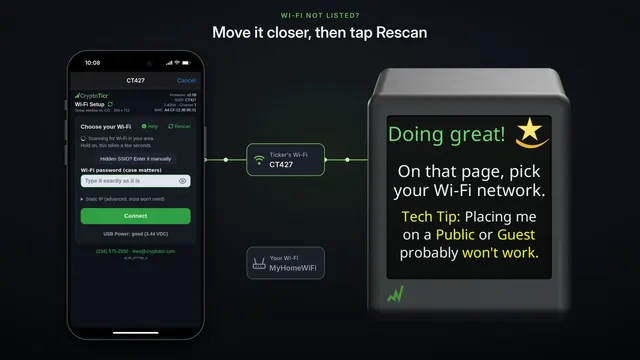
The setup page opens, and the ticker says, doing great.
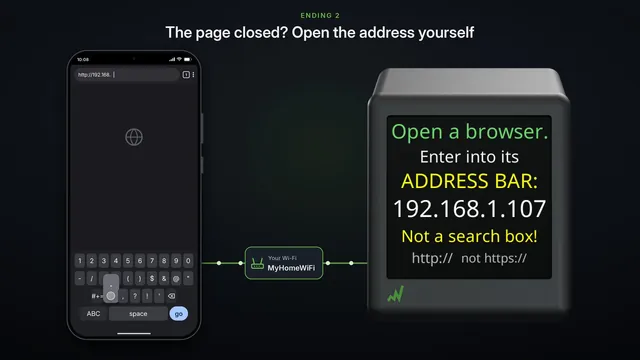
No notification at all? Open Chrome, and type the address the ticker shows, into the address bar.
Type all of it: h t t p, colon, slash slash, then one nine two, dot one six eight, dot four, dot one. It's http, not https.
There's the setup page. If your browser says it can't be reached, your phone has probably gone back to your own Wi-Fi. Rejoin the CT network, and try again.
Or just wait. If no page has opened after about a minute and a half, the ticker shows a code. Scan it with your camera.
Tap the address the camera finds, and the setup page opens.
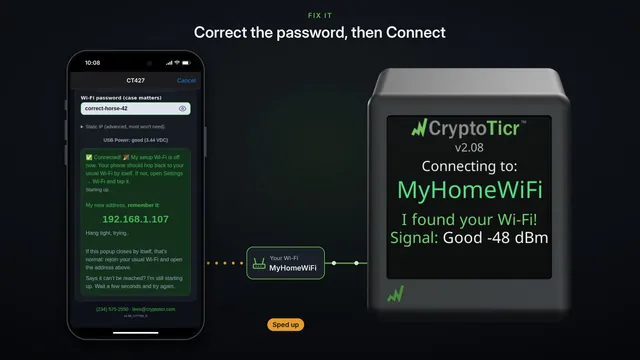
However it opened, the rest is the same on every phone: read the cards, pick your Wi-Fi, type its password, and connect.