The browser turns http into https
- Your connection is not private
- This site can't provide a secure connection
- The address bar shows https:// after I typed http://
Symptoms
- After typing the ticker’s address the browser shows
https://in front of it and a warning such asYour connection is not privateorThis site can't provide a secure connection, and the page does not load.
Cause
Browsers now try https:// first. The ticker serves its page over plain http:// inside your home network, and that traffic never leaves it: nothing between your phone and the ticker goes over the internet. The padlock is for names on the public internet with certificates behind them, which a small device on a home network cannot have. The ticker’s own screen says http:// not https://, under the address it asks you to type.

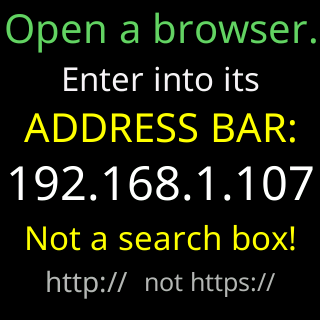
The ticker’s own connection to its price server, over the internet, is encrypted. The settings page never leaves your home network. See Security.
Fix
- Type the whole address with
http://in front, for examplehttp://192.168.1.42, not the bare numbers. A bare address is what invites the browser to guess. - If a warning page appears anyway, look for an option to continue to the site; some browsers hide it under
Advanced. - Bookmark the page once it opens, so the bookmark carries
http://. - If the browser keeps forcing
https://for that address, try another browser on the same device.
If that didn’t work
- See The settings page won't open for the other reasons an address does not load.