Chart period label position
 9:41192.168.1.107
What it shows
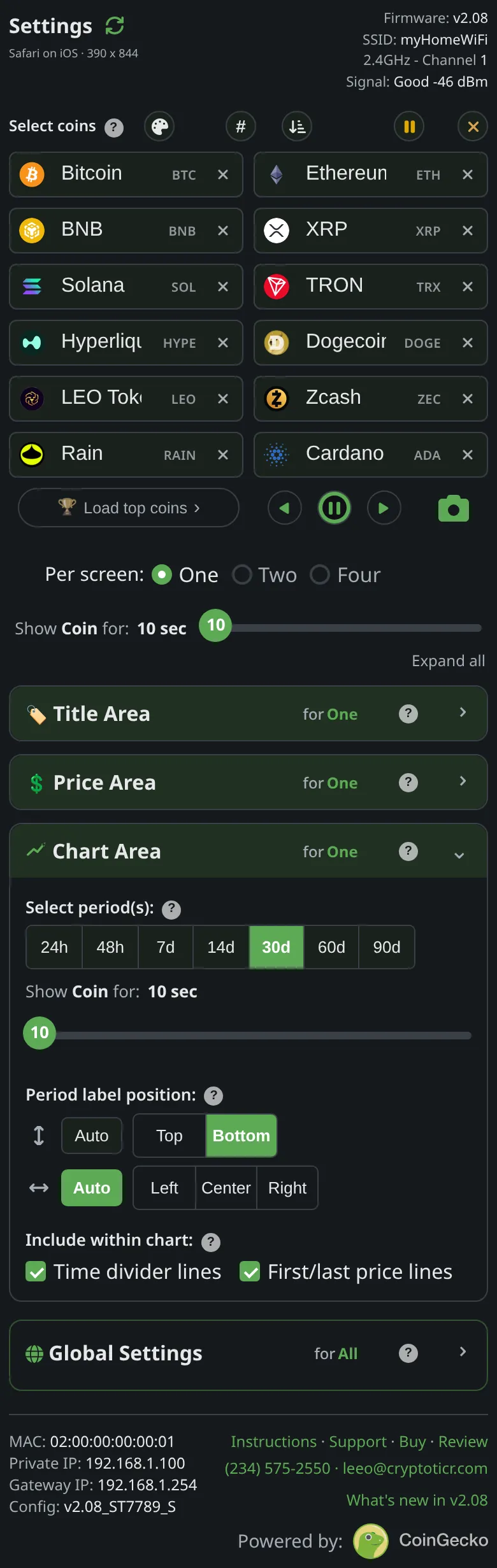
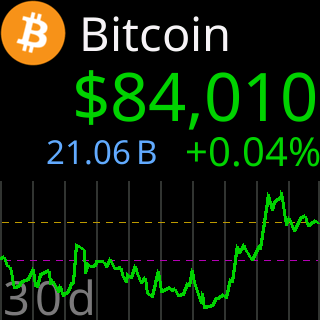
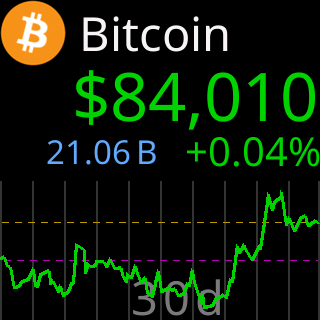
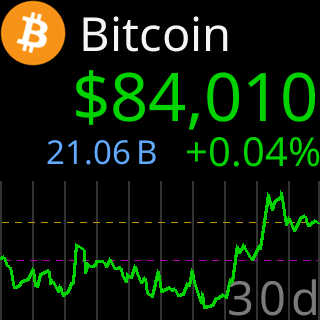
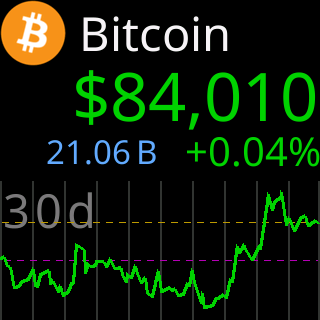
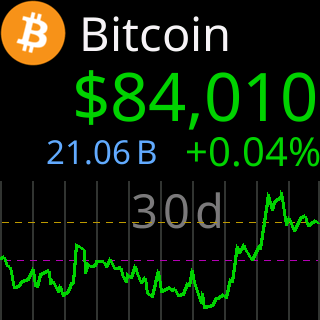
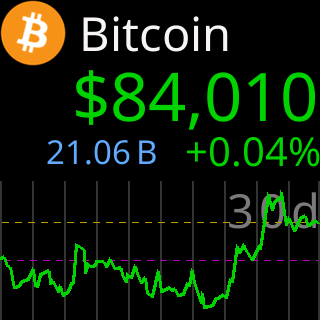
Each chart carries its range’s name, such as 24h, in one corner of the chart area. Two choices place it, in the page’s words: which row (the up-down arrows), and the spot along it (the left-right arrows).
- Up-down:
ToporBottompin the row.Autoprefers the bottom and hops to the top only when the price line crowds it. - Left-right:
Left,CenterorRightpick the spot.Autoscans the whole row on every chart and takes the slot with the most room from the price line.
Both on Auto: the label goes wherever fits best, chart by chart. Both forced, say Bottom and Left: always that corner, and if the price line runs through it the label slides one slot sideways to the clearest nearby spot. The label sits inside the chart’s time slices, never on a divider line.

Options
Period label position:two small arrow controls,Auto/Top/BottomandAuto/Left/Center/Right.
Where to set it
Display → Chart Area → Period label position:. Applies at once. Reference: Setting: chart label left-right position, Setting: chart label row.