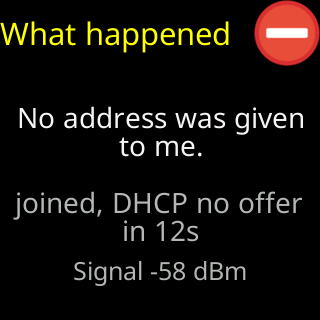
No address was given to me
- Glass: `No address was given to me.`
- Glass, waiting screen: `Almost connected` with `Wi-Fi is up. No IP address assigned yet.`
- Setup page: `The router let me in but never sent me an address to use with it.`
- Glass reason: `DHCP server not responding` or `Is DHCP setup right?`
Symptoms

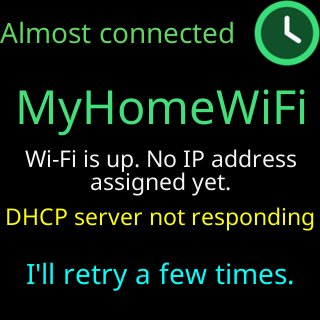
The glass shows No address was given to me., or its waiting screen is headed Almost connected with Wi-Fi is up. No IP address assigned yet. and a reason under it: DHCP server not responding, Is DHCP setup right?, or the router’s own reply quoted. The setup page says The router let me in but never sent me an address to use with it. My signal here is strong, so distance isn't the problem. Tap Connect again — that often settles it. (or the same without the signal sentence when the signal is not strong). On the start screen after a restart the box may read Waiting for an address..., and on a running ticker the box over the coins reads No IP address from router.
Cause
Joining a network has two steps: the router accepts the ticker, then it hands it an address (DHCP). The second step did not happen. Sometimes that is a moment’s bad luck and a retry fixes it. Sometimes the router holds new devices until someone approves them in its app, and it accepts the ticker’s radio while withholding the address. Occasionally the router has run out of addresses to hand out. The ticker cannot tell these apart; it names the step that failed and lets you look.
Fix
- Tap
Connectagain. The setup page and the glass both suggest this first because it often settles it. - Restart the router, wait for it to come back, and try again.
- Look in the router’s app for a list of devices waiting for approval, or for “access control”; allow the ticker (it appears by its
CTname or its MAC address). - If the router’s list of connected devices is long, it may have no addresses left: remove old devices or enlarge the address range (the DHCP pool) in the router’s settings, then restart it.
- If the signal bars were amber or red, move the ticker nearer the router; a weak link can lose the address exchange.
If that didn’t work
- Give the ticker a fixed address instead, so no exchange is needed: Give the ticker a fixed address
- Contact