Find the settings page after setup
Before you start
-
The ticker has restarted after
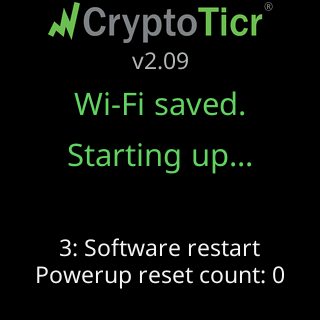
You're all set!. Its glass showsLooking good!/Starting up...(orWi-Fi saved./Starting up...on a network used without internet), then the logo withMy settings are here:and an address.
-
The phone or computer you are using is on your home Wi-Fi, the same network you gave the ticker. It must be, or nothing below can reach the ticker.
Steps
-
Look at the setup page if it is still open. After
Connected! 🎉it showsMy new address, remember it:and the address large, withHang tight, trying...under it. The page keeps checking that address; when the ticker answers it showsOnline. Taking you to your settings now:and opens the settings page for you. If the page had lost touch with the ticker before that, it says✅ Found me! I'm up and running on your Wi-Fi.andTaking you there now…instead. Tapping the address makes it check right now. AfterUse it anywaythe page saysI'm on “<network>” now. I can't get online through it, so no prices until I can.and asks you to put the phone on that network to reach the settings page.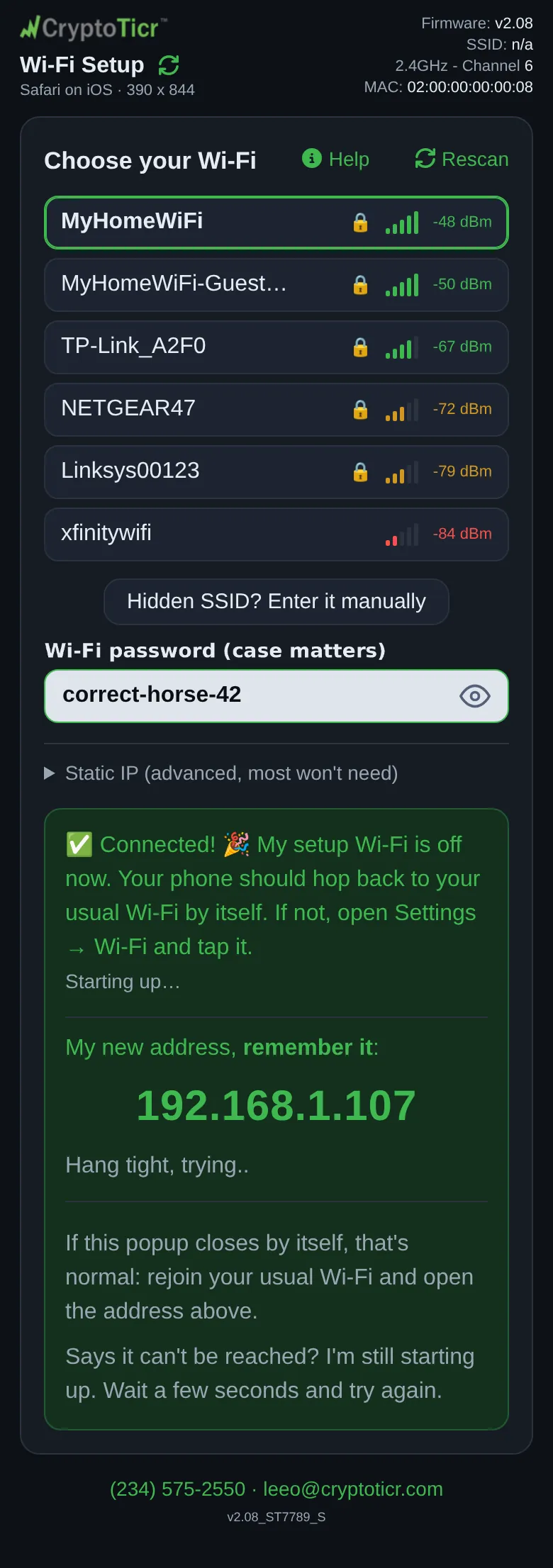 9:41192.168.4.1
 -
If the page says
Says it can't be reached? I'm still starting up. Wait a few seconds and try again., wait: the ticker is between the restart and being on your Wi-Fi. It keeps trying by itself. -
If the setup page is gone (the phone closed it when the setup network shut down), read the address off the glass instead. After the restart the ticker shows it several ways, in turn: under
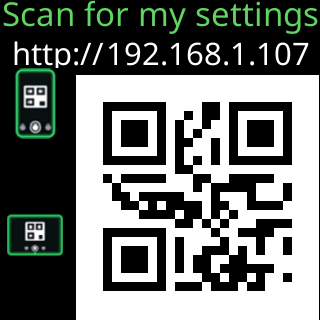
My settings are here:on the start screen; on a page readingOpen a browser./Enter into its/ADDRESS BAR:with the address large andNot a search box!under it; and as a QR code titledScan for my settings.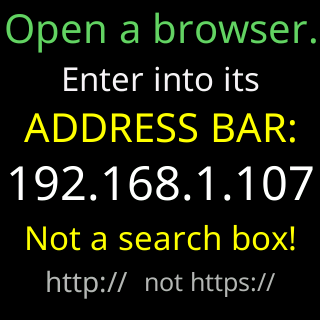
-
Open a browser and type the address into the address bar with
http://in front, for examplehttp://192.168.1.42. Do not type it into a search box, and do not let the browser change it tohttps://, the ticker’s page ishttp://only. That is safe: the page stays on your own network and never goes over the internet. The glass says so under the address:http:// not https://. -
Or scan the
Scan for my settingsQR code with the phone’s camera; it opens the same address.
You’re done when
- The page opens with the CryptoTicr logo,
Settingsunder it, and the bannerFirst time here? That's Lee (in Ohio)., you are on the settings page. The glass showsYou're in settings!Continue with Pick your first coins.
Problems?
- The page will not open: The settings page won't open
- The browser insists on
https://: The browser turns http into https - You missed the address and the glass has moved on: I lost the ticker's address
- The page opens but the coin boxes are empty: The coin boxes are empty when the settings page opens
- The page says the ticker is busy: The settings page says your ticker is busy