Market info cards
 9:41192.168.1.107
What it shows

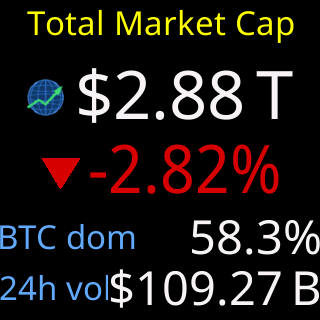
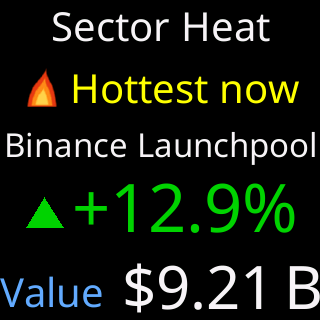
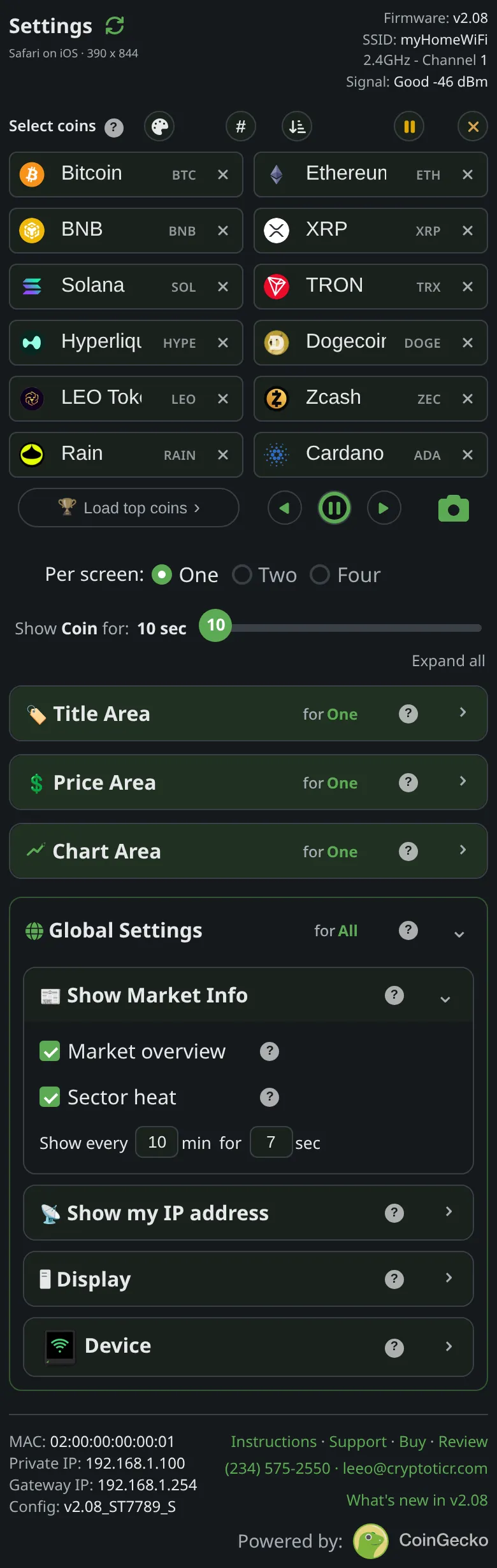
Between your coins, now and then, a card about the whole market rather than any one coin. The page introduces them as a heartbeat check on crypto as a whole, not any one coin. Turn them all off to show only coins. On this ticker there are two: the Market overview card and the Sector heat card.
The rules, as the page states them:
All the cards share one schedule: when the interval comes around, every card you've turned on shows once, in the order listed, each held for the "Show for" seconds.The cards never steal a coin's turn, when they finish, the coin rotation carries on exactly where it left off.- Turn a card on, or tap its run button, and it shows on the ticker at once, held at least long enough to look at, then the coins carry on.
- At power-on the enabled cards lead, going past at a quicker pace before the first coin, then settle into their interval.
- A card whose data has not arrived yet, for example right after power-on, is skipped and appears once its data is in.
Cards are spaced from the ticker’s other pop-ins (the signal and power cards, the address popup) by a shared minimum gap, so two never stack.
Options
- A switch per card:
Market overview,Sector heat. Show every(minutes between rounds of cards) andfor(seconds each card stays up), one pair shared by all the cards, kept per layout.- A run button beside each card previews it on the glass without changing the schedule.
Where to set it
Display → Show Market Info on the settings page. Reference: Setting: Market overview card, Setting: Sector heat card, Setting: minutes between market cards, Setting: seconds each market card stays.