The address popup keeps coming back
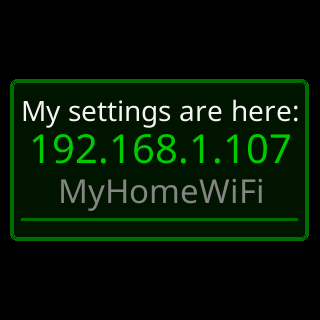
- My settings are here: 192.168.1.42
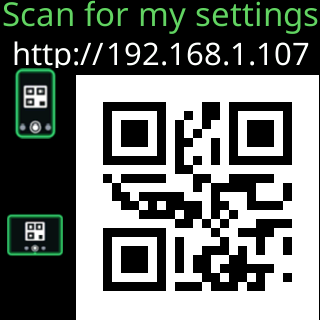
- A QR code appears over the coins every few minutes
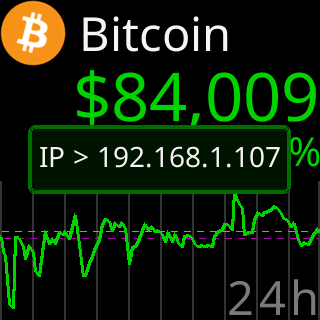
- IP > 192.168.1.42
 9:41192.168.1.107
Symptoms
My settings are here:and the ticker’s address, or a QR code with phone and tablet icons, appears over the coins on a schedule you did not want, or after you thought you had turned it off.- A small dim
IP >and a new address appeared before it.

Cause
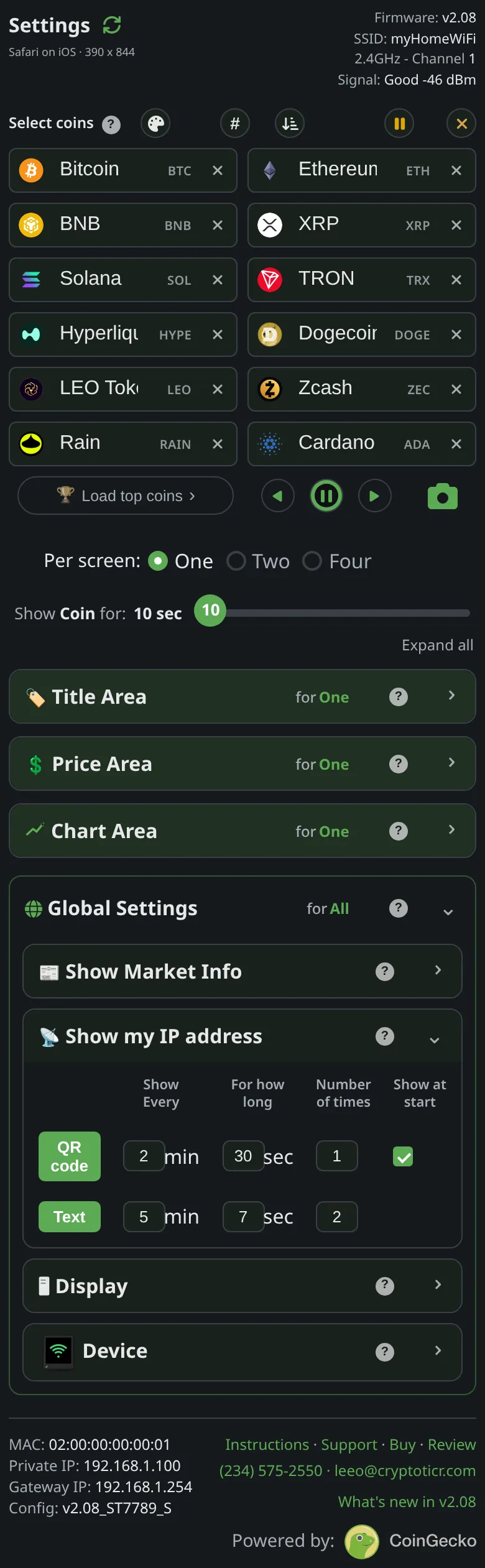
Two rows run the popup, QR code and Text, each with its own Show Every, For how long and Number of times; turning one row off leaves the other running. And one showing ignores the rows altogether: when the router gives the ticker a different address than it had, the ticker shows both forms once straight away and once more at the next start, because the address you wrote down has stopped working. That is the only case where it appears with everything off.
Fix
- Open the settings page and scroll to
Show my IP address. - Check both rows. Set
Number of timeson each to a small number, or turn each row off. The page says:Turning both off turns the whole thing off. - Tap
Save. The rows apply at once; a save that changed these rows shows one preview a few seconds later so you can see the result, and then the schedule you set takes over. - If the popup came with
IP >first, the address moved. Read the new address off it, and consider a fixed address so it stops moving: Give the ticker a fixed address.
If that didn’t work
- It still appears at every start with both rows off: the address is changing at every start. Reserve an address for the ticker in your router, or set one on the ticker: Give the ticker a fixed address.