Glass says your internet looks down
- Your internet looks down
- No internet.
- Can't reach the internet.
- No reply, internet looks down.
Symptoms
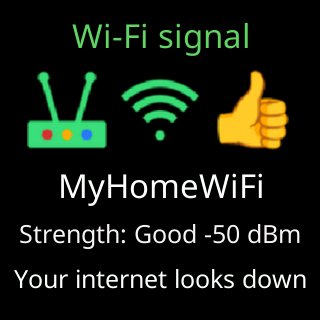
- During the outage loop the signal card shows your network’s name, a healthy
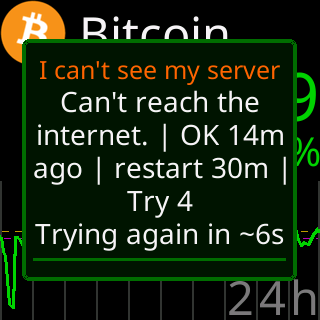
Strength:reading, and the bottom lineYour internet looks down. - The outage box’s verdict reads
No internet.,Can't reach the internet.orNo reply, internet looks down.

Cause
The ticker is joined to the router and has an address, but its probes to the internet, its own server and two public addresses, get no answer. That pattern means the router’s connection to the outside is down or the router is not passing traffic: a modem reboot, an outage at your provider, a router that came up before the modem after a power cut, or a router setting that blocks new devices from the internet.
Fix
- Check another device on the same Wi-Fi. If it cannot load a web page either, the fault is upstream of the ticker.
- Restart the router, and the modem if there is one, modem first. Wait a couple of minutes.
- Leave the ticker on. It retries by itself and resumes the moment its server answers.
- If other devices are fine and only the ticker is blocked, the router is treating it differently: Router settings that block new devices.
If that didn’t work
- The line persists after the router is back and other devices work: restart the ticker once. If it still cannot reach the internet, note the verdict line and the row of addresses in the outage box and contact Lee. See Contact.