Setup says it can't get online
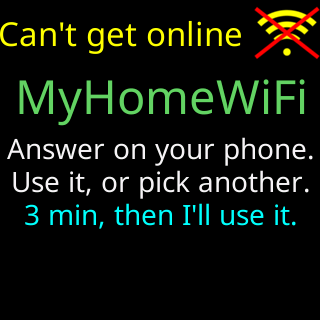
- Glass: `Can't get online` / `Answer on your phone.` / `Use it, or pick another.` / `3 min, then I'll use it.`
- Setup page: `⚠️ “<network>” let me in, but` and a reason, then `On this Wi-Fi I can't show prices.`
- Setup page: two buttons, `Use it anyway` and `Pick another Wi-Fi`
- Glass `Status report:` with a red `IP my server` row and a footer line such as `No internet here.`
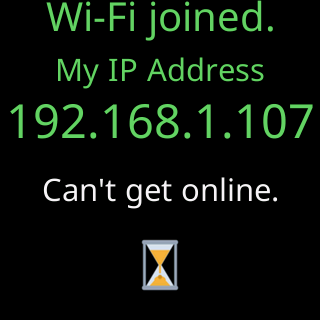
- Glass, later: `Wi-Fi joined.` / `My IP Address` / `Can't get online.`
 9:41192.168.1.107
Symptoms

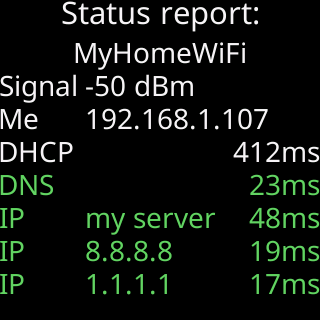
That is the layout the report always uses; on the join this page is about, the IP my server row reads red instead of the clean run pictured above.
The glass shows a Status report: whose IP my server row is red (silent or refused) or gray (not tried), with a last line such as No internet here., My name fails here., 443 fails here, 80 works., A sign-in page blocks me. or My end, not yours. Then it shows Can't get online, the network’s name, and Answer on your phone. / Use it, or pick another. / 3 min, then I'll use it. The setup page says ⚠️ “<network>” let me in, but and one of it wants a sign-in page first, and I can't sign in to one, it can't look up names on the internet, I couldn't reach my server through it or nothing on the internet answers through it, then On this Wi-Fi I can't show prices. Under it are two buttons, Use it anyway and Pick another Wi-Fi.
Cause
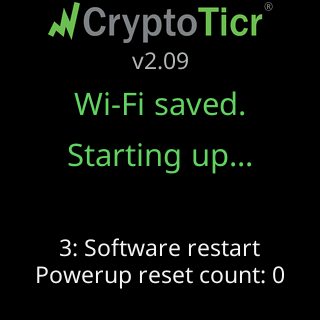
The join worked: the password is right and the router accepted the ticker. But the ticker’s check of the internet behind the router failed. The Status report: footer says how: No internet here. means nothing beyond the router answered (an internet outage, or a router with no connection); My name fails here. means the network’s name lookup is filtered; 443 fails here, 80 works. means secure traffic is blocked, which corporate and some guest networks do; A sign-in page blocks me. means a terms page stood in the way, and it can appear even when the IP my server row is green; My end, not yours. means your network is fine and the ticker’s server did not answer. The ticker saves nothing until you answer. If you pick another network and tap Connect, nothing of this one is saved. Use it anyway, or no answer in 3 minutes, saves it: the glass shows Wi-Fi joined. / My IP Address / the address / Can't get online., then restarts with Wi-Fi saved. / Starting up..., and shows prices once the internet answers.
Fix
- Answer the setup page. If this is your Wi-Fi and its internet is down for now, tap
Use it anyway: the ticker keeps it and starts working when the internet comes back. If you picked the wrong network, tapPick another Wi-Fi, choose the right one and tapConnect. Nothing is saved from the first. With no answer, the ticker uses the network after about 3 minutes. - Check the internet from another device on the same Wi-Fi. If nothing works, it is your connection; the ticker keeps trying by itself and shows prices when it returns.
- If the report said
A sign-in page blocks me., open the network’s sign-in page on your phone and sign in. Then rejoin theCTnetwork, tapPick another Wi-Fi, pick the same network and tapConnect. On some networks the sign-in unblocks every device behind the router. If it does not, this network cannot be used; see Hotel, cafe and public Wi-Fi. - If the report said
443 fails here, 80 works.orMy name fails here., the network filters traffic. A home router does not normally do this; see Office and corporate Wi-Fi. A phone hotspot is the quick test: if the ticker works on it, the network is the problem. - If the report said
My end, not yours., wait: the ticker’s server is the one not answering, and the ticker retries on its own.
If that didn’t work
- Once running, the ticker’s start screen says
Something here blocks me.: Glass says: This network is blocking me - Contact