Nothing came back when I asked to join
- Glass:
Nothing came back. - Setup page:
I can see your network, but nothing came back when I asked to join. That's usually a moment's bad luck rather than a fault. - Glass waiting screen:
Trying to connect/No answer yet. I keep trying., orWaiting for Wi-Fi/It's there. I can't join yet.
Symptoms
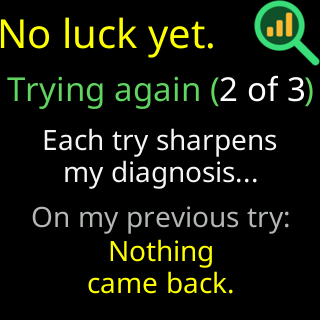
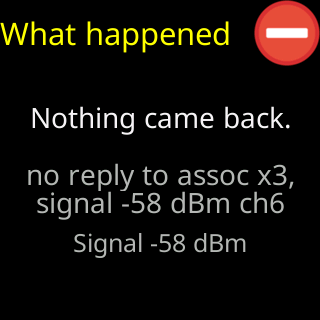
The glass shows Nothing came back. The setup page says I can see your network, but nothing came back when I asked to join. That's usually a moment's bad luck rather than a fault. Tap Connect again. If it keeps happening, look in your router's app for a list that has to approve new devices, and let me in.
Cause
The ticker heard the router’s beacon — the network is there, at a usable signal — sent its join request, and the router never replied. A router that is busy, restarting, or steering devices between its units drops a request now and then. A router that holds new devices for approval can also stay silent rather than refuse.
Fix
- Tap
Connectagain. One retry clears most of these. - If it happens repeatedly, open the router’s app and look for devices waiting for approval, “access control”, or “MAC filtering”; allow the ticker.
- Restart the router and try again.
If that didn’t work
- The router answers but refuses: The router turned me away
- Contact