The router turned me away
- Glass: `The router turned me away.`
- Setup page: `The router turned me away. Double-check the password and tap Connect again.`
- Setup page: `Your router turned me away without saying why. That can be the password, so check that first.`
- Glass card `What happened`: `Your Wi-Fi turned me away 3 times.`
Symptoms

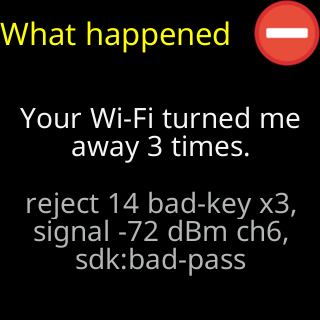
The glass shows The router turned me away. and, after the attempt, a What happened card with Your Wi-Fi turned me away 3 times. and the router’s own words under it (for example reject 2 auth-expire). The setup page says The router turned me away. Double-check the password and tap Connect again. and, folded under Extra technical detail, lines such as Router reason 2 / Our sign in ended before it finished.
Cause
The router ended the ticker’s sign-in without a reason it could act on. The ticker deliberately does not guess: the same router sends different reason numbers for the same mistake, so the numbers are kept for support and the advice stays with what is likely. A wrong password is the commonest cause. The next is a router that holds new devices until someone approves them in its app; a few home routers and most mesh systems have such a list.
Fix
- Check the password with the eye button and retype it; a second
Connectcosts nothing. See The password was refused for the checks. - Open your router’s app and look for a list of devices waiting for approval, “access control”, or “MAC filtering”. If the ticker is listed by its
CTname or its MAC address, allow it. - Restart the router and tap
Connectagain. - If the signal bars were amber or red, move the ticker nearer the router.
If that didn’t work
- The router says it is full: The router says it's full
- The router lets the ticker on but gives it no address: No address was given to me
- Keep the
Router reasonlines from the status panel and Contact — they are what Lee asks for.