Things to do in the first hour
Before you start
- Your coins are saved and the ticker is cycling them. Everything below applies to the ticker the moment you change it; only the coin list has a save button.
Steps
-
Set the brightness. Open the
Displaysection and drag theBrightnessslider; the glass follows as you drag. Mid-range suits most rooms. -
Choose a color scheme. Under
Display, openColorsetand tap a swatch; the glass changes at once.Colorblinduses blue and yellow instead of green and red for up and down.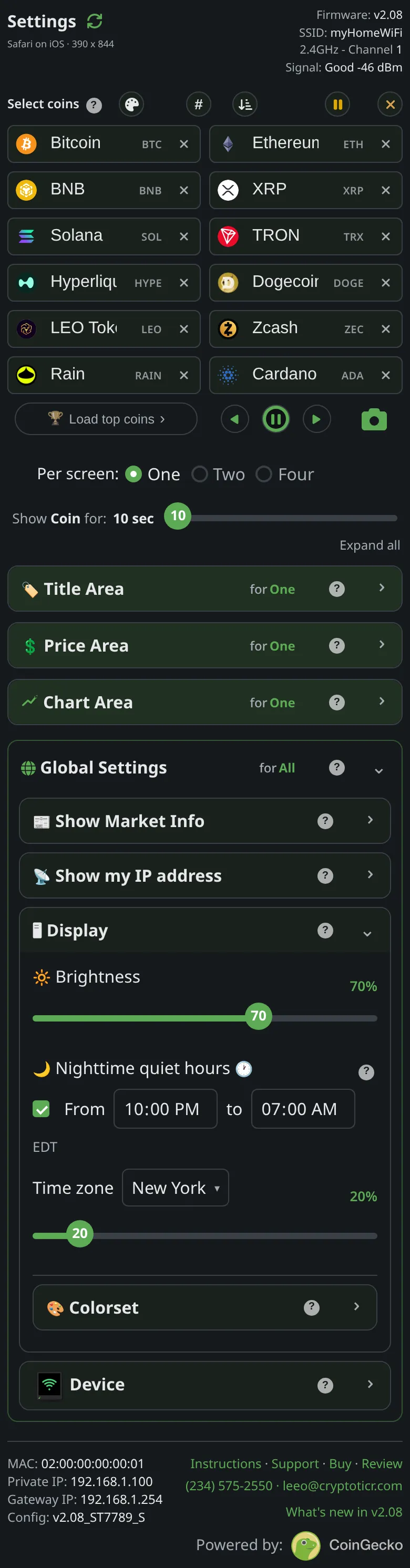 9:41192.168.1.107
 -
Choose a layout.
Per screen:offersOne,TwoandFour, how many coins share the glass at a time.Onehas room for a chart;TwoandFourdo not. -
Set how long each screen stays. Drag the
Show Coin for:slider under the coin boxes (it readsShow Two for:orShow Four for:in those layouts). Each layout remembers its own time. -
Turn on the market cards. Open
Show Market InfoinsideGlobal Settingsand tickMarket overvieworSector heat; ticking one shows that card on the glass right away. -
Decide about the address popup.
Show my IP addresshas aQR coderow and aTextrow; each puts the ticker’s address on the glass on its own schedule so the page is always findable. Turn off both to stop it, or leave the defaults.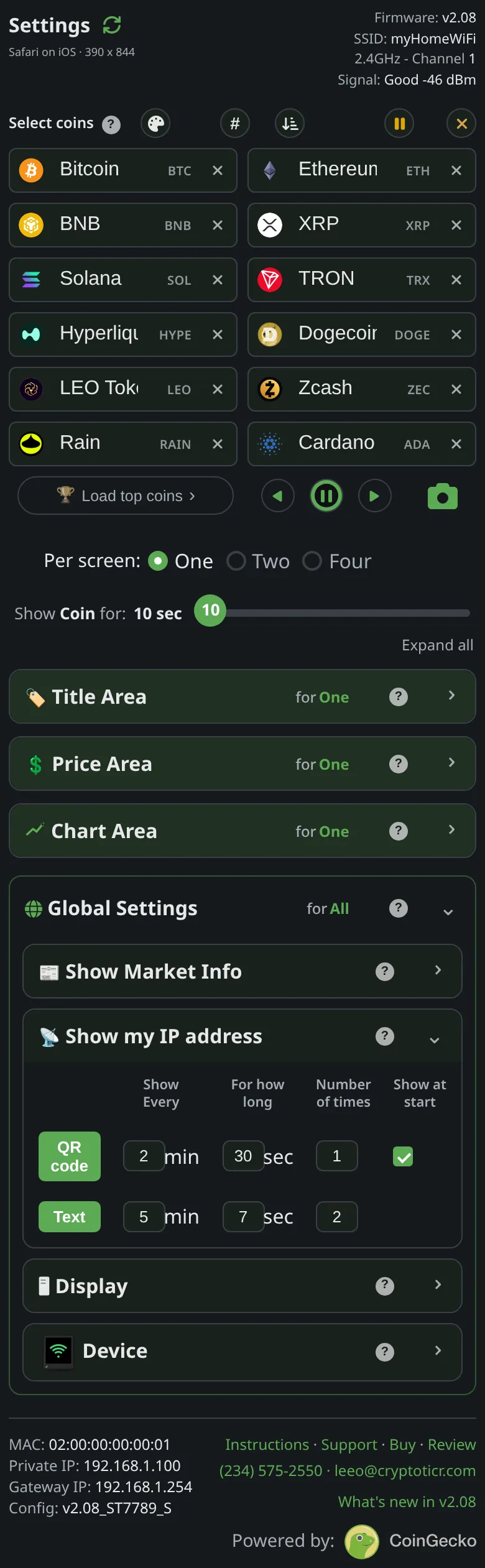 9:41192.168.1.107
 -
Pick a page theme. The palette button beside
Select coinsoffers dark and light themes for the page itself; it changes nothing on the ticker. -
Optional: lock the page.
Lockin theDevicesection sets a password that stops anyone else on your network changing settings. Most homes do not need it.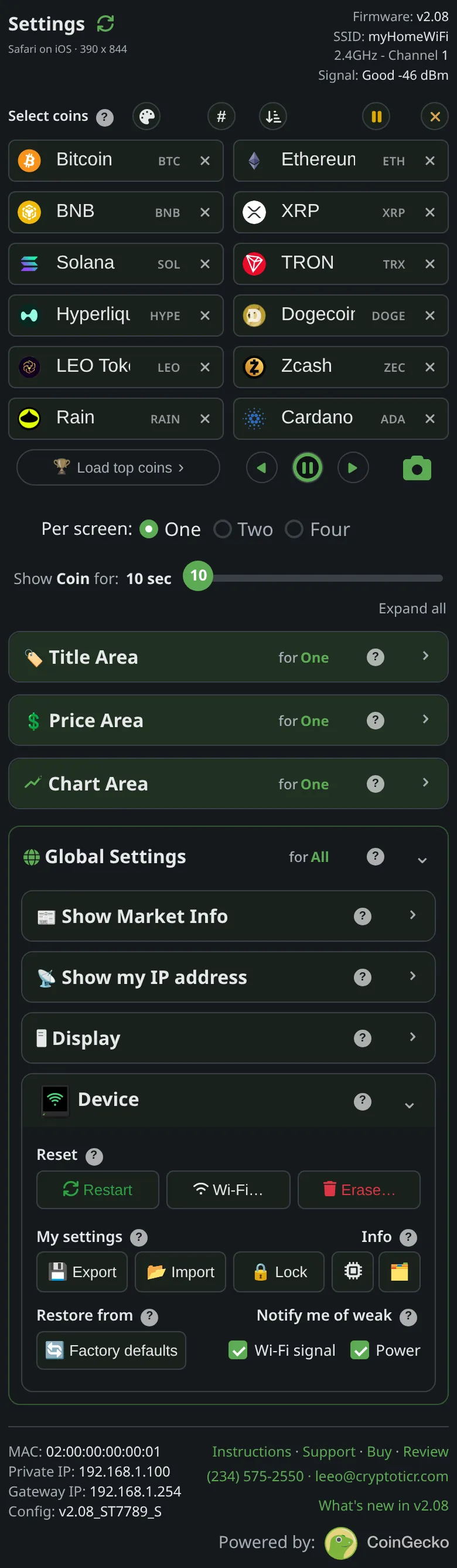 9:41192.168.1.107
Every section has a ? beside its title that explains it in place, and F1 opens the page’s own Help.
You’re done when
- The ticker looks the way you want it in your room, and you know where the
?buttons are.
Problems?
- A change did not reach the ticker and the page said
Couldn't reach your ticker just now.: Couldn't reach your ticker message - The screen looks too dim or too bright at night: Nighttime quiet hours