The ticker says it started over fresh
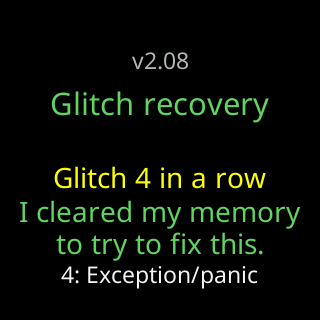
- I cleared my memory to try to fix this.
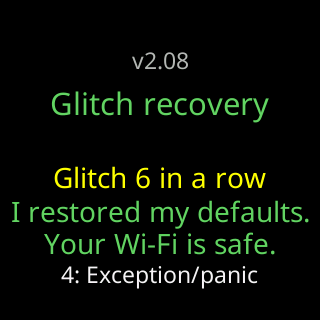
- I restored my defaults. Your Wi-Fi is safe.
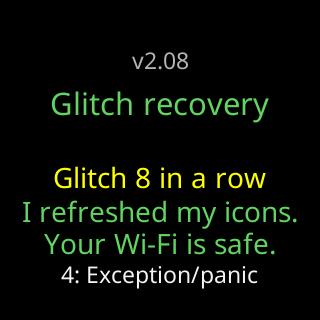
- I refreshed my icons. Your Wi-Fi is safe.
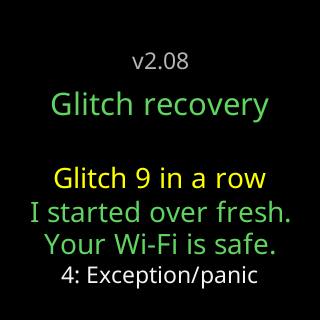
- I started over fresh. Your Wi-Fi is safe.
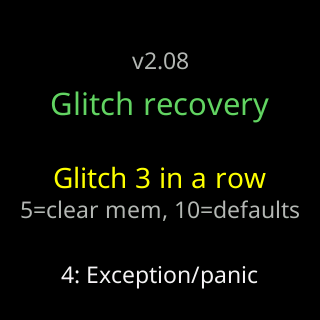
- Glitch 5
- The start screen shows the word CryptoTicr instead of the logo
Symptoms
- The start screen shows
Glitch recoveryorFreeze recovery, a yellowGlitch N, and one of:I cleared my memory/to try to fix this.,I restored my defaults./Your Wi-Fi is safe.,I refreshed my icons./Your Wi-Fi is safe.,I started over fresh.(in red) /Your Wi-Fi is safe. - After the second or fourth of those, the ticker is showing the starter coins instead of yours.
- The logo at the top is the word
CryptoTicrin grey and green instead of the usual picture.

Cause
Faults that repeat without ten healthy minutes between them are counted, and at fixed counts the ticker discards one more thing that could be causing them: first its live memory cache, then your saved settings, then the coin-logo pack, and finally everything except the Wi-Fi and a fixed address. It says which step it took. A fault during a firmware download is not counted, and a fault more than ten minutes into a run starts a new count. The Wi-Fi is kept at every step on purpose, so the ticker stays reachable and can still take a firmware update that fixes the fault. The usual root cause of a run of faults is a poor power supply; a faulty logo download or a firmware fault are the others.
Fix
- Check the supply before anything else: swap to the cable and adapter from the box, plugged into a wall socket. See The power card says low or high.
- Let the ticker run for ten minutes on the good supply. No new
Glitchline means the count has cleared. - If it said
I restored my defaults.orI started over fresh., open the settings page and pick your coins again, or load an exported file: Export and import settings, Pick your first coins. - If it said
I refreshed my icons., coins show as names without logos for a while. The ticker fetches a fresh pack on its own, about half an hour after it starts, and restarts once to put it on screen.
If that didn’t work
- The faults continue on a good supply: send the crash record. A
Crash report datacard appears on the start screen after a fault; see A Crash report card with a QR code appeared, then Contact.