Update postponed because the signal is weak
- Signal too weak
- Postponing update.
- Not great, updating anyway
Symptoms
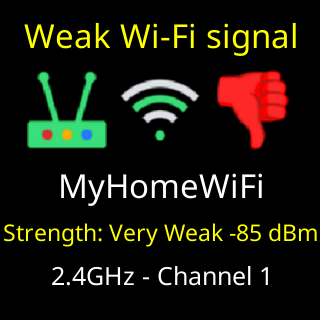
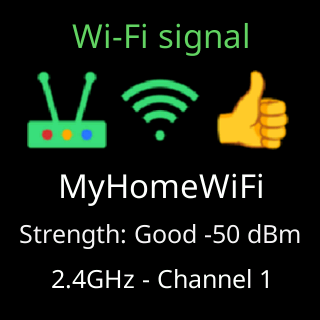
- A short green card,
Signal too weak/Postponing update., then the coins return. It may repeat at each hourly check. - Later, the signal card leads an update with
Not great, updating anyway.
Cause
A firmware image is a megabyte, and a very poor link tends to drop partway through. So when the smoothed reading is worse than the update line, well below where the weak-signal card starts warning, the ticker puts the download off until the next hourly check, and counts. After ten postponements it updates regardless, so a ticker in a poor spot is never left behind. A ticker that has been faulting skips the wait altogether, since the update may be the cure.
Fix
- Nothing is required; the ticker will update. To make it sooner, move the ticker nearer the router, or the router nearer the ticker, and wait for the next check (within an hour).
- Check the reading on the signal card or under
Info → System Info. Once it is better than the update line the next check downloads. - If the reading cannot be improved, let the count run out. The download after the tenth postponement is checked like any other, and if it is cut short it is retried; see A firmware update didn't finish.
If that didn’t work
- The card keeps appearing for many hours of running, or for days, and no update arrives: the link is too poor for the download after the tenth postponement to finish, and each download that is cut short starts the count of ten again. The count moves only at the checks, about once an hour while the ticker is on, so a ticker that is off for part of the day takes longer to reach each try. See The weak Wi-Fi card keeps appearing for what improves it.