The ticker opened its setup network by itself
- Glass: `Heads up` with `Your Wi-Fi refused me` or `I can't find your Wi-Fi`
- The CT network is back in the phone's Wi-Fi list
- Setup page, first card: `I couldn’t get back on your Wi-Fi.` / `Your router turned down the password I had saved for` the network
Symptoms

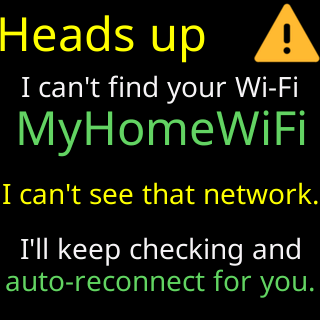
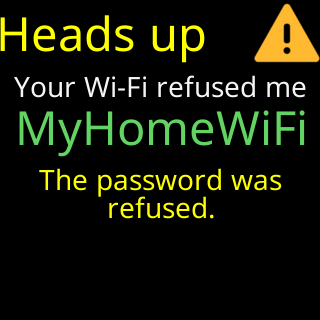
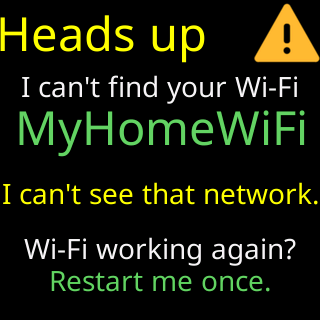
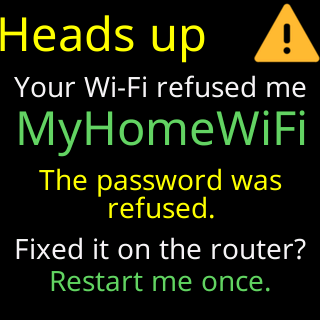
Without you doing anything, the ticker is showing its setup cards again, led by a Heads up card with the saved network’s name and either Your Wi-Fi refused me (with I'll retry by myself / in 15 minutes., counting down) or I can't find your Wi-Fi. The card comes back after Join my Wi-Fi, and that time it ends Fixed it on the router? (refused) or Wi-Fi working again? (can’t find), then Restart me once. The CT network is back in your phone’s list. When the router refused the password, the setup page’s first card is What happened · 1 of 4: I couldn’t get back on your Wi-Fi. / Your router turned down the password I had saved for the network, and either That password worked before, so it may have stopped working or The password I had saved may no longer be right for that network.
Cause
The ticker opens setup on its own in three situations, and keeps every coin and setting in all of them:
- The router refused its saved password (
Your Wi-Fi refused me): four times in a row on a ticker that has finished setup, or on the start-up tries of one that never finished. Almost always a changed Wi-Fi password, or a replacement router with the same name and a different password. - It never finished setup on the saved network and three restarts did not reach it (
I can't find your Wi-Fi). It keeps scanning for that network from setup and rejoins by itself if it reappears. If the router was refusing it instead, the card isYour Wi-Fi refused meand it does not scan. - The saved details had never worked — a network saved with
Save it anyway, or a join that was interrupted — and two rounds of trying failed.
A set-up ticker whose network is merely off the air does not do this; it waits. See Glass says: I can't find your Wi-Fi.
Fix
- If you think the refusal was a fluke, unplug the ticker and plug it back in: it tries the saved password again, and if that works, setup never returns. The setup page’s card says the same:
Or just restart me any time-I’ll try that saved password again. - Otherwise join the
CTnetwork with your phone — Join the ticker's setup network — and tap through to the list. - Pick the network the card named (badge
my saved Wi-Fi), type its current password, and tapConnect. A wrong try here does not replace the saved network: the ticker keeps it until a new one works. - Wait for
You're all set!. The ticker restarts with everything as before. - If nobody joins the
CTnetwork, the ticker restarts by itself every 15 minutes (Retrying your Wi-Fiwith a countdown) and tries the saved network again — so a ticker left alone recovers on its own if the refusal was temporary.
If that didn’t work
- The new password is refused too: The password was refused
- You cannot find the CT network: The CT setup network is not in my phone's Wi-Fi list