Glass says: I can't find your Wi-Fi
- Glass: `Waiting for Wi-Fi` / `I can't see it right now.` with the network name
- Glass: `Trying to connect` / `No answer yet. I keep trying.`
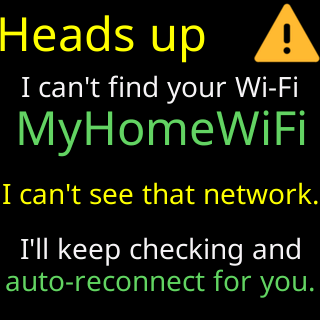
- Glass: `Heads up` / `I can't find your Wi-Fi` / `I'll keep checking and` / `auto-reconnect for you.`
- Footer: `New Wi-Fi? Restart me` / `5 times fast. Wipes me.`
Symptoms

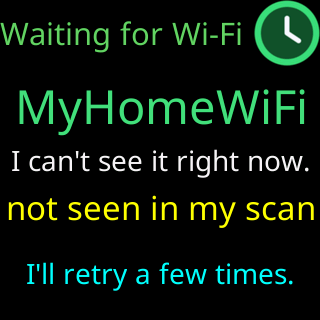
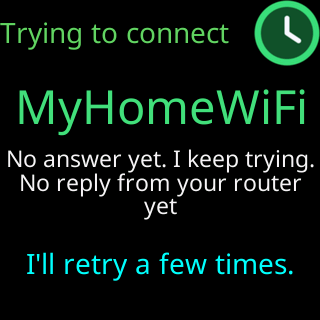
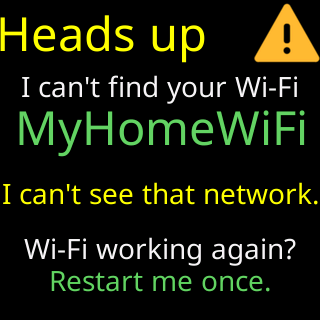
A ticker that has completed setup sits on a waiting screen: Waiting for Wi-Fi with I can't see it right now., or Trying to connect with No answer yet. I keep trying., the saved network’s name, and a footer that rotates I retry every 15 seconds, / restart every 2 minutes. and New Wi-Fi? Restart me / 5 times fast. Wipes me. Every two minutes it restarts and shows Connecting to: again. A ticker that never finished setup shows the Heads up card instead: I can't find your Wi-Fi, the name, and, if that network ever got it online, I'll keep checking and / auto-reconnect for you. It plays again after Join my Wi-Fi, and that time it ends Wi-Fi working again? / Restart me once.
Cause
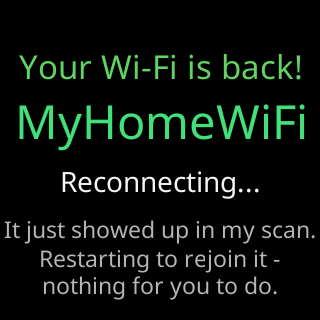
The ticker cannot hear the network it has saved. For a ticker that has completed setup that is treated as an outage: the router is off, restarting, or out of range, and the right thing is to wait, so the ticker waits — indefinitely — and joins the moment the network is back. It never opens setup for this on its own, because a network that is off the air is far more often a power cut than a move. The only way to setup from this screen is the five-restart factory reset, which also erases the settings; the footer says so. A ticker that never finished setup opens its setup network instead and keeps scanning for the saved one, rejoining it by itself if it reappears (Your Wi-Fi is back!).
Fix
- If the router is off or restarting, do nothing: the ticker joins when the network returns.
- Check that the network still exists with its old name, and that its 2.4 GHz band is on. A router replaced with a new name is a new network to the ticker.
- Check the distance: move the ticker nearer the router. The line under the network’s name says
I can't see it right now.only when the ticker’s scan did not hear the network at all. - If the network is gone for good (new router, new home): factory-reset the ticker by powering it off and on five times, quickly (Factory reset by switching it off and on five times), and set it up on the new network. Your coins have to be re-picked afterwards; if you still have an exported settings file, import it.
- To avoid this next time, use
Erase Wi-Fibefore you change routers or move: Moving to a new home or a new router.
If that didn’t work
- The screen says
Wi-Fi answered,It's there. I can't join yet.orWi-Fi rejected my password: the network is there and refusing. See Glass says: Your Wi-Fi refused me - Contact