Other Wi-Fi devices work, but the ticker won't? Three checks
Your laptop, TV or printer gets on your Wi-Fi but the ticker won't? Why a small device hears less, and three checks: the signal, closer, a hotspot.
Step by step in the manual: My other Wi-Fi devices connect, but the ticker won't
Chapters
More help with Part 1
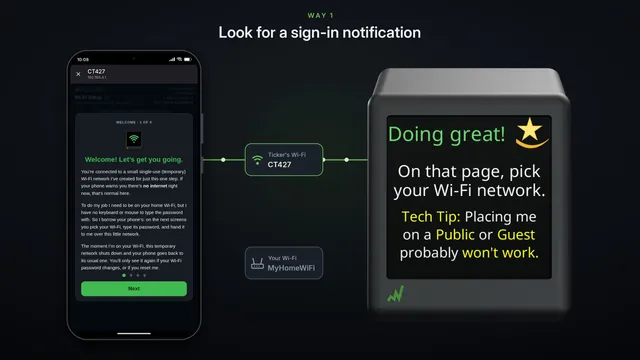 If the setup page doesn't pop up Samsung and some other Android phones
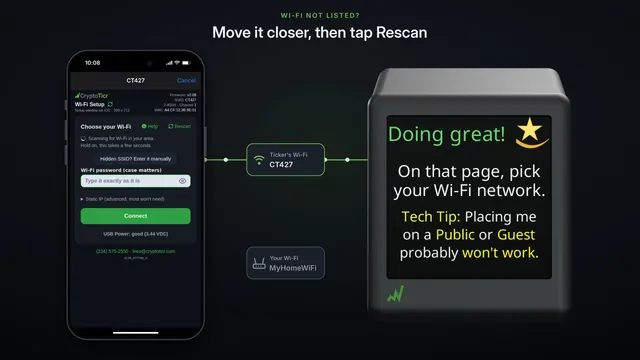 If your Wi-Fi isn't in the list
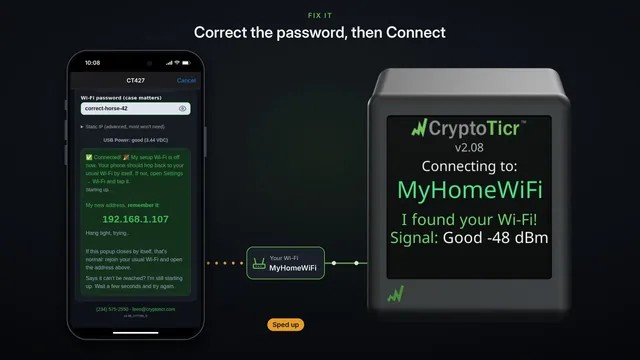 If your Wi-Fi password is refused fix it and try again
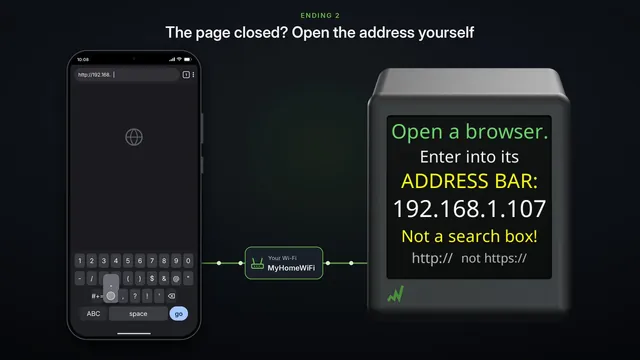 If the settings page doesn't open after setup two endings, both fine
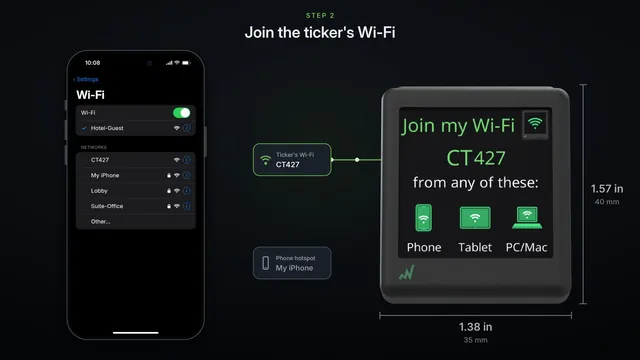 Set it up on a phone hotspot
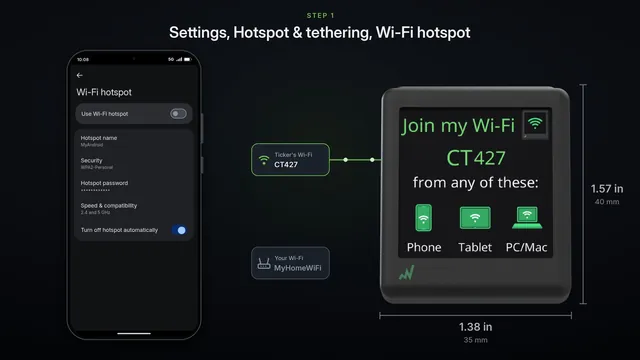 Use an Android phone's hotspot
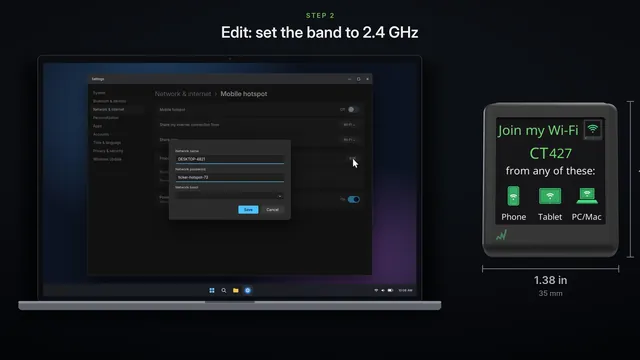 Use a Windows computer's hotspot
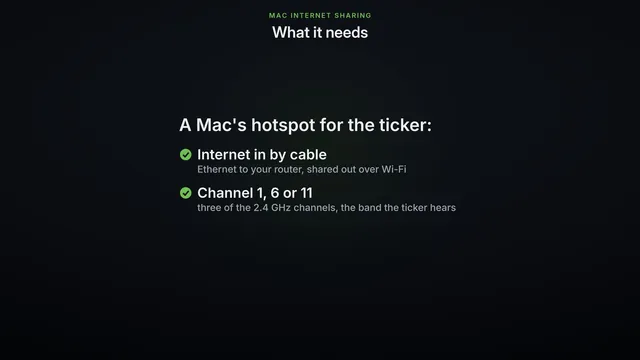 Use a Mac's Internet Sharing
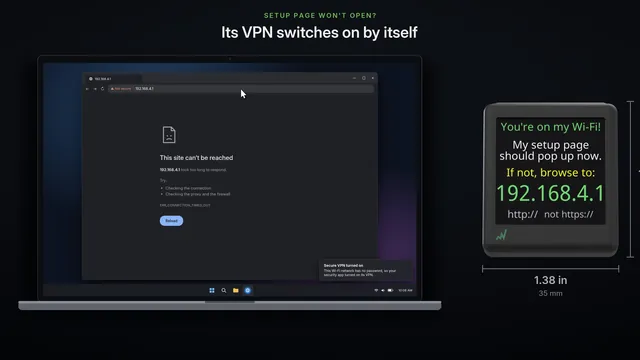 Setup page won't open on your computer
Read it insteadHide the text
Your laptop, TV and printer are on your Wi-Fi, but the ticker won't join, or keeps dropping off? Most often, it's distance.
The ticker hears Wi-Fi through one small antenna, printed on its circuit board. Smart plugs and smart bulbs use the same kind.
A phone has several, built into its frame.
A laptop usually has two, bigger ones.
And many routers stand big ones of their own.
So in a spot where your other devices still get by, the ticker can hear too little. Three quick checks tell you.
One. Read the signal. The setup page lists each network with the ticker's own reading, where it stands right now.
Green or amber is fine. Red means it can barely hear your router from there.
A ticker that's already set up says so on its screen: Weak Wi-Fi signal.
If it says Fair or Good, distance isn't your problem.
Two. Take the ticker near your router, on a USB power bank so it stays on, and tap Rescan.
Now your network is green. If it joins from here, distance was the problem.
Three. Put a phone right beside the ticker, and turn on its hotspot.
On an iPhone, turn on Maximize Compatibility. That puts the hotspot on 2.4 gigahertz, the only band the ticker hears.
On an Android phone, pick a hotspot band that includes 2.4 gigahertz. Then set the ticker up on the hotspot.
If it joins the hotspot, the ticker's radio is fine. The trouble is between it and your router. Our hotspot videos show each step.
To fix it, move the ticker or the router closer. Keep the ticker up off the floor, in the open, away from metal and the back of a TV.
If it has to stay far away, a mesh point or a Wi-Fi extender near the ticker usually fixes it, as long as it offers 2.4 gigahertz.
And if the signal reads Good or Fair, but it still won't join, it isn't distance. Our help pages cover router settings.