Set it up on a phone hotspot
No Wi-Fi that works for the ticker? Use a phone's hotspot: turn on Maximize Compatibility, then run the setup from a second device.
Step by step in the manual: Using a phone hotspot
Chapters
More help with Part 1
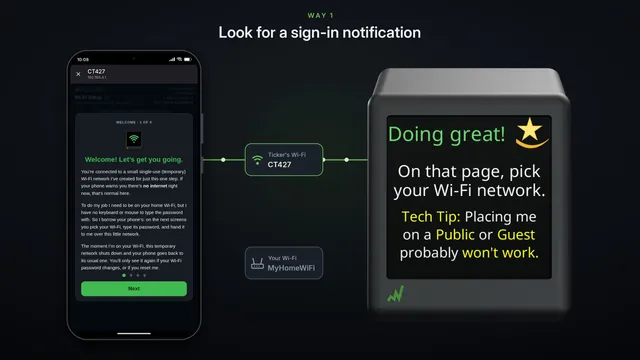 If the setup page doesn't pop up Samsung and some other Android phones
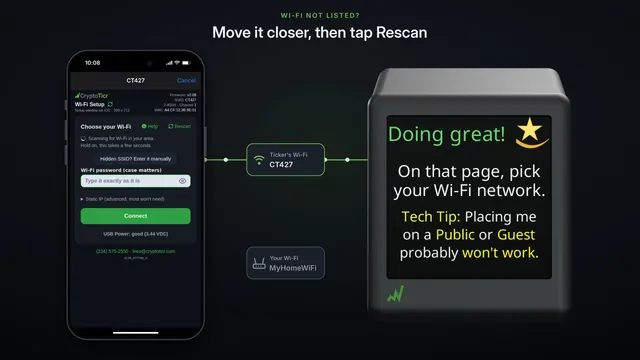 If your Wi-Fi isn't in the list
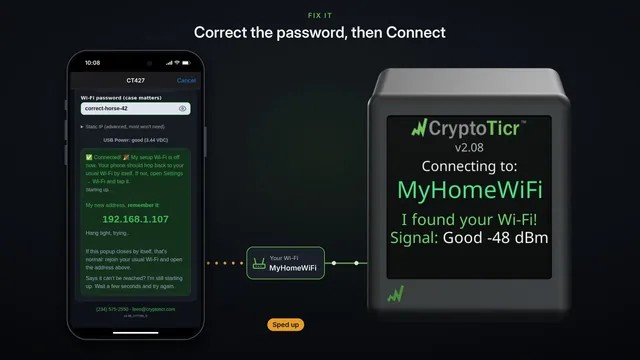 If your Wi-Fi password is refused fix it and try again
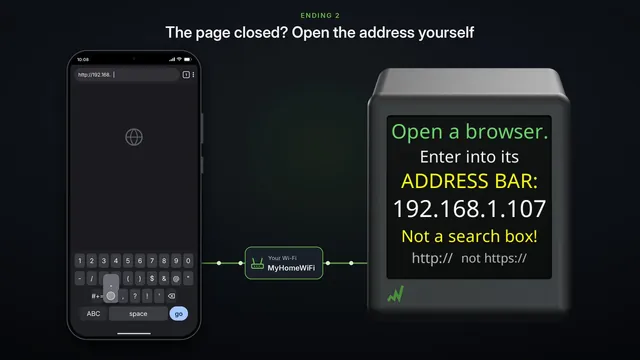 If the settings page doesn't open after setup two endings, both fine
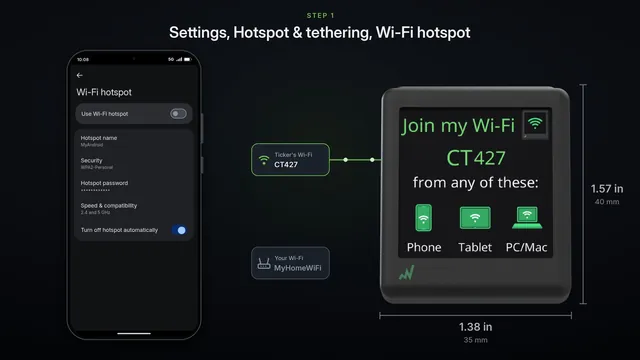 Use an Android phone's hotspot
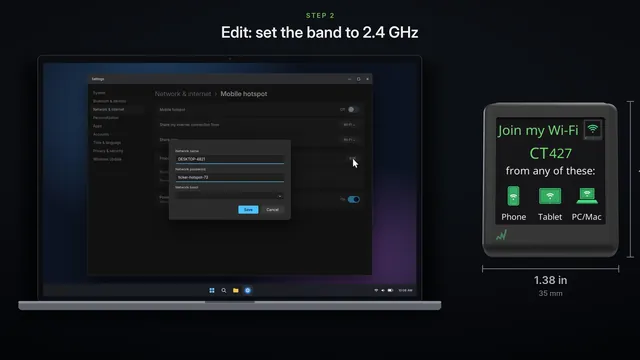 Use a Windows computer's hotspot
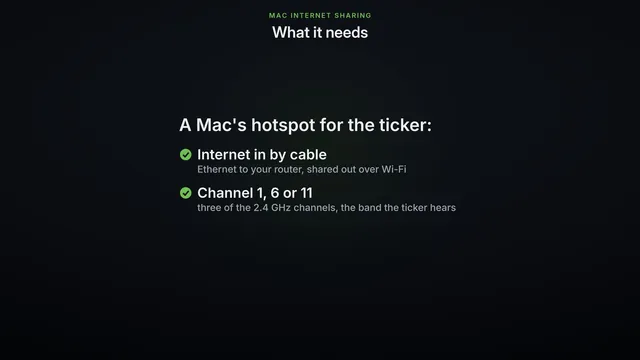 Use a Mac's Internet Sharing
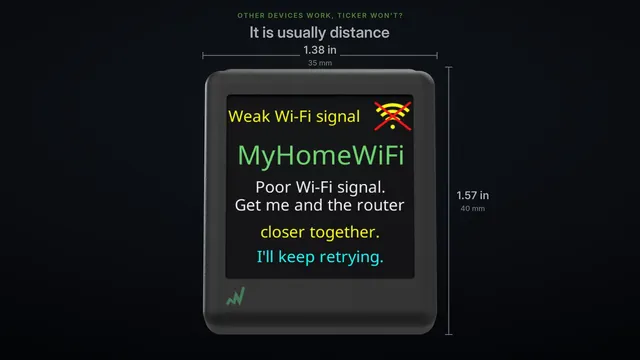 Other Wi-Fi devices work, but the ticker won't? Three checks
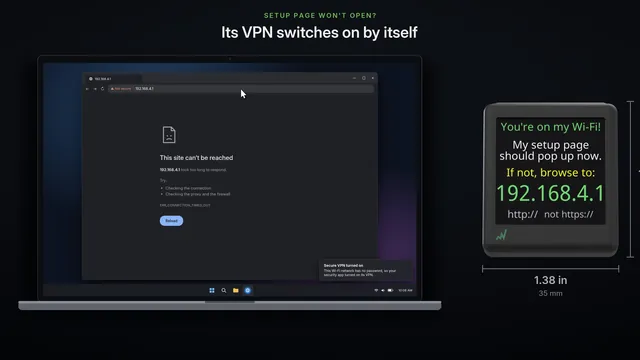 Setup page won't open on your computer
Read it insteadHide the text
Hotel and cafe Wi-Fi usually want you to tap, I agree, on a web page, and the ticker can't. A phone's hotspot works instead.
You need two devices: the phone that shares its data, and a second phone, tablet or computer for the setup.
On the phone with the data plan, open Settings, then Personal Hotspot. Turn on, Allow Others to Join.
Then turn on Maximize Compatibility. The ticker only hears 2.4 gigahertz Wi-Fi, and this switch makes your hotspot use it.
On an Android phone, pick a band that includes 2.4 gigahertz, and WPA2 security, instead.
Note your hotspot's name, here, My iPhone, and its password. Keep this screen open until the ticker has joined.
This phone has to keep its hotspot on, so do the setup on your second device. Any phone, tablet or computer will do.
On it, open Wi-Fi, and tap the network named on the ticker's screen. It starts with CT.
The setup page pops up. After its welcome cards, it lists the Wi-Fi the ticker can hear.
Your hotspot is in the list, under your phone's name. Tap it, and type the hotspot's password.
Then tap Go.
The ticker logs in to your hotspot and checks the internet. Then it shows its new address, and restarts.
The setup page closes by itself, and this device goes back to its own Wi-Fi. The ticker starts up on your hotspot.
To open the ticker's settings page, your device has to be on the same hotspot. Join it, with the same password.
Then type the address on the ticker's screen into your browser.
There's its settings page. Bookmark it, so it's one tap away next time.
That's it. If the hotspot goes off, the ticker waits, and joins again when it's back on.